
TL;DR
Play games included with Prime
Start a Prime free trial and play with Amazon Luna on your devices.
Start playingAs an affiliate, we earn on qualifying purchases.
Building your own AI workstation used to be cheaper, but today prebuilt systems often match or beat DIY prices thanks to supply chain issues. Your choice depends on how much control, support, and speed matter for your AI projects, not just the initial cost.
Here’s a shocker: in 2026, building your own AI workstation isn’t always the cheaper option. The AI boom has driven up component prices and created shortages, making prebuilt systems more attractive than ever. Whether you’re a hobbyist or a professional, understanding the real tradeoffs can save you time, money, and headaches.
Instead of jumping into a DIY build because of past assumptions, you’ll want to weigh performance, support, speed of deployment, and future flexibility. This guide cuts through the noise, showing you exactly when to buy and when to build, based on what matters most to your workload. Learn more about build vs buy decisions.
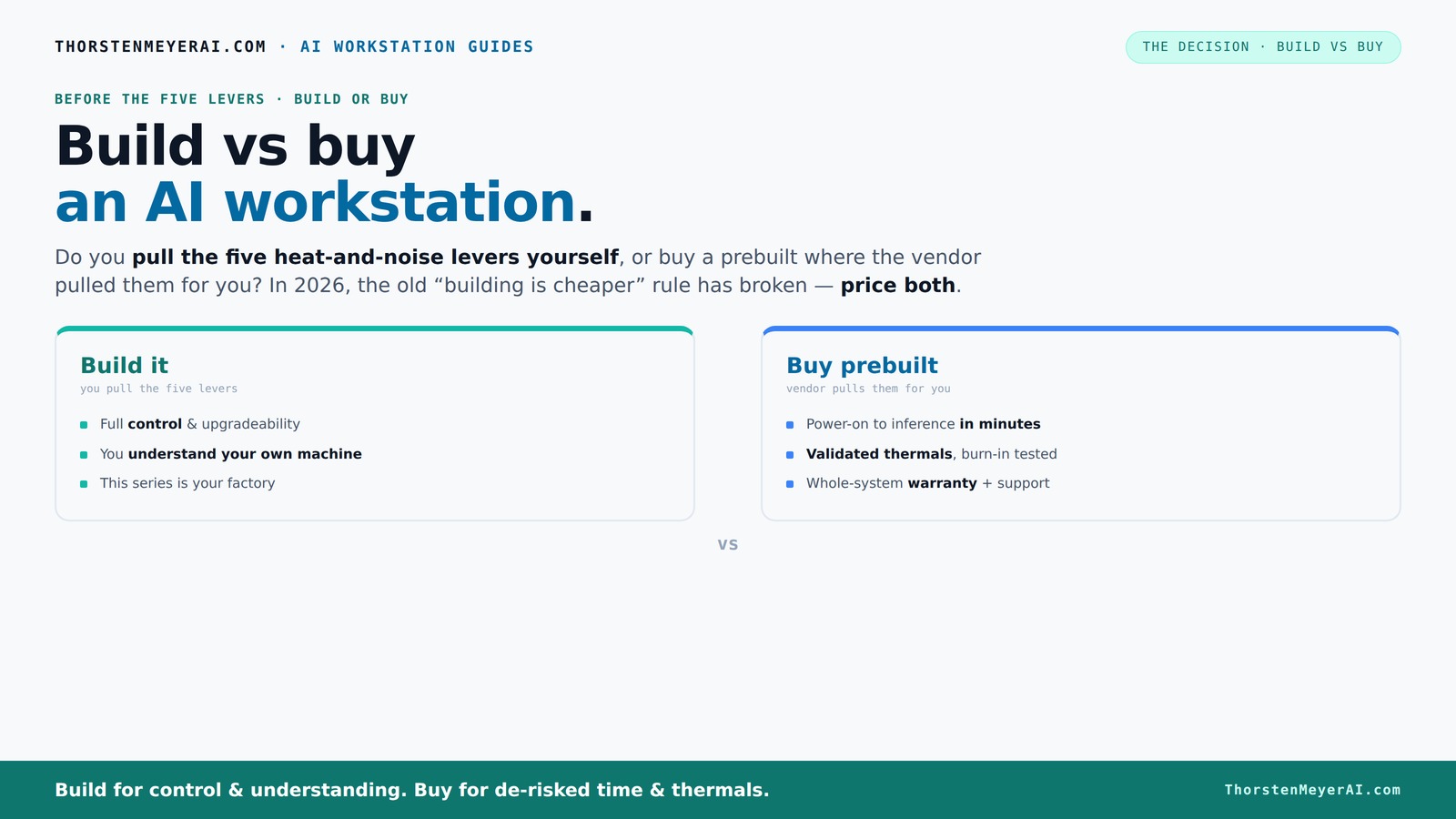
Build vs buy
an AI workstation.
The real question behind this whole series: do you pull the five heat-and-noise levers yourself, or buy a prebuilt where the vendor pulled them for you? And in 2026, the old “building is cheaper” rule has broken. Match your situation in Part 3.
Key Takeaways
- Component shortages in 2026 have made prebuilt AI workstations often as affordable as DIY builds, breaking the old ‘build cheaper’ rule.
- Vendor validation, thermals, and support mean prebuilt systems often run cooler, quieter, and more reliably under sustained AI workloads.
- Building offers maximum control, customization, and security, especially for niche or highly sensitive projects.
- Price comparison is essential: always compare the total cost, including your time, setup, and future upgrades.
- Hybrid models balance support and control, making them ideal for many users in the evolving AI landscape.
As an affiliate, we earn on qualifying purchases.
Why 2026 Changes Everything About Building vs Buying
In the past, building a PC was almost always cheaper. But today, component shortages and price spikes mean a prebuilt can be just as affordable or even better value. For example, a high-end GPU like the RTX 4090 used to cost around $1,500 but now can reach $2,000+ on the open market.
Meanwhile, prebuilt vendors buy parts in bulk, locking in prices before shortages hit. A system from Lambda or Puget often costs the same or less than sourcing parts individually, especially when factoring in time and effort. The old rule — build cheaper than buy — no longer applies across the board.
So, the real question becomes: is your workload worth the extra cost, time, and hassle of building? Or is speed and support more valuable?
Understanding this shift is crucial because it affects your decision-making process. When component prices spike and supply chains falter, the cost difference between DIY and prebuilt shrinks or even reverses. This means that the traditional advantage of DIY—cost savings—is no longer guaranteed. Instead, you must consider factors like time-to-deploy, reliability, and support, which can tip the scales toward buying. The implications are significant: for many, the pursuit of cost savings may no longer justify the complexity and effort of building, especially when prebuilt options are more accessible and dependable than ever.
As an affiliate, we earn on qualifying purchases.
The 5 Levers of a High-Power AI Workstation — Who Pulls Them?
Every serious AI rig relies on five key levers: undervolting GPUs, matching coolers, optimizing airflow, tuning fans, and proper placement. How you handle these determines thermal and noise performance. Buy a prebuilt → the vendor pulls these levers for you. They validate thermals, optimize fan curves, and often include water cooling. This results in systems that run cooler, quieter, and more reliably under load. Explore build vs buy options.
Building it yourself means you’re the one pulling those levers. You pick a quiet GPU, undervolt it (see how here), choose the right cooler, and fine-tune airflow. It’s empowering but demands expertise and ongoing effort. See how to build your own AI workstation.
For example, BIZON’s prebuilt systems claim up to 30% lower noise and temperature after factory tuning. That’s an entire cluster optimized for your workload, validated and supported.
Understanding who controls these levers—and why it matters—can significantly impact your system’s performance and longevity. Vendors often have dedicated thermal engineers who optimize the entire airflow and cooling system, which can be difficult to replicate as an individual. Learn about prebuilt system validation. This expert tuning reduces risks of thermal throttling and system instability, which are especially critical in AI workloads where sustained performance is essential. Conversely, DIY tuning offers customization but requires ongoing maintenance and expertise. The tradeoff is between convenience and precision, with vendor-tuned systems generally providing more reliable thermal management, ultimately supporting higher workloads with less risk of failure.
As an affiliate, we earn on qualifying purchases.
When Buying a Prebuilt Makes Sense — Fast, Reliable, and Supported
If your priority is quick deployment, support, and reliability, a prebuilt wins. Imagine a researcher launching a training job today — plugging in a validated system with all software ready to go. That’s what a reputable vendor offers.
They run extensive burn-in tests, ensure no thermal throttling, and back it up with warranties. For example, Lambda offers up to 5-year support, eliminating the guesswork and troubleshooting. You get a system that’s ready for heavy lifting, with minimal setup time.
Plus, multi-GPU setups are tricky — power delivery, cooling, and airflow all matter. Vendors like Puget have validated solutions that handle these complexities, saving you months of trial and error.
Choosing a prebuilt reduces the risk of configuration errors, compatibility issues, and unforeseen downtime. Find out when prebuilt makes sense. It also means you’re buying into a system that has been stress-tested under real-world conditions, which is crucial for high-stakes AI tasks. This validation process ensures that thermals are optimized, power supplies are sufficient, and cooling is adequate — factors that often get overlooked in custom builds but can cause system failures or throttling if neglected. The implications are clear: for demanding workloads where time and reliability are paramount, prebuilt systems provide peace of mind and operational certainty, enabling faster project initiation and minimizing disruptions.
As an affiliate, we earn on qualifying purchases.
Why Building Your Own System Still Has Its Place
Building your own AI workstation isn’t dead — it’s a choice for those who want maximum control and customization. If you’re a hobbyist, student, or someone with specific needs, DIY can be rewarding.
Imagine tuning a GPU precisely to run cooler and quieter — you can undervolt, pick custom coolers, and upgrade components over time. For example, choosing a quiet GPU and undervolting it can slash noise levels and power use.
Plus, if your workload is highly specialized or security-sensitive, owning every component and control point makes sense. You can adapt the system exactly to your needs and avoid vendor lock-in.
However, it’s important to recognize that DIY approaches often involve a steep learning curve and ongoing maintenance. The tradeoff is that you get tailored hardware and the satisfaction of mastery, but at the expense of time, effort, and potential troubleshooting. For niche or security-critical projects, this level of control can be invaluable, allowing you to implement custom security measures, firmware modifications, and more advanced customization.rdware configurations that are not possible with prebuilt systems. Still, this advantage must be weighed against the complexity and resource commitment involved.
Cost and Performance — How to Price Out Both Options
To decide, you need to compare apples to apples. Build a list of the exact specs you need — GPU, CPU, RAM, storage. Then price each component and sum it up.
For example, a high-end GPU like the RTX 4090 costs around $1,600 today. Add a compatible CPU, motherboard, RAM, cooling, and case, and the total often exceeds $2,000. If you buy a prebuilt with similar specs, it might cost you just as much or less.
But beyond raw component costs, consider the time and effort involved in assembly, testing, and troubleshooting. Building a system often requires additional resources, and delays can impact project timelines. Conversely, prebuilt systems include validation and support, which can reduce hidden costs of troubleshooting or component incompatibilities. Recent data shows that a prebuilt from Lambda with similar specs can cost approximately $3,500 — about the same as sourcing parts individually plus the value of your time. This comparison underscores that, in 2026, total ownership costs often favor prebuilt systems, especially when factoring in the intangible costs of DIY assembly and maintenance.
What Specs Matter Most for AI Workloads?
Performance hinges on GPU VRAM, core count, and memory bandwidth. For training large models, at least 24GB of VRAM (like the RTX 4090) is recommended. For inference and fine-tuning, 12-16GB may suffice.
Memory speed and capacity matter too — 128GB of DDR5 RAM is common for heavy workloads. Storage should be fast SSDs, ideally NVMe, to keep data flow smooth. Cooling and power supply must also handle sustained loads without throttling or failures.
Choosing the right hardware is about matching capabilities to workload demands—over-specifying can lead to unnecessary costs, while under-specifying risks bottlenecks that slow down training or inference. For example, a workstation with an RTX 4090, 256GB RAM, and a 2TB NVMe SSD provides a balanced setup for most demanding AI tasks, ensuring data throughput, model training speed, and system stability. The key is understanding the specific compute and memory requirements of your projects and tailoring the hardware accordingly. In essence, selecting the right specs means optimizing for performance, cost-efficiency, and future scalability.
Support, Warranty, and Upgradability — Why They Matter
Prebuilt vendors often include support contracts, warranties, and validated upgrade paths. This reduces downtime if something fails or needs an upgrade. For example, Puget’s systems come with 3-year on-site support, covering parts and labor.
Building your own means owning every aspect. You’re responsible for troubleshooting, compatibility, and future upgrades. If you want a system that can grow or be maintained easily, a prebuilt often wins.
Support and warranty services are critical because they directly impact your system’s uptime and reliability. When a component fails, knowing you have prompt, expert support can save days of downtime. Validated upgrade paths mean that future hardware additions or replacements are less likely to cause compatibility issues, ensuring your investment remains viable longer. Conversely, DIY systems require you to handle upgrades and repairs yourself, which can be challenging without proper expertise. This ongoing responsibility can lead to increased downtime and costs if not managed carefully. Therefore, support, warranty, and upgradeability are not just convenience features—they’re essential for maintaining productivity and protecting your investment over the system’s lifespan.
Security and Compliance — When Building Makes Sense
For sensitive data or regulated environments, building in-house can offer tighter control over hardware and data. You control every component, firmware, and network access point. That’s crucial for high-security or government projects.
Prebuilt systems can meet compliance if vendors follow strict standards, but some organizations prefer owning the whole stack to avoid third-party vulnerabilities. For example, a government agency might opt for a custom-built system to meet strict sovereignty requirements.
Understanding the security implications is vital because vulnerabilities can arise from hardware backdoors, firmware exploits, or supply chain compromises. Building your own system allows you to select parts from trusted sources, implement custom security measures, and maintain full control over firmware and software updates. This reduces the attack surface and ensures compliance with strict policies. However, it also requires expertise and diligence. Conversely, reputable vendors often have rigorous security standards, but reliance on third-party components always introduces some risk. The decision hinges on your security needs, regulatory obligations, and the level of control required to protect sensitive data.
Future-Proofing: Upgrades, Lifespan, and Obsolescence
Building your system means choosing a motherboard and case with room for upgrades — more RAM, additional GPUs, better cooling. You can extend its lifespan with planned upgrades, which can be essential as workloads grow or hardware becomes obsolete.
Prebuilt systems often have limited upgrade options, especially for GPU slots or power supplies. Vendors might also design for a typical lifespan of 3–5 years, after which replacement is recommended. This can lead to higher long-term costs if frequent upgrades are needed to keep pace with evolving AI workloads.
Planning for future upgrades involves selecting components that are modular and compatible with new hardware standards, ensuring you can adapt without replacing the entire system. A DIY system with an open design and extra expansion slots allows you to swap out GPUs, add RAM, or upgrade cooling over time, effectively extending its useful life. Prebuilt systems, while convenient, may restrict these options, leading to earlier obsolescence. The tradeoff is between initial simplicity and long-term flexibility—consider your workload trajectory and upgrade budget when making your choice.
Vendor Lock-In vs. Self-Ownership: Which Is Better?
Buying means accepting vendor lock-in — you rely on their roadmap, support, and parts availability. If the vendor discontinues a product or raises prices, you’re affected.
Building offers full ownership. You control every part, upgrade, and maintenance. But that also means more responsibility and ongoing effort.
Vendor lock-in can limit flexibility and create dependency on specific brands or components, which can be problematic if compatibility issues arise or if the vendor ceases support. On the other hand, full ownership through building allows you to choose exactly what hardware to use, when to upgrade, and how to maintain the system. This freedom can be advantageous for long-term projects or highly customized setups but requires technical expertise and ongoing management. The choice depends on your capacity to manage hardware and your preference for control versus convenience.
When a Hybrid Approach Works Best
Modern AI setups often blend both worlds. You can buy a baseline system from a vendor and then customize or upgrade key components. This approach offers a balance of support and control.
For instance, you might purchase a preconfigured chassis and power supply, then add your own GPU and RAM tuned precisely to your workload. This hybrid strategy reduces risk while giving you some flexibility to optimize performance and future-proof your investment.
Such an approach is especially useful when immediate deployment is needed, but you still want the ability to upgrade or customize later. It allows you to leverage vendor validation for core components while tailoring specific hardware to your needs, effectively managing costs and complexity.
In essence, hybrid models enable you to enjoy the reliability of prebuilt systems with the personalization of custom builds, making them a practical solution in the fluctuating market conditions of 2026.
Common Mistakes When Choosing a Prebuilt System
Don’t assume that the most expensive prebuilt is automatically the best. Sometimes vendors overcharge for features you don’t need. Always compare specs and reviews.
Be wary of proprietary cooling or power supplies that limit upgrade paths. Check the warranty terms and support options carefully before buying.
A common mistake is focusing solely on initial cost without considering long-term support and upgradeability. For example, a system with a short warranty might seem attractive but could cost more in repairs or replacements down the line. Also, choosing systems with proprietary components can lock you into specific vendors, making future upgrades difficult or costly. To avoid these pitfalls, evaluate the total ownership experience, support reputation, and upgrade options. Doing thorough research ensures that your investment remains viable and cost-effective over its lifespan.
Making the Final Call: Build, Buy, or Hybrid?
The best choice depends on your workload, budget, and comfort level. Use this quick checklist:
- Need speed and support? → Buy
- Want maximum control and customization? → Build
- Balance both? → Hybrid
Remember: in 2026, prices and supply chain issues mean you should always price both options before deciding. The right decision balances cost, time, control, and risk.
For most professional or enterprise users, buying often cuts deployment time and reduces hassle. Hobbyists and security-sensitive projects might prefer building for full control, security, and customization. Carefully weigh the tradeoffs, considering not just initial costs but also the long-term implications of support, upgradability, and security. The decision isn’t purely about price—it’s about aligning your system’s capabilities with your project’s demands and your operational preferences.
Frequently Asked Questions
Is a prebuilt AI workstation worth it in 2026?
Yes, if you prioritize quick deployment, validated thermals, warranty support, and minimal setup. Prebuilt systems often cost less than building from scratch today due to supply chain issues, making them a smart choice for most users.Is it cheaper to build or buy an AI workstation?
In 2026, component shortages and bulk buying have narrowed or reversed the cost advantage of building. Always price both options for your specific specs, but expect prebuilt to often match or beat DIY costs when factoring in time and effort.How much performance do I lose with a prebuilt system?
Modern prebuilt systems are often tuned for peak performance, with validated cooling and power delivery. For most workloads, performance loss is minimal — sometimes less than 5% — but it depends on how well the vendor optimizes thermals and hardware.What specs matter most for AI workloads?
VRAM (at least 12–24GB for large models), high core count CPUs, fast NVMe SSDs, and ample RAM (128GB+) are key. Cooling and power supply are equally crucial for sustained high loads.Should I choose a hybrid approach?
Yes — buying a solid base system and customizing or upgrading key components combines support with control. This approach often offers the best of both worlds in today’s supply-challenged market.Conclusion
In 2026, the decision to build or buy isn’t just about cost — it’s about what your workload demands, how quickly you need the system, and how much control you want. The market’s shifted, so don’t assume DIY is always cheaper.
Remember: the right choice aligns with your goals, not just your budget. Whether you buy or build, aim for a system that speeds your AI journey without unnecessary headaches. The best machine is the one that gets you from idea to insight fastest and most reliably.
Fall yard work Picks
leaf blowers
As an affiliate, we earn on qualifying purchases.