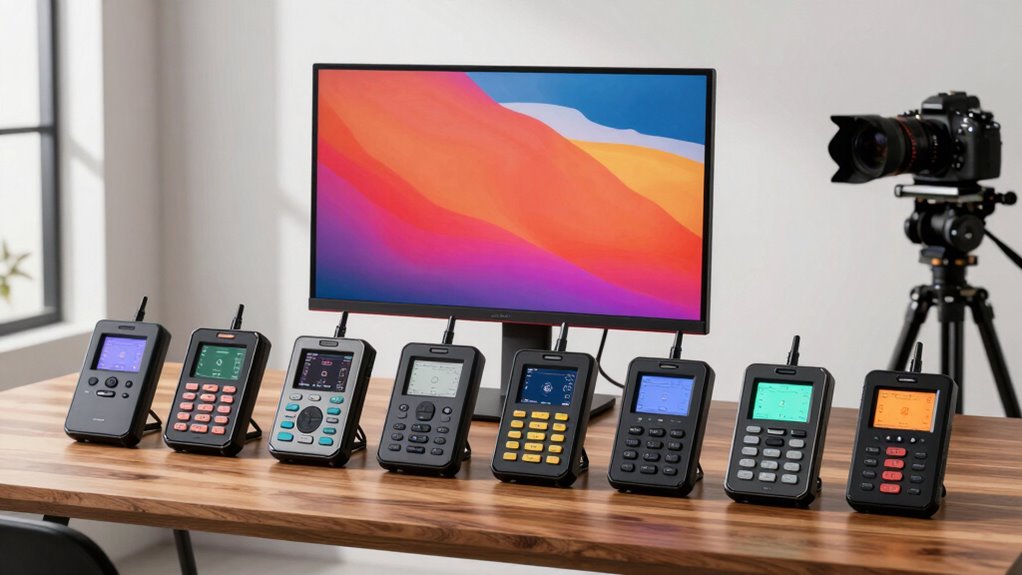

Achieving precise color calibration is essential for anyone working with images, videos, or design. Hardware calibrators for color accurate displays help maintain consistent, true-to-life colors across your screens. The best options, like the Datacolor Spyder Celebration Kit, offer comprehensive tools for casual users and professionals alike, but tradeoffs include price and complexity. Others, such as the Calibrite Display Pro HL, provide high accuracy at a more affordable level, making calibration accessible without sacrificing quality. Continue reading to see how these products compare and which one fits your specific needs.

Get art and craft supplies delivered free with Prime
- Fast, free delivery on millions of items
- Prime Video, Amazon Music and more included
- Member-only deals all year
Key Takeaways
- The top picks balance accuracy, ease of use, and value, with the Datacolor Spyder Celebration Kit standing out for complete calibration features.
- Professional users benefit most from high-end models like the Calibrite Display Pro HL, which supports a wide range of display types including OLED and Mini LED.
- Budget-conscious buyers should note that even mid-tier options like the Spyder4Pro deliver reliable performance for less demanding calibration needs.
- Compatibility varies significantly; ensure your display type (LCD, OLED, Mini LED) matches the calibrator’s specifications to avoid inaccuracies.
- Calibration software usability and support can influence ongoing performance; more intuitive interfaces reduce setup errors and save time.
| Datacolor Spyder Celebration Kit – Monitor Calibrator & Color Checker |  | Best Comprehensive Calibration Kit for Creative Professionals | Includes: Monitor calibrator, Spyder Checkr 24, Spyder Cube | Compatibility: OLED, mini-LED, XDR Retina Display | Purpose: Color calibration, white balance, color correction | VIEW ON AMAZON | See Our Full Breakdown |
| Calibrite Creator Kit with Display 123 Colorimeter and ColorChecker Passport Video 2 |  | Best for Seamless Photo and Video Color Workflow | Includes: Display 123 colorimeter, ColorChecker Passport Video 2 | Purpose: Monitor calibration, video and photo capture control | Features: White point setting, exposure verification, camera matching | VIEW ON AMAZON | See Our Full Breakdown |
| Calibrite Display Pro HL Monitor Calibration Colorimeter for LCD, Mini LED, and OLED Displays |  | Best High-Luminance Calibration Tool for HDR and Professional Work | Measurement Range: up to 3000 nits | Display Compatibility: LCD, Mini LED, OLED, Apple XDR | Software: Calibrite PROFILER for Mac and Windows | VIEW ON AMAZON | See Our Full Breakdown |
| Datacolor Spyder4Pro Colorimeter for Display Calibration |  | Best Budget-Friendly Option for Accurate Display Calibration | Sensor Type: Full-spectrum color sensor | Calibration: Automated color and brightness calibration | Compatibility: Multiple displays | VIEW ON AMAZON | See Our Full Breakdown |
| ASUS ProArt CaliContrO MCA02 3-in-1 Colorimeter – Professional Color Calibrator |  | Best Versatile Professional Calibration Tool with HDR Support | Functionality: Colorimeter, Display OSD Control, ASUS Dial | Calibration: Hardware and Software | Max Nits: 10,000 | VIEW ON AMAZON | See Our Full Breakdown |
| Calibrite Display 123 Monitor Calibration Colorimeter for Photo Editing and Color Accurate Viewing |  | Best for Beginners and Quick Setup | Connection: USB C | Body Size: 34mm tall x 37mm diameter | Supports: 2 displays | VIEW ON AMAZON | See Our Full Breakdown |
| Calibrite ColorChecker Display Pro (CCDIS3) |  | Best for Versatility and Professional Use | Compatibility: ccProfiler and i1Profiler software | Features: Rotatable diffuser arm, tripod mount, ambient light measurement | Power: Powered by X-Rite | VIEW ON AMAZON | See Our Full Breakdown |
| Datacolor SpyderPro Monitor Calibrator & Screen Color Calibration Tool |  | Best for Professional and Multi-Device Calibration | Compatibility: Windows 10/11, macOS 10.14 to 14 | Device Support: Unlimited displays via USB-C | Features: Gamma, white point, brightness adjustments, projector calibration | VIEW ON AMAZON | See Our Full Breakdown |
| hardware calibrators for color accurate display | Compatibility | Features |
|---|---|---|
| Datacolor Spyder Celebration K | OLED, mini-LED, XDR Retina Display | — |
| Calibrite Creator Kit with Dis | — | White point setting, exposure verification, camera matching |
| Calibrite Display Pro HL Monit | — | — |
| Datacolor Spyder4Pro Colorimet | Multiple displays | Fast ReCAL re-calibration, improved accuracy |
| ASUS ProArt CaliContrO MCA02 3 | LED, OLED, Mini-LED displays | — |
| Calibrite Display 123 Monitor | — | Adjustable counterweight, before and after check |
| Calibrite ColorChecker Display | ccProfiler and i1Profiler software | Rotatable diffuser arm, tripod mount, ambient light measurement |
| Datacolor SpyderPro Monitor Ca | Windows 10/11, macOS 10.14 to 14 | Gamma, white point, brightness adjustments, projector calibration |
More Details on Our Top Picks
Datacolor Spyder Celebration Kit – Monitor Calibrator & Color Checker
The Datacolor Spyder Celebration Kit stands out for its all-in-one approach, combining a monitor calibrator, color checker, and cube to cover both display and lighting conditions. Compared with the Calibrite Creator Kit, it offers a more complete set for those who need precise color matching across devices and environments. However, its setup can be complex, and the price point might be a barrier for casual users. The included tools help photographers and videographers maintain consistent color workflows, especially when working with high-end displays like OLED or mini-LED. This kit is ideal for users demanding detailed color management but less suited for beginners who find the multi-tool approach overwhelming.
Pros:- Ensures accurate and consistent color reproduction across devices
- Includes multiple tools for comprehensive color management
- Compatible with latest high-end display technologies
Cons:- Requires some technical knowledge for effective use
- Potentially costly for non-professional users
Best for: Professional photographers, videographers, and color-critical editors needing comprehensive color consistency.
Not ideal for: Casual users or hobbyists seeking a simple, budget-friendly calibration solution without extensive toolsets.
- Includes:Monitor calibrator, Spyder Checkr 24, Spyder Cube
- Compatibility:OLED, mini-LED, XDR Retina Display
- Purpose:Color calibration, white balance, color correction
Our verdict“This kit is best suited for professionals who prioritize thorough color calibration across multiple tools and display types.”
Calibrite Creator Kit with Display 123 Colorimeter and ColorChecker Passport Video 2
The Calibrite Creator Kit combines the reliable Display 123 colorimeter with the versatile ColorChecker Passport Video 2, making it ideal for photographers and videographers seeking accurate color from capture to editing. Compared to the Datacolor Spyder Celebration Kit, it offers more targeted tools for camera matching and exposure verification, streamlining professional workflows. Setup can be complex for newcomers, especially when integrating multiple software components. Its focus on white point setting, exposure, and camera matching helps professionals who need precise color control across different media. This kit is less suited for casual users or those only working on basic calibration without advanced workflow requirements.
Pros:- Delivers accurate monitor calibration and camera matching
- Helps ensure consistent color workflow from capture to post-production
- Includes specialized tools for video and photo professionals
Cons:- Setup and software integration can be complex
- Higher price may be prohibitive for casual users
Best for: Professional photographers and videographers aiming for consistent color across cameras and displays.
Not ideal for: Beginners or casual users who prefer straightforward, single-tool calibration solutions.
- Includes:Display 123 colorimeter, ColorChecker Passport Video 2
- Purpose:Monitor calibration, video and photo capture control
- Features:White point setting, exposure verification, camera matching
- Suitable for:Photography, filmmaking, professional video
Our verdict“This kit is ideal for professionals needing precise color consistency from camera capture through editing processes.”
Calibrite Display Pro HL Monitor Calibration Colorimeter for LCD, Mini LED, and OLED Displays
The Calibrite Display Pro HL excels in measuring high luminance displays up to 3000 nits, making it the go-to choice for HDR workflows. Unlike the Spyder4Pro, which is more suited for standard SDR monitors, this model supports advanced professional displays including OLED and mini-LED, providing more accurate luminance profiling. Its compatibility with Mac and Windows software and multi-display support make it suitable for demanding creative environments. The main tradeoff is its complexity and higher cost, which might be excessive for casual users. Its USB-C connection, while modern, may require adapters for some setups. This pick makes the most sense for visual professionals working with HDR content and high-end displays.
Pros:- Supports high luminance measurement up to 3000 nits
- Compatible with a wide range of professional display types
- Offers advanced profiling and validation tools
Cons:- Requires software setup, which can be complex
- Higher price point limits accessibility for casual users
Best for: HDR content creators, colorists, and designers working with high luminance displays and multi-monitor setups.
Not ideal for: Casual users or those with standard SDR displays seeking basic calibration at a lower price point.
- Measurement Range:up to 3000 nits
- Display Compatibility:LCD, Mini LED, OLED, Apple XDR
- Software:Calibrite PROFILER for Mac and Windows
- Connection:USB C with USB A adapter
- Includes:Travel storage pouch
Our verdict“This calibration tool is best for professionals who need precise HDR and high-luminance display calibration.”
Datacolor Spyder4Pro Colorimeter for Display Calibration
The Spyder4Pro offers a reliable, full-spectrum sensor for consistent monitor calibration at a more accessible price than high-end models like the Display Pro HL. Its automated calibration and quick re-calibration features make it straightforward for users who want decent accuracy without extensive setup. Compared with the Calibrite Creator Kit, it is simpler and more focused solely on display calibration, making it ideal for users who do not need camera matching or advanced workflows. Its stability and speed are appealing, but the sensor’s accuracy may not match professional-grade devices. This makes it a sound choice for enthusiasts and semi-professionals who need dependable calibration without breaking the bank.
Pros:- High accuracy and stability with full-spectrum sensor
- Quick and easy re-calibration process
- Affordable relative to professional calibration tools
Cons:- Less suited for complex multi-display setups
- May require some technical knowledge for optimal results
Best for: Enthusiasts and semi-professional users seeking straightforward, reliable monitor calibration.
Not ideal for: Professional colorists or videographers requiring advanced workflow tools and higher luminance support.
- Sensor Type:Full-spectrum color sensor
- Calibration:Automated color and brightness calibration
- Compatibility:Multiple displays
- Features:Fast ReCAL re-calibration, improved accuracy
Our verdict“This colorimeter is ideal for users who want dependable monitor calibration without advanced features or high cost.”
ASUS ProArt CaliContrO MCA02 3-in-1 Colorimeter – Professional Color Calibrator
The ASUS ProArt CaliContrO MCA02 offers a 3-in-1 solution, combining a colorimeter with hardware and software calibration, and includes features like OSD control and the ASUS Dial for quick access. Its support for HDR calibration up to 10,000 nits positions it squarely in professional workflows demanding extreme luminance accuracy. Compared with the Calibrite Display Pro HL, it provides more user-friendly controls and integrated shortcuts, but comes at a premium price suited mainly for advanced creators. Its USB-C reversible connection enhances ease of setup, yet the need for proprietary software and its professional focus make it less ideal for casual users. This device makes the most sense for those working in high-end HDR content creation who need seamless hardware-software synchronization.
Pros:- Supports HDR calibration up to 10,000 nits
- Versatile 3-in-1 functionality with intuitive controls
- Reversible USB-C connection for simple setup
Cons:- Cost may be prohibitive for casual users
- Requires proprietary software for calibration
Best for: HDR specialists, high-end content creators, and professionals needing precise calibration at very high luminance levels.
Not ideal for: Budget-conscious hobbyists or users working primarily with SDR displays, as the price and feature set may be excessive.
- Functionality:Colorimeter, Display OSD Control, ASUS Dial
- Calibration:Hardware and Software
- Max Nits:10,000
- Connectivity:USB-C
- Compatibility:LED, OLED, Mini-LED displays
Our verdict“This calibration device is best for professionals in HDR workflows who require reliable, high-luminance calibration with flexible controls.”
Calibrite Display 123 Monitor Calibration Colorimeter for Photo Editing and Color Accurate Viewing
The Calibrite Display 123 stands out for its simplicity and targeted design for photographers and creators seeking reliable color accuracy. Its guided 1-2-3 software workflow simplifies calibration, making it accessible for users who may find complex tools intimidating. Compared with the Calibrite ColorChecker Display Pro, the Display 123 offers a more streamlined experience, though it sacrifices some versatility, such as support for projectors or ambient light measurement. Its support for only two displays limits scalability, but for small setups, this is sufficient. The built-in comparison view helps verify calibration accuracy without additional software, making it an excellent choice for quick, consistent results.
Pros:- Easy to use with a guided 1-2-3 workflow, reducing setup time
- Supports calibration of up to two monitors for consistent color across devices
- Built-in before and after comparison view for verification
Cons:- Limited to only two displays, restricting larger multi-monitor setups
- Lack of detailed OS compatibility information may cause uncertainty for some users
Best for: Beginners or hobbyists who want straightforward calibration for up to two monitors without fuss
Not ideal for: Professional colorists or users with multi-device workflows requiring extensive features or more displays
- Connection:USB C
- Body Size:34mm tall x 37mm diameter
- Supports:2 displays
- Brightness Target:Native or Photo
- Features:Adjustable counterweight, before and after check
Our verdict“This pick makes the most sense for beginners or creators who need quick, reliable calibration on a small scale.”
Calibrite ColorChecker Display Pro (CCDIS3)
The Calibrite ColorChecker Display Pro excels in environments demanding high repeatability and versatility. Its compatibility with ccProfiler and i1Profiler software offers professional-level control, especially compared to the more straightforward Calibrite Display 123. The rotatable diffuser arm, tripod mount, and ambient light measurement make it a flexible tool for photographers, videographers, and even projector profiling. However, full functionality depends on compatible software, and the device’s advanced features might be overwhelming for casual users. Its high repeatability across various displays makes it ideal for those who need consistent calibration in diverse setups, but it may be overkill for simple, single-monitor needs.
Pros:- High repeatability across different display types ensures consistent results
- Versatile features like ambient light measurement and projector calibration
- Compatible with industry-standard calibration software
Cons:- Requires compatible software, adding complexity and cost
- Price and feature set may be excessive for casual or basic users
Best for: Professional photographers, videographers, or calibration experts needing versatile tools for different display types and ambient conditions
Not ideal for: Casual users or hobbyists who prefer plug-and-play simplicity without software dependencies
- Compatibility:ccProfiler and i1Profiler software
- Features:Rotatable diffuser arm, tripod mount, ambient light measurement
- Power:Powered by X-Rite
Our verdict“This device is best suited for professionals who demand flexibility and high precision across multiple devices and environments.”
Datacolor SpyderPro Monitor Calibrator & Screen Color Calibration Tool
The Datacolor SpyderPro offers a comprehensive calibration solution comparable to the Calibrite ColorChecker Display Pro but with broader device support and advanced configuration options. Its support for unlimited displays and compatibility with Windows and macOS—including the latest versions—makes it highly adaptable for professional environments. Its user interface aims to balance complexity with usability, appealing to those familiar with calibration software, unlike the more beginner-friendly Calibrite Display 123. It supports gamma, white point, and brightness adjustments, along with projector calibration and display analysis, making it suitable for detailed workflows. The main tradeoff involves its potentially steeper learning curve and higher price point, which may deter casual users.
Pros:- Supports unlimited displays, ideal for complex multi-monitor setups
- Compatible with Windows 10/11 and recent macOS versions, future-proof
- Offers detailed calibration controls including gamma, white point, and brightness
Cons:- May be too complex for users unfamiliar with calibration processes
- Price is not specified but likely higher, reflecting advanced features
Best for: Experienced professionals managing multiple devices or requiring advanced calibration features
Not ideal for: Beginners or casual users seeking quick, simple calibration with minimal setup
- Compatibility:Windows 10/11, macOS 10.14 to 14
- Device Support:Unlimited displays via USB-C
- Features:Gamma, white point, brightness adjustments, projector calibration
Our verdict“This calibrator is the best choice for professionals needing extensive device support and detailed calibration controls.”
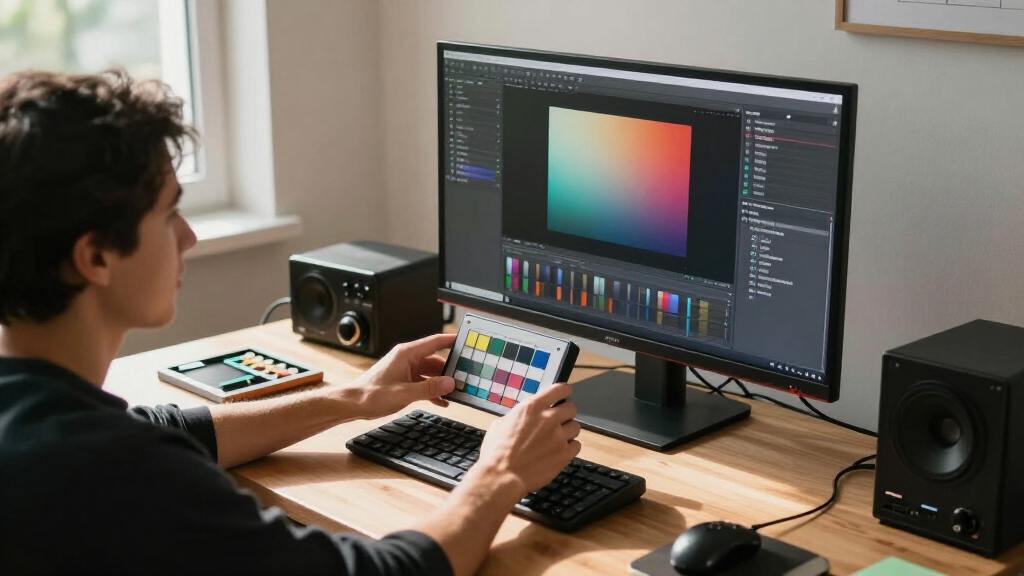
How We Picked
To determine the best hardware calibrators, I evaluated each product based on calibration accuracy, compatibility with various display types, ease of use, build quality, and value for money. Reliability and software support also played critical roles, as these factors impact long-term performance and user experience. Products were ranked by how well they balance professional-grade results with accessibility for different user levels. This approach ensures that each recommendation addresses specific needs, from entry-level users to demanding professionals, with transparent tradeoffs explained for each choice.| hardware calibrators for color accurate display | Compatibility | Features |
|---|---|---|
| Datacolor Spyder Celebration K | OLED, mini-LED, XDR Retina Display | — |
| Calibrite Creator Kit with Dis | — | White point setting, exposure verification, camera matching |
| Calibrite Display Pro HL Monit | — | — |
| Datacolor Spyder4Pro Colorimet | Multiple displays | Fast ReCAL re-calibration, improved accuracy |
| ASUS ProArt CaliContrO MCA02 3 | LED, OLED, Mini-LED displays | — |
| Calibrite Display 123 Monitor | — | Adjustable counterweight, before and after check |
| Calibrite ColorChecker Display | ccProfiler and i1Profiler software | Rotatable diffuser arm, tripod mount, ambient light measurement |
| Datacolor SpyderPro Monitor Ca | Windows 10/11, macOS 10.14 to 14 | Gamma, white point, brightness adjustments, projector calibration |
Factors to Consider When Choosing Hardware Calibrators For Color Accurate Displays
Choosing the right hardware calibrator involves more than just reading specifications. Key considerations include compatibility with your display type, calibration accuracy, ease of use, and software support. Understanding these factors helps prevent common mistakes like mismatched hardware or underestimating the importance of regular recalibration. Budget constraints might influence your choice, but investing in a reliable device can save time and improve color fidelity over the long term. Here are some essential factors to keep in mind:Display Compatibility
Ensure the calibrator supports your specific display type, whether it’s LCD, OLED, Mini LED, or other technologies. Some calibrators excel with certain panels but may struggle with newer or more complex displays, leading to inaccurate results. Confirming compatibility before purchase helps prevent frustration and ensures your calibration efforts are effective, especially for professional work that demands high precision.
Calibration Accuracy and Consistency
The core reason for calibration is color accuracy. Look for devices that offer high-quality sensors and software capable of delivering consistent results across multiple calibration sessions. Higher-end models often include features like ambient light measurement and advanced profiling, which can significantly improve accuracy, but at a higher cost. For most users, a device that provides repeatable results with minimal drift over time is preferable.
Ease of Use and Software Interface
Effective calibration tools should feature straightforward, intuitive software that guides you through the process. Complicated interfaces or unreliable software updates can lead to errors and frustration. Consider whether the software supports your operating system, offers automation options, and provides detailed reports. User-friendly calibration processes reduce the risk of misconfiguration and ensure your display remains color-accurate with minimal hassle.
Recalibration and Maintenance
Color calibration isn’t a one-time setup; displays drift over time, especially with changing ambient lighting or aging screens. Choose a calibrator that makes recalibration simple and quick. Regular recalibration ensures ongoing accuracy, but some devices require more frequent maintenance or sensor cleaning. Investing in a model with clear calibration schedules and durable sensors can extend the device’s lifespan and save money in the long run.
Budget and Long-term Value
Prices for calibrators vary widely, from affordable mid-tier options to premium professional devices. While cheaper models may suffice for casual use, they often lack the precision or features needed for critical work. Conversely, high-end calibrators deliver unmatched accuracy but come with a higher price tag. Consider your specific needs—professional workflows justify investing more, while hobbyists or casual users might find mid-tier options adequate. Balancing cost with the features important to you ensures a satisfying investment.
Frequently Asked Questions
How often should I recalibrate my display?
Most displays benefit from recalibration every 2 to 4 weeks, especially if you work with color-accurate content regularly. Changes in ambient lighting, screen aging, and software updates can affect color fidelity over time. Regular recalibration helps maintain consistent, true-to-life colors and prevents drift that might compromise your work or viewing experience. Using an automated calibration schedule or reminders can simplify this routine.
Can I calibrate multiple displays with one calibrator?
Yes, many calibrators are capable of calibrating multiple monitors, but you should verify the device supports this feature. Some models allow for quick switching between displays, while others may require separate calibration sessions for each. Keep in mind that calibrating different types of displays (like OLED and LCD) might require different settings or calibration profiles for optimal accuracy. Ensuring your software supports multi-display workflows can streamline the process.
Is hardware calibration better than software calibration?
Hardware calibration generally offers higher accuracy because it measures the display’s output directly, providing more precise control over color and luminance. Software calibration alone often relies on LUTs and profile adjustments, which may not be as accurate, especially with inconsistent displays or older hardware. For professional work where color fidelity is critical, investing in a hardware calibrator provides greater confidence in your results.
Will calibration improve my display’s lifespan?
Calibration itself does not directly extend a display’s lifespan, but maintaining optimal color and luminance settings can prevent unnecessary strain or overdrive of the screen components. Proper calibration can also reduce the need for manual adjustments or excessive brightness that might accelerate wear. Regular calibration ensures your display operates within its intended parameters, supporting consistent performance over its lifespan.
Are expensive calibrators worth the investment?
Higher-priced calibrators often deliver superior accuracy, advanced features, and longer-term reliability, making them worthwhile for professionals or serious enthusiasts. If your work depends on precise color matching—such as photography, video editing, or printing—spending more on a premium device can significantly improve your results. For casual users or hobbyists, mid-tier or even budget options might provide sufficient accuracy without overextending your budget.
Conclusion
For professional photographers and designers, the Calibrite Display Pro HL offers unmatched accuracy and versatility, justifying its premium price. Casual users or hobbyists aiming for reliable results on a budget will find the Spyder4Pro or Datacolor SpyderPro to be solid choices. Beginners should prioritize ease of use and software support, making the Datacolor Spyder Celebration Kit a good starting point. For those with specific display types like OLED or Mini LED, the Calibrite Creator Kit or ASUS ProArt CaliContrO provide tailored calibration options. Ultimately, your choice depends on your budget, display type, and how critical color accuracy is to your workflow.Halloween Picks
halloween
As an affiliate, we earn on qualifying purchases.