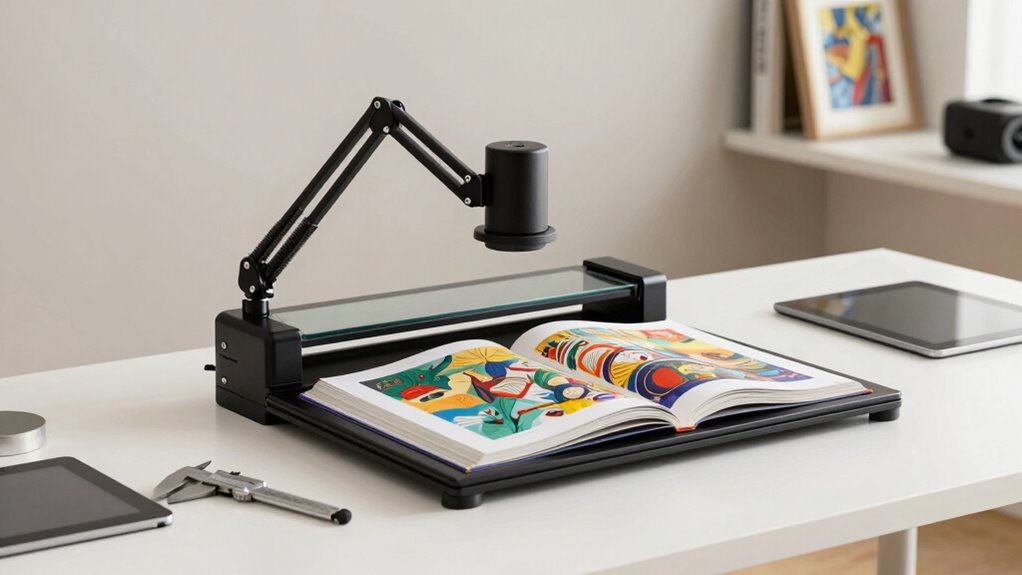

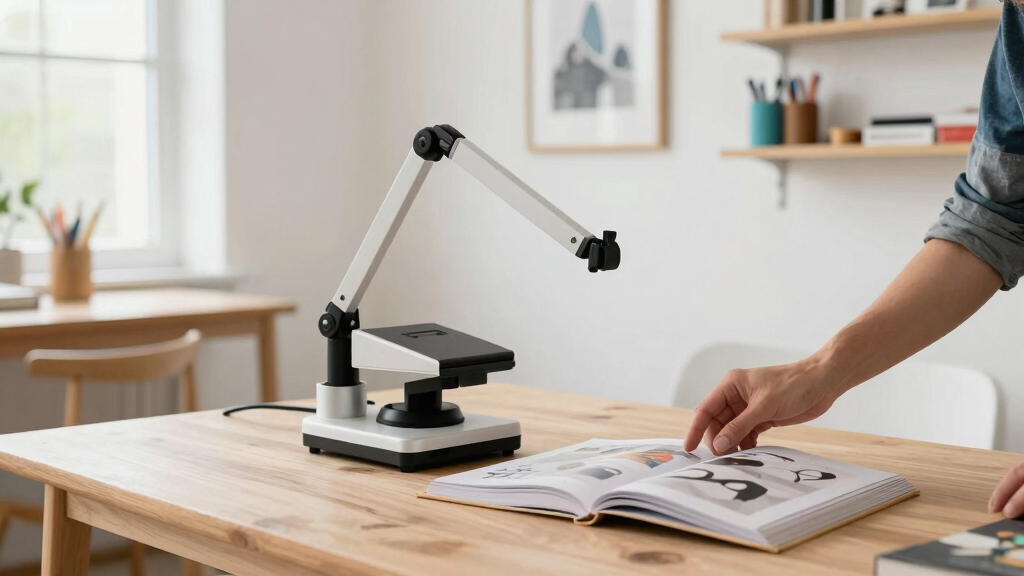
When it comes to archiving art books, overhead book scanners offer a hands-free, high-quality way to digitize fragile or large-format works. The VIISAN S48 Duo stands out as the overall best choice for its large format capabilities, dual 48MP sensors, and OCR features. For those seeking portability, the CZUR Shine Ultra provides versatile scanning with advanced OCR in a compact form. Budget-conscious buyers should consider the VIISAN DL16 for its affordability and auto-flattening tech, though it sacrifices some resolution. The main tradeoffs in this category revolve around resolution, size, and ease of use—higher-end models often cost more but deliver superior detail. Continue reading for a detailed breakdown of these options and more, to help you find the perfect scanner for your art archiving needs.

Get art and craft supplies delivered free with Prime
- Fast, free delivery on millions of items
- Prime Video, Amazon Music and more included
- Member-only deals all year
Key Takeaways
- High-resolution sensors (48MP and above) are essential for capturing fine art details, but come at a higher cost.
- Large format scanners (A2/A3) are better suited for big art books, although they tend to be bulkier and more expensive.
- Auto-flattening and laser positioning significantly improve scan quality and reduce manual post-processing, especially for fragile materials.
- OCR capabilities vary widely; models with advanced OCR support are ideal for searchable archives and text-rich art books.
- Portability and ease of setup matter for smaller collections or limited workspace, but often reduce scanning resolution and features.
| VIISAN S48 Duo Overhead Book Scanner – A2/A3 Large Format, Dual 48MP, 600 DPI with OCR & Text-to-Speech |  | Best for Large-Format, High-Resolution Archiving | Maximum Document Size: A2 | Camera Resolution: Dual 48MP | DPI: 600 | VIEW ON AMAZON | See Our Full Breakdown |
| ScanSnap SV600 Overhead Book and Document Scanner, Black |  | Best for Quick, Damage-Free Digitization of Small to Medium Books | Color: Black | Functionality: Overhead scanner for books and documents | Features: Multi Document Detection, Auto Book Correction, Page Turning Detection | VIEW ON AMAZON | See Our Full Breakdown |
| VIISAN Large Format Book & Document Scanner, A2/A3, 26MP, USB, Auto-Flatten, OCR, Compatible with Windows & macOS |  | Best for High-Resolution Large Document and Art Scanning | Capture Size: A2/A3 | Resolution: 26MP | DPI Support: up to 600 | VIEW ON AMAZON | See Our Full Breakdown |
| VIISAN K48 Book Scanner & Document Camera, 48MP A3 Overhead Scanner with 600 DPI, OCR, Auto Page Flattening, Laser Positioning, 4K USB Camera for Books, Documents, Teaching and Archiving |  | Best for Educational, High-Detail Book Digitization and Presentations | Resolution: 48MP | DPI: 600 | Camera Resolution: 4K@30fps | VIEW ON AMAZON | See Our Full Breakdown |
| VIISAN DL16 Book Scanner, A3 Overhead Document Scanner with 16MP Camera, 300 DPI, OCR, Auto Page Flattening, Anti-Glare LED Lighting for Books, Archives, Artwork and Large Documents |  | Best for Budget-Conscious Large Document Digitization | Camera: 16MP | Resolution: 300 DPI | Document Size: A3 | VIEW ON AMAZON | See Our Full Breakdown |
| CZUR ET MAX Book Scanner and Portable Studio Box Bundle |  | Best for Enhanced Light Isolation and Flexibility | Included Accessories: Portable studio box | Light Isolation: Yes | Compatibility: Not specified | VIEW ON AMAZON | See Our Full Breakdown |
| CZUR Shine Ultra Smart Portable Document Scanner with OCR |  | Best for Portability and Language Support | Compatibility: Windows, macOS | Supported Sizes: A3, A4 | Scanning Speed: about 1 sec/page | VIEW ON AMAZON | See Our Full Breakdown |
| CZUR ET24 Pro Professional Book Scanner, 24MP Document Camera |  | Best for High-Resolution Large Document Scanning | Resolution: 24MP (5696×4272) | Maximum Document Size: A3 | Scanning Speed: around 1.5 sec/page | VIEW ON AMAZON | See Our Full Breakdown |
| CZUR ET MAX Professional Book Scanner, 38MP Document Camera with Laser Curve-Flatten and OCR |  | Best for Maximum Detail and Advanced Curve Flattening | Resolution: 38MP (7168×5376) | Maximum Document Size: A3 | Scanning Speed: 1.5 sec/page | VIEW ON AMAZON | See Our Full Breakdown |
| overhead book scanners for archiving art book | Resolution |
|---|---|
| VIISAN S48 Duo Overhead Book S | — |
| ScanSnap SV600 Overhead Book a | — |
| VIISAN Large Format Book & Doc | 26MP |
| VIISAN K48 Book Scanner & Docu | 48MP |
| VIISAN DL16 Book Scanner | 300 DPI |
| CZUR ET MAX Book Scanner and P | Not specified |
| CZUR Shine Ultra Smart Portabl | — |
| CZUR ET24 Pro Professional Boo | 24MP (5696×4272) |
| CZUR ET MAX Professional Book | 38MP (7168×5376) |
More Details on Our Top Picks
VIISAN S48 Duo Overhead Book Scanner – A2/A3 Large Format, Dual 48MP, 600 DPI with OCR & Text-to-Speech
The VIISAN S48 Duo stands out for its ability to scan large documents up to A2 size without damaging fragile pages, making it ideal for archiving oversized art books. Its dual 48MP cameras deliver exceptional detail, surpassing the 26MP of the VIISAN S21, especially when high resolution is critical. The added AI-powered image processing enhances clarity, reducing manual editing—though this sophistication comes with a more complex setup and higher cost, which could be a barrier for casual users. Unlike the ScanSnap SV600, which excels at quick, multi-page scans of smaller documents, the S48 is better suited for detailed, large-format projects where quality is paramount. Its versatility as a live camera for presentations adds value, but the size and cost mean it’s best for dedicated archiving environments rather than casual use.
Pros:- Captures large documents up to A2 without risking damage
- Dual 48MP cameras produce highly detailed scans
- AI image processing improves scan clarity and reduces editing
Cons:- Expensive compared to smaller or simpler scanners
- Requires substantial space for large document handling
- Setup complexity may be intimidating for novices
Best for: Professionals or institutions digitizing large, fragile art books requiring high detail and preservation quality.
Not ideal for: Casual hobbyists or small-scale users with limited space and budget, as the setup and cost are significant.
- Maximum Document Size:A2
- Camera Resolution:Dual 48MP
- DPI:600
- Features:OCR, Text-to-Speech, AI image processing, UVC camera
Our verdict“This scanner is best suited for high-end, large-format archiving where detail and preservation are priorities.”
ScanSnap SV600 Overhead Book and Document Scanner, Black
The ScanSnap SV600 is tailored for users seeking a straightforward, damage-free way to digitize newspapers, magazines, and smaller books. Its ability to automatically detect multiple documents, correct page curvature, and crop images speeds up workflows, especially compared to more complex large-format scanners. However, it’s limited to smaller items and requires overhead space, making it less ideal for large art books or oversized documents. Compared with the VIISAN models, the SV600 offers a more user-friendly setup and faster operation but at the expense of maximum document size. It’s a solid choice for casual or occasional archiving projects where ease of use and minimal risk of damage take precedence over large-format capacity.
Pros:- Automatically detects and crops multiple items in one scan
- Corrects page curvature for clear digital images
- Simple to operate with minimal manual adjustments
Cons:- Limited to smaller document sizes, not suitable for large art books
- Requires dedicated overhead space setup
- Higher cost for occasional users
Best for: Libraries, educators, or collectors digitizing smaller books and magazines with minimal fuss.
Not ideal for: Archivists needing to scan large, oversized art books, as its size and capabilities are limited.
- Color:Black
- Functionality:Overhead scanner for books and documents
- Features:Multi Document Detection, Auto Book Correction, Page Turning Detection
- Price:Premium
Our verdict“Ideal for quick, damage-free digitization of small to medium-sized documents, but not for large-format art books.”
VIISAN Large Format Book & Document Scanner, A2/A3, 26MP, USB, Auto-Flatten, OCR, Compatible with Windows & macOS
The VIISAN S21 offers a balanced mix of high-resolution imaging and versatility, with 26MP resolution suitable for detailed scans of large documents, books, and even some 3D objects. Its auto-flattening and finger removal features improve the quality of scans of thick or curved pages, surpassing the capabilities of the 16MP DL16. Compared to the ultra-high-res K48, the S21 provides a more affordable option with excellent image detail for art archiving. While its compatibility with Windows and macOS ensures broad usability, it’s less suitable for those needing ultra-high resolutions like 48MP or larger formats beyond A2. This makes it a good middle ground for users who want quality without the complexity or cost of premium models.
Pros:- High 26MP resolution captures detailed images
- Auto-flattening and finger removal improve scan quality
- Compatible with both Windows and macOS
Cons:- Not as high-res as the 48MP K48
- Lacks advanced AI-based page correction features
- Limited to 600 DPI, which may be insufficient for some detailed archival needs
Best for: Art archivists and researchers needing detailed, large-format digital copies without the expense of ultra-high-res equipment.
Not ideal for: Users requiring the absolute highest resolution or specialized features like AI page flattening or 4K video recording.
- Capture Size:A2/A3
- Resolution:26MP
- DPI Support:up to 600
- Compatibility:Windows and macOS
Our verdict“This model strikes a solid balance for large-format art scanning where high detail and ease of use are priorities.”
VIISAN K48 Book Scanner & Document Camera, 48MP A3 Overhead Scanner with 600 DPI, OCR, Auto Page Flattening, Laser Positioning, 4K USB Camera for Books, Documents, Teaching and Archiving
The VIISAN K48 combines high-resolution 48MP imaging with AI-assisted page flattening and laser positioning, making it ideal for detailed archiving and educational settings. Its 4K USB camera supports live teaching, giving it a dual role as a document camera. Compared with the other high-res options like the VIISAN S48 Duo, the K48 offers more straightforward setup and real-time video capabilities, though it may be more complex for beginners. Its OCR functionality ensures searchable digital files, appealing to archivists and educators alike. However, the extensive features can be overwhelming for users unfamiliar with advanced software or hardware configurations. For those who need detailed, high-res scans plus live presentation capabilities, the K48 offers a compelling package.
Pros:- High 48MP resolution captures fine detail
- AI-assisted page flattening speeds up digitization
- Dual use as 4K document camera for live presentations
Cons:- Setup can be complex for beginners
- Requires compatible software and hardware
- Higher price point for all-in-one functionality
Best for: Educational institutions, archivists, or researchers needing high-res images and live teaching tools.
Not ideal for: Casual users or small libraries with limited technical support, due to its setup complexity.
- Resolution:48MP
- DPI:600
- Camera Resolution:4K@30fps
- Features:OCR, Auto Page Flattening, Laser Positioning
Our verdict“This scanner is ideal for users who need high-resolution archiving combined with live teaching or presentation features.”
VIISAN DL16 Book Scanner, A3 Overhead Document Scanner with 16MP Camera, 300 DPI, OCR, Auto Page Flattening, Anti-Glare LED Lighting for Books, Archives, Artwork and Large Documents
The VIISAN DL16 offers a practical solution for those needing to digitize large documents, artwork, or archives at a reasonable price point. Its 16MP camera provides adequate detail for most archiving tasks, and the anti-glare LED lighting ensures consistent illumination across pages, reducing shadows and glare. While it doesn’t match the high resolution or advanced AI features of the K48 or S48 Duo, it remains a capable choice for general large-format scanning. Compared to premium models, it’s less complex to operate and more affordable, though it lacks wireless connectivity and may require a learning curve for optimal use. This makes it suitable for users who prioritize straightforward large document scans over ultra-high detail or multi-functionality.
Pros:- High-resolution 16MP camera captures detailed images
- Anti-glare LED lighting improves image quality
- Suitable for large documents and artwork
Cons:- Limited to 300 DPI, less ideal for fine art reproduction
- No wireless connectivity or advanced automation
- Learning curve for optimal setup and use
Best for: Libraries, art conservators, or hobbyists seeking a dependable, budget-friendly large-format scanner.
Not ideal for: Power users needing very high resolution or advanced AI features, as the 16MP limit may fall short for detailed art reproduction.
- Camera:16MP
- Resolution:300 DPI
- Document Size:A3
- Lighting:Anti-Glare LED
Our verdict“A strong choice for budget-conscious large document archiving, with some limitations in resolution and advanced features.”
CZUR ET MAX Book Scanner and Portable Studio Box Bundle
This bundle stands out for its effective light isolation, which significantly improves scan clarity—an advantage over many overhead scanners like the VIISAN DL16, which may struggle with ambient light issues. The portable studio box adds versatility for different scanning environments, making it ideal for users who need mobility. However, the lack of detailed specifications and compatibility info suggests it might not suit those seeking precise resolution control or seamless integration with existing workflows. The cost may also be prohibitive for casual users or those on a tight budget. Compared to dedicated scanners like the CZUR ET24 Pro, this option prioritizes ease of setup and flexibility over raw resolution or system compatibility.Pros:- Effective light isolation improves scan clarity
- Portable studio box enhances versatility in different settings
- Suitable for digitizing both books and documents
Cons:- Limited technical details and resolution info
- Potentially expensive compared to standalone scanners
Best for: Art archivists or researchers who need portable setup with improved lighting conditions and are willing to invest in a comprehensive bundle.
Not ideal for: Casual hobbyists or users seeking detailed technical specs and high-resolution scans without additional accessories.
- Included Accessories:Portable studio box
- Light Isolation:Yes
- Compatibility:Not specified
- Resolution:Not specified
- Target Use:Books and documents
- Price Range:Premium
Our verdict“This bundle is best for users who prioritize portable, well-lit scans over ultra-high resolution or detailed technical specifications.”
CZUR Shine Ultra Smart Portable Document Scanner with OCR
The CZUR Shine Ultra excels in portability, weighing only 4 pounds and featuring adjustable height, making it ideal for remote teaching or mobile digitization projects. Its high-speed scanning at about one second per page and OCR support for over 180 languages make it a compelling choice for users needing quick, multilingual document capture. Compared to the CZUR ET24 Pro, which offers higher resolution, the Shine Ultra emphasizes ease of use and mobility, though it may sacrifice some detail and struggle with very thick or glossy materials. Its AI-based curved page flattening enhances image quality, but the limited language set—excluding some languages like Thai or Hebrew—may be a drawback for international users.Pros:- High-speed scanning with OCR for 180+ languages
- Lightweight and portable with adjustable height
- AI technology for curved page flattening improves scan quality
- Ideal for remote work and mobile digitization
Cons:- No Android or iOS compatibility
- Less effective with thicker or highly textured books
- Limited OCR languages for some languages like Thai and Hebrew
Best for: Educators, students, or professionals who need a lightweight, portable scanner with excellent OCR and multilingual support.
Not ideal for: Users requiring ultra-high resolution scans or working primarily with thick, glossy, or textured books that might not flatten well.
- Compatibility:Windows, macOS
- Supported Sizes:A3, A4
- Scanning Speed:about 1 sec/page
- Camera Resolution:13MP CMOS
- Weight:4 lbs
- Foldable:Yes
Our verdict“This scanner is perfect for mobile users who prioritize speed, multilingual OCR, and portability over ultra-fine resolution.”
CZUR ET24 Pro Professional Book Scanner, 24MP Document Camera
The CZUR ET24 Pro offers a significant step up in resolution with its 24MP camera, providing highly detailed scans that are ideal for digitizing artwork or delicate materials. Its auto-flattening and deskew technology improve image accuracy, outperforming lower-resolution models like the CZUR Shine Ultra, especially for detailed art books requiring clarity. The complex setup and limited OCR language support may deter users seeking straightforward, plug-and-play solutions or those working with non-standard languages. Its support for large A3 documents makes it more suitable for archiving large-format art books, but its size and potential glare issues mean it’s less suited for small or glossy materials.Pros:- High-resolution 24MP sensor captures fine details
- Supports large A3 documents and diverse materials
- Auto-flattening and deskew tech for distortion-free images
- Real-time preview and multi-language OCR
Cons:- May struggle with glare-prone or glossy papers
- Complex setup requiring technical familiarity
- Limited OCR language support for some languages
Best for: Art conservators, archivists, or researchers needing detailed high-resolution scans of large-format books or artwork.
Not ideal for: Casual users or those with limited space, as the setup can be complex and the device is sizable.
- Resolution:24MP (5696×4272)
- Maximum Document Size:A3
- Scanning Speed:around 1.5 sec/page
- Color Depth:24 bpp
- Connectivity:USB
- Dimensions:14.76″D x 8.66″W x 15.35″H
Our verdict“This scanner is best suited for professionals needing detailed, large-format scans with advanced flattening technology.”
CZUR ET MAX Professional Book Scanner, 38MP Document Camera with Laser Curve-Flatten and OCR
The CZUR ET MAX with its 38MP sensor offers the highest detail among these options, making it ideal for archiving intricate art books or detailed documents. Its laser-based curve-flattening technology minimizes distortion, surpassing the capabilities of the CZUR ET24 Pro for curved pages. The fast 1.5-second scan speed and support for over 180 languages enhance efficiency for multi-language archives, while HDMI output caters to real-time display needs. However, its large size and limited support for glossy or reflective materials mean it’s less suitable for small, shiny, or textured items. The high price and complexity may also be barriers for casual or less technical users.Pros:- 38MP high-resolution sensor captures extraordinary detail
- Laser curve-flattening technology reduces distortion
- Fast scanning speed of 1.5 seconds per page
- Supports multiple OS and HDMI for real-time output
Cons:- Large footprint requires significant desk space
- Not recommended for glossy or reflective materials
- Limited OCR language support for some languages
Best for: High-end archives, art institutions, or professional digitization labs requiring maximum detail and advanced flattening for curved pages.
Not ideal for: Small studios or users with limited space or budget, or those working primarily with glossy or textured surfaces.
- Resolution:38MP (7168×5376)
- Maximum Document Size:A3
- Scanning Speed:1.5 sec/page
- Languages Supported:180+
- Output:HDMI
- System Compatibility:Windows, macOS, Linux
Our verdict“This scanner is tailored for professionals demanding maximum detail with advanced curve-flattening technology for complex archiving tasks.”
How We Picked
These products were evaluated based on their scanning resolution, size capacity, build quality, ease of use, and additional features like OCR and auto-flattening. Priority was given to models that effectively balance image quality with usability, especially for handling delicate or large-format art books. Cost was also a factor, but premium features like laser positioning and high MP sensors earned higher rankings. We focused on products specifically designed for archiving art books, rather than general document scanners, ensuring relevance for detailed, high-quality digitization needs. The final list reflects a spectrum of budgets and use cases, from professional archiving to personal collections.Factors to Consider When Choosing Overhead Book Scanners For Archiving Art Books
Choosing the right overhead book scanner for archiving art books involves understanding several key factors. Beyond initial specifications, you should consider how well the scanner handles large, fragile, or textured pages, as well as its compatibility and workflow integration. The following factors will help clarify what to prioritize based on your collection size, desired image quality, and budget.Resolution and Image Quality
Resolution directly impacts the level of detail captured in your scans. For art books, especially those with fine brushwork or intricate textures, a scanner with at least 24MP is advisable. Higher MP sensors (such as 48MP or more) produce sharper, more detailed images but often come with higher prices and larger file sizes. Remember, resolution is only part of the story; sensor quality and lens clarity also influence overall image fidelity.
Size Capacity and Format
Art books vary greatly in size, from standard A4 to large A2 formats. Ensure the scanner can accommodate the largest items in your collection without requiring awkward repositioning or cropping. Larger format scanners tend to be bulkier and more expensive but save time and effort. Consider whether your workspace allows for a larger device, or if a compact model will suffice for smaller or less delicate works.
Auto-Flattening and Handling Features
Many art books are fragile or have textured pages that are challenging to scan flat. Auto-flattening technology, laser-based positioning, and anti-glare lighting can significantly improve scan quality and reduce manual post-processing. These features are especially important if you plan to digitize many books regularly or want consistent results across your collection.
Ease of Use and Workflow Integration
Intuitive controls, quick setup, and compatibility with your operating system streamline the scanning process. Some models offer batch scanning, automatic cropping, and direct export options, which can save valuable time. If you’re new to digital archiving, look for user-friendly interfaces and reliable software support to minimize frustration.
Price and Long-Term Value
While premium models with high MP sensors and advanced features come with a higher price tag, they often prove more cost-effective over time by reducing manual editing and re-scanning. Conversely, budget options may suffice for occasional use but could require additional editing to meet quality standards. Consider your collection size, frequency of use, and future needs when balancing upfront costs with long-term value.
Frequently Asked Questions
Can these scanners handle delicate, fragile art books without damage?
Many overhead scanners feature auto-flattening and gentle lighting designed to minimize physical stress on fragile pages. However, the actual safety depends on the book’s condition and the scanner’s handling mechanism. For very delicate or ancient art books, it’s advisable to use a scanner with anti-glare lighting and minimal contact features, and to handle books with clean, dry hands or gloves when necessary.
Is high resolution always better for art book archiving?
Higher resolution captures more detail, which is beneficial for preserving fine brushwork and textures. However, ultra-high MP sensors result in larger files that demand more storage and processing power. For most art books, a resolution of 24-48MP strikes a good balance between quality and manageability. Consider your storage capacity and whether you’ll need to crop or zoom into images for detailed examination.
Do I need OCR capabilities for archiving art books?
OCR is valuable if your art books contain searchable text, annotations, or labels that you want to index or make searchable in your digital archive. While OCR doesn’t affect image quality, it adds significant value for cataloging and metadata management. Not all scanners include advanced OCR, so if this feature is important, verify its presence and language support before purchasing.
What size scanner do I need for large-format art books?
If you regularly digitize large art books or oversized artworks, opt for an A2 or A3 format scanner. These models can handle larger pages without folding or cropping, saving time and reducing the risk of damage. Smaller formats are suitable for standard-sized books but may require multiple scans or repositioning for larger items.
How do I maintain and care for my overhead book scanner?
Regular cleaning of the camera lens, sensors, and lighting components ensures consistent image quality. Keep the scanner in a dust-free environment and avoid exposing it to direct sunlight or extreme temperatures. Follow the manufacturer’s maintenance instructions, such as updating software and cleaning filters, to prolong the device’s lifespan and preserve scan clarity.