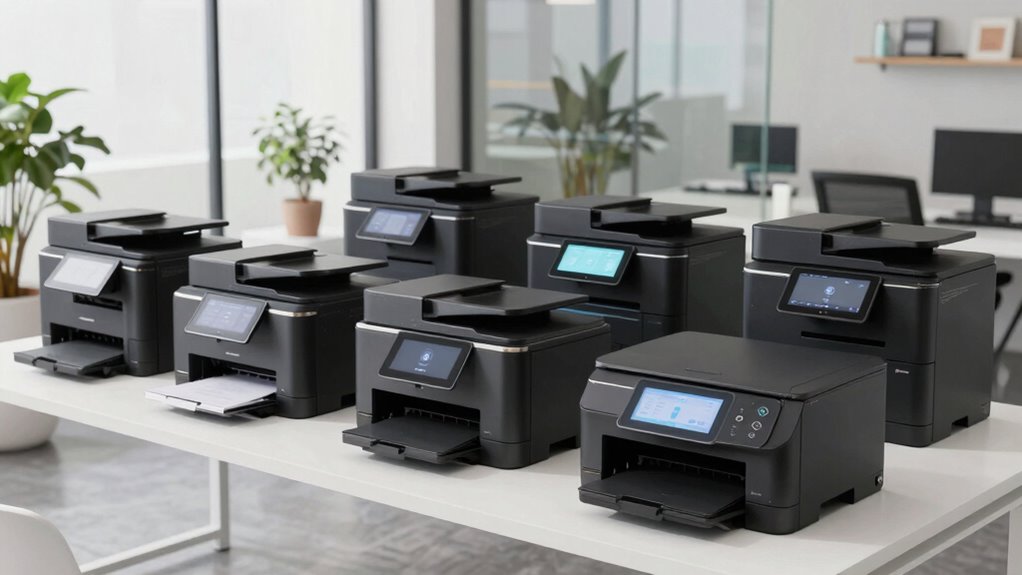

Choosing the right office printer for a studio environment involves balancing quality, speed, security, and cost. For studio admins, printers need to handle high-quality prints, multiple functions, and reliable connectivity without taking up excessive space. My top pick for overall value is the Epson EcoTank ET-4800 because of its cost-efficient ink system and versatile features, while the Xerox VersaLink C625 stands out for security and workflow customization. For small, monochrome-focused studios, the Brother DCP-L2640DW offers speed and simplicity. Larger teams benefit from the Brother MFC-L6810DW’s speed and security, and those prioritizing vibrant color printing might prefer the HP OfficeJet Pro 9125. Each choice involves tradeoffs around space, cost, or features, making it essential to match a model to your specific studio needs.

Get art and craft supplies delivered free with Prime
- Fast, free delivery on millions of items
- Prime Video, Amazon Music and more included
- Member-only deals all year
Key Takeaways
- The Epson EcoTank ET-4800 is ideal for cost-conscious studios needing high-volume, eco-friendly printing.
- The Xerox VersaLink C625 offers advanced security and workflow features suited for larger, security-focused teams.
- The Brother DCP-L2640DW provides fast monochrome printing in compact spaces, perfect for small studios.
- The Brother MFC-L6810DW is best for busy, medium-to-large teams requiring speed and security.
- The HP OfficeJet Pro 9125 balances vibrant color printing with automation features for creative workflows.
| Epson EcoTank ET-4800 Wireless All-in-One Supertank Printer with Scanner, Copier, Fax, ADF, Ethernet, White |  | Best Overall for Cost-Effective, High-Quality Printing | Printer Type: All-in-One Supertank | Connectivity: Wireless, Ethernet | Functions: Print, Scan, Copy, Fax | VIEW ON AMAZON | See Our Full Breakdown |
| Xerox VersaLink C625 Color Laser All-in-One Printer |  | Best for Security and Workflow Customization | Printer Type: Color Laser All-in-One | Touchscreen: 7 inches | Security Features: Up to 75 security features | VIEW ON AMAZON | See Our Full Breakdown |
| Brother DCP-L2640DW Wireless Monochrome Multi-Function Printer |  | Best for Small, Monochrome Studios | Print Speed: 36 ppm | Scan Speed: 23.6/7.9 ipm | Auto Document Feeder: 50 pages | VIEW ON AMAZON | See Our Full Breakdown |
| Brother MFC-L6810DW Enterprise Monochrome Laser All-in-One Printer |  | Best for Large, Security-Conscious Studios | Print Speed: up to 52 ppm | Auto Document Feeder: 80 pages | Scan Speed: up to 200 ipm | VIEW ON AMAZON | See Our Full Breakdown |
| HP OfficeJet Pro 9125 Wireless All-in-One Color Inkjet Printer |  | Best for Vibrant Color and Automation | Print Speed (Black): 22 ppm | Print Speed (Color): 18 ppm | Input Tray Capacity: 250 sheets | VIEW ON AMAZON | See Our Full Breakdown |
More Details on Our Top Picks
Epson EcoTank ET-4800 Wireless All-in-One Supertank Printer with Scanner, Copier, Fax, ADF, Ethernet, White
The Epson EcoTank ET-4800 stands out for its cartridge-free, high-capacity ink tanks—reducing ongoing costs and waste. Compared with traditional cartridge printers, this model offers a lower cost per page, making it ideal for studios with high print volumes. Its all-in-one functionality includes scanning, copying, and faxing, and wireless plus Ethernet support provides flexible setup options. However, the initial setup of the ink tanks can be time-consuming, and its larger footprint may be a concern for smaller studios. Overall, this model suits studio admins seeking reliable, economical printing without sacrificing quality.
Pros:- Cartridge-free design reduces waste and ongoing ink costs
- High-quality sharp text and vibrant color output
- Wireless and Ethernet connectivity for flexible setup
- Includes scanner, copier, and fax functions
Cons:- Initial ink tank setup can be time-consuming
- Larger footprint compared to traditional printers
Best for: Cost-conscious studios with high-volume printing needs
Not ideal for: Small spaces or studios requiring compact devices
- Printer Type:All-in-One Supertank
- Connectivity:Wireless, Ethernet
- Functions:Print, Scan, Copy, Fax
- Color:White
- Features:High-capacity ink tanks, built-in scanner, ADF
Our verdict“A cost-effective, versatile all-in-one ideal for studios prioritizing economy and high-volume output.”
Xerox VersaLink C625 Color Laser All-in-One Printer
The Xerox VersaLink C625 excels in security and workflow customization, making it suitable for studios with sensitive creative work or confidential client files. Its 7-inch touchscreen allows intuitive operation, and the advanced security features—including up to 75 security measures—protect sensitive data. The device’s eco-friendly design, with recycled content and ENERGY STAR certification, appeals to environmentally conscious studios. Compared with simpler models, its setup and management may require more technical familiarity. This pick makes the most sense for studios needing robust security alongside flexible, high-quality color output.
Pros:- Customizable touchscreen UI enhances workflow efficiency
- Advanced security features protect sensitive data
- Eco-friendly with recycled plastics and energy efficiency
- Mobile management capabilities simplify device control
Cons:- Price and complexity may be high for smaller studios
- Lack of color printing may limit creative output
Best for: Mid-sized studios with high security and workflow needs
Not ideal for: Small studios with limited security concerns or budget constraints
- Printer Type:Color Laser All-in-One
- Touchscreen:7 inches
- Security Features:Up to 75 security features
- Energy Efficiency:EPEAT, Blue Angel, ENERGY STAR
- Recycled Content:25% post-consumer recycled plastic
Our verdict“A security-focused, versatile office printer best suited for larger studios with sensitive workflows.”
Brother DCP-L2640DW Wireless Monochrome Multi-Function Printer
The Brother DCP-L2640DW offers a compact, budget-friendly solution for studios that mainly need monochrome printing. Its speed—up to 36 pages per minute—ensures quick turnaround times for printing and scanning tasks. The device’s multiple connectivity options, including Wi-Fi and Ethernet, support flexible workspace setups. Despite its simplicity, it lacks color printing, which could limit creative projects. This model makes the most sense for studios prioritizing speed and efficiency over color output, especially where space is limited and monochrome output suffices.
Pros:- Fast printing and scanning speeds
- Compact design for small spaces
- Multiple connectivity options including wireless and Ethernet
- Mobile printing support
Cons:- Limited to monochrome printing only
- Requires genuine toner for best performance
- No color printing capabilities
Best for: Small studios needing fast monochrome printing
Not ideal for: Creative studios requiring vibrant color output
- Print Speed:36 ppm
- Scan Speed:23.6/7.9 ipm
- Auto Document Feeder:50 pages
- Connectivity:Wireless (2.4GHz / 5GHz), Ethernet, USB
Our verdict“A reliable, space-efficient monochrome printer ideal for small studios focused on speed and efficiency.”
Brother MFC-L6810DW Enterprise Monochrome Laser All-in-One Printer
The Brother MFC-L6810DW is designed for busy, larger teams needing high speed and security. Its impressive print speeds—up to 52 pages per minute—and large paper capacity make it suitable for high-volume environments. The device’s security features, including NFC card reader and triple-layer security, safeguard sensitive work. It also supports cloud scanning and wireless connectivity, streamlining workflows for hectic studio settings. On the downside, its size and monochrome-only output may limit some creative uses, and its higher price tag reflects its enterprise-grade features. This model suits mid to large studios with demanding workloads and security requirements.
Pros:- High print and scan speeds for busy environments
- Large, expandable paper capacity
- Advanced security features for sensitive data
- Wireless and cloud connectivity
Cons:- No color printing capabilities
- Large footprint requiring ample space
- Higher initial cost
Best for: Mid to large-sized studios needing speed and security
Not ideal for: Small studios or those requiring color printing
- Print Speed:up to 52 ppm
- Auto Document Feeder:80 pages
- Scan Speed:up to 200 ipm
- Paper Capacity:520 sheets (expandable to 1,660)
- Security Features:Triple Layer Security, NFC card reader
Our verdict“An enterprise-grade monochrome printer perfect for high-volume, security-sensitive studio environments.”
HP OfficeJet Pro 9125 Wireless All-in-One Color Inkjet Printer
The HP OfficeJet Pro 9125 balances vibrant color printing with versatile functions, making it suitable for creative studios. Its fast color and black printing speeds support quick turnaround of visual projects. The auto duplex feature and 250-sheet input tray enhance productivity, while security features like HP Wolf Pro Security provide peace of mind. Compared with laser models, its ongoing ink costs and reliance on cartridges with chips can be drawbacks. Nonetheless, for studios emphasizing color accuracy and automation, this printer offers an excellent mix of features.
Pros:- Fast color and black printing speeds
- Wireless and mobile app support
- Auto duplex printing and scanning
- Security with HP Wolf Pro Security
Cons:- Requires cartridges with original HP chips
- Firmware updates may be necessary for security
- Potentially higher ongoing ink costs
Best for: Creative studios prioritizing color quality and automation
Not ideal for: High-volume monochrome needs or cost-sensitive environments
- Print Speed (Black):22 ppm
- Print Speed (Color):18 ppm
- Input Tray Capacity:250 sheets
- Touchscreen:2.7-inch color
- Includes:3-month Instant Ink trial
Our verdict“Ideal for creative studios that need vibrant color output combined with automation and security features.”
How We Picked
Our selections are based on a combination of professional reviews, feature sets, security capabilities, cost efficiency, and suitability for studio environments. We prioritized models that offer high-quality output, reliable connectivity, scalable security, and ease of use. Each product was evaluated against criteria relevant to studio admins—such as print volume capacity, multi-functionality, space footprint, and eco-friendliness—ensuring these options meet the diverse needs of creative and professional studio spaces.
Factors to Consider When Choosing Premium Office Printers For Studio Admin
When selecting a premium office printer for a studio environment, consider your primary needs — whether it’s high-quality color, security, speed, or eco-friendliness. The ideal model should align with your workflow volume, space constraints, and budget. Understanding these factors helps narrow down from feature-rich options to the one that fits your studio best.
Understanding Your Studio’s Printing Needs
Assess your typical print volume, preferred output quality, and whether color printing is essential. For high-volume printing, models with large ink or paper capacities reduce downtime. If security or workflow customization is a priority, select printers with advanced security or user interface options. For small studios, compact and monochrome models may suffice, while larger teams benefit from high-speed, multi-function devices.
Choosing Between Inkjet and Laser
Inkjet printers like the HP OfficeJet Pro excel in vibrant color output, perfect for studios focused on visual projects. Laser printers, such as the Xerox VersaLink and Brother MFC-L6810DW, deliver faster speeds and higher volumes at a lower cost per page, especially in monochrome. Consider your budget for ongoing supplies, as inkjet cartridges tend to be more expensive over time, but offer superior color quality.
Security and Connectivity Features
For studios handling sensitive client work, security features like encryption, user authentication, and secure printing are essential. Network connectivity options—wireless, Ethernet, mobile management—should match your studio’s setup. Multi-function devices with intuitive interfaces streamline workflows, especially when multiple team members share the printer.
Eco-Friendliness and Space Considerations
Eco-friendly features such as recycled materials, energy efficiency, and waste reduction contribute to sustainable studio operations. Space constraints influence your choice; compact models work best in smaller environments, while larger, multi-function printers suit bigger teams with dedicated office space.
Frequently Asked Questions
What should I consider when choosing a studio printer?
Focus on your print volume, color needs, security requirements, and available space. High-volume studios benefit from large-capacity, fast printers, while creative environments may prioritize color quality and automation features. Security features are crucial if your work involves sensitive client data.
Are laser printers better than inkjet for studio use?
Laser printers typically provide faster print speeds and lower running costs for high-volume monochrome printing. Inkjet printers excel in vibrant color output, making them ideal for visual projects. Your choice depends on whether speed, cost, or color quality is your priority.
How important is security in studio printers?
Security is vital if your studio handles confidential or sensitive information. Models with features like secure print release, data encryption, and user authentication help prevent unauthorized access, protecting your work and client data.
Can these printers handle high-volume printing?
Yes, models like the Brother MFC-L6810DW and Epson EcoTank ET-4800 are designed for high-volume output, featuring large paper and ink capacities. However, laser models like the Brother and Xerox are especially suited for demanding workloads due to their speed and durability.
Is eco-friendliness a significant factor?
Eco-friendly features, such as recycled materials, energy efficiency, and waste reduction, benefit studios aiming for sustainability. The Epson EcoTank and Xerox VersaLink stand out in this regard, helping reduce environmental impact without sacrificing performance.
Conclusion
For small studios with limited space and monochrome needs, the Brother DCP-L2640DW offers speed and efficiency at a budget-friendly price. Larger, security-conscious studios will appreciate the advanced features of the Brother MFC-L6810DW, especially for high-volume, sensitive printing. Creative teams requiring vibrant color and automation should consider the HP OfficeJet Pro 9125, while studios prioritizing cost savings and eco-friendliness will find the Epson EcoTank ET-4800 to be an excellent fit. Ultimately, matching your studio’s size, needs, and workflows will lead to the best choice among these premium options.
Halloween Picks
halloween
As an affiliate, we earn on qualifying purchases.