If you’re looking for the best professional graphics tablets in 2026, I recommend checking out options like the XPPen Artist 15.6 Pro V2 and the Wacom Intuos Small for their precision and reliability. The X14 PicassoTab offers standalone convenience, while the GAOMON S620 and Huion Kamvas 13 provide portability and stunning displays. To find out which one fits your workflow perfectly, keep exploring the details ahead.
Key Takeaways
- Prioritize tablets with high pressure sensitivity (16,384 levels) for detailed and nuanced digital illustration work.
- Choose devices with high-quality, color-accurate displays (sRGB, Adobe RGB, 4K resolution) for vibrant, professional artwork.
- Opt for models offering customizable workflow controls and shortcut buttons to enhance productivity.
- Consider portability and ergonomic design for comfortable, on-the-go professional use.
- Ensure broad compatibility with major software like Photoshop, Clip Studio, and support for various operating systems.
| XPPen Artist 15.6 Pro V2 Drawing Tablet with Screen |  | Premium Creative Control | Screen Size: 15.6 inches | Connectivity: USB-C, 3-in-1 cable | Stylus Sensitivity: 16,384 pressure levels | VIEW LATEST PRICE | See Our Full Breakdown |
| X14 PicassoTab Drawing Tablet with Standalone Features |  | Standalone Powerhouse | Screen Size: 14.1 inches | Connectivity: Wi-Fi, standalone | Stylus Sensitivity: 16,384 pressure levels | VIEW LATEST PRICE | See Our Full Breakdown |
| XPPen 13.3″ Drawing Tablet with Screen and Pen |  | Compact Professional | Screen Size: 13.3 inches | Connectivity: USB-C, USB-A, HDMI | Stylus Sensitivity: 16,384 pressure levels, tilt | VIEW LATEST PRICE | See Our Full Breakdown |
| GAOMON S620 Drawing Tablet with Passive Pen |  | Versatile Portability | Screen Size: 6.5 x 4 inches active area | Connectivity: USB-C, USB | Stylus Sensitivity: 8192 pressure levels | VIEW LATEST PRICE | See Our Full Breakdown |
| Wacom Intuos Small Drawing Tablet with Software |  | Industry Standard | Screen Size: Small (graphics tablet) | Connectivity: USB-C, Bluetooth | Stylus Sensitivity: 4,096 pressure levels | VIEW LATEST PRICE | See Our Full Breakdown |
| UGEE M708 10×6 Inch Drawing Tablet with Hot Keys |  | Beginner Friendly | Screen Size: 10 x 6 inches | Connectivity: USB-C, USB | Stylus Sensitivity: 16,384 pressure levels | VIEW LATEST PRICE | See Our Full Breakdown |
| GAOMON PD1161 Drawing Tablet with Screen |  | Precise Color Accuracy | Screen Size: 11.6 inches | Connectivity: USB-C, AC adapter | Stylus Sensitivity: 8,192 pressure levels, tilt | VIEW LATEST PRICE | See Our Full Breakdown |
| HUION Kamvas 13 (Gen 3) Drawing Tablet |  | High-End Precision | Screen Size: 13.3 inches | Connectivity: USB-C, DisplayPort | Stylus Sensitivity: 16,384 pressure levels, 2g IAF | VIEW LATEST PRICE | See Our Full Breakdown |
More Details on Our Top Picks
-
X14 Drawing Tablet • PicassoTab Largest 14" Screen, Included Learning Package [Premium Drawing Apps & Tutorials] Stylus Pen, No Computer Needed, Standalone Graphics Tablet for Digital Artists -PX14
LARGEST PORTABLE DRAWING TABLET: Experience the X14, the ultimate drawing tablet with its impressive 14.1-inch Full HD screen....
As an affiliate, we earn on qualifying purchases.
XPPen Artist 15.6 Pro V2 Drawing Tablet with Screen
If you’re an illustrator seeking a reliable, high-performance drawing tablet with a screen, the XPPen Artist 15.6 Pro V2 is an excellent choice. It connects easily to Windows, Mac, or Chrome OS devices using a versatile 3-in-1 cable, and works smoothly with popular software like Photoshop and Clip Studio. The 15.6-inch laminated display offers vivid colors, wide viewing angles, and anti-glare protection, making detailed work effortless. The tablet features a highly sensitive stylus with 16,384 pressure levels, giving you precise control. Plus, its customizable shortcuts, ergonomic stand, and slim design make it a practical, professional tool for artists.
- Screen Size:15.6 inches
- Connectivity:USB-C, 3-in-1 cable
- Stylus Sensitivity:16,384 pressure levels
- Color Coverage:99% sRGB, 96% Adobe RGB
- Shortcut Keys:8 customizable keys
- Stand or Ergonomics:Foldable stand, adjustable angles
- Additional Feature:Red Dial workflow control
- Additional Feature:Anti-glare laminated screen
- Additional Feature:Adjustable brightness button
-
XPPen 13.3" Drawing Tablet with Screen-Artist13.3 Pro V2 16384 Pressure Pen, 8 Shortcut Keys & Red Dial for Digital Art, Graphic Designer, Animation | Mac, PC, Android Compatible | Beginner to Pro
【Red Dial + 8 Keys Workflow Boost】Customize shortcuts for Photoshop / ZBrush and assign macros to the 24-step...
As an affiliate, we earn on qualifying purchases.
X14 PicassoTab Drawing Tablet with Standalone Features
The X14 PicassoTab stands out as an ideal choice for artists seeking a fully standalone drawing experience without the need for a computer. Its large 14.1-inch Full HD screen offers plenty of space for detailed work, while the laminated, anti-glare surface provides a natural, paper-like feel with minimal parallax. Pre-installed with top creative apps like Concepts and Infinite Painter, it supports both beginners and pros. Powered by a strong octa-core CPU, 6GB RAM, and 128GB storage, it guarantees smooth performance and ample space for projects. Certified for safety and backed by a 1-year warranty, the PicassoTab is a reliable, all-in-one creative tool.
- Screen Size:14.1 inches
- Connectivity:Wi-Fi, standalone
- Stylus Sensitivity:16,384 pressure levels
- Color Coverage:Not specified
- Shortcut Keys:8 programmable keys
- Stand or Ergonomics:Stand included, portable
- Additional Feature:Pre-installed creative apps
- Additional Feature:Octa-core processing power
- Additional Feature:Portable, standalone design
-
GAOMON S620 Drawing Tablet 6.5 x 4 Inch Graphics Tablet with 8192 Passive Pen 4 Customizable ExpressKeys for Digital Art, Painting, OSU Playing, Compatible with Windows PC, Mac
【FOR DIGITAL ART & CREATION】-- Perfect for beginner who starts digital drawing, sketching, graphics design, 3D art work,...
As an affiliate, we earn on qualifying purchases.
XPPen 13.3″ Drawing Tablet with Screen and Pen
For digital artists who demand both precision and vibrant color accuracy, the XPPen 13.3″ Drawing Tablet with Screen and Pen stands out as an excellent choice. Its 13.3-inch Full HD IPS display offers 99% sRGB and 89% Adobe RGB coverage, ensuring print-ready colors. Compatible with Mac, PC, Android, Chrome OS, and Linux, it’s versatile for various workflows. The X3 Pro stylus provides 16,384 pressure sensitivity levels and tilt recognition, delivering realistic strokes. With customizable shortcut keys, a precision red dial, and a matte paper-like surface, it enhances productivity and comfort. Its plug-and-play setup makes it accessible for both beginners and professionals.
- Screen Size:13.3 inches
- Connectivity:USB-C, USB-A, HDMI
- Stylus Sensitivity:16,384 pressure levels, tilt
- Color Coverage:99% sRGB, 89% Adobe RGB
- Shortcut Keys:8 customizable shortcut keys
- Stand or Ergonomics:Foldable stand, heat dissipation
- Additional Feature:24-step red dial
- Additional Feature:Tilt recognition stylus
- Additional Feature:Paper-like matte surface
GAOMON S620 Drawing Tablet with Passive Pen
With its compact 6.5 x 4-inch active area and lightweight design, the GAOMON S620 Drawing Tablet is perfect for artists who need portability without sacrificing control. It functions seamlessly with Windows 7 or later and macOS 10.12 or later, supporting popular programs like Photoshop, Illustrator, and Krita. The battery-free passive pen with 8192 levels of pressure offers precise, natural lines. Four customizable shortcut keys boost workflow, while the four rubber feet ensure stability. Its portable size makes it ideal for travel, school, or on-the-go projects. Overall, it’s a versatile, user-friendly choice for both beginners and professionals seeking reliable digital control.
- Screen Size:6.5 x 4 inches active area
- Connectivity:USB-C, USB
- Stylus Sensitivity:8192 pressure levels
- Color Coverage:Not specified
- Shortcut Keys:4 customizable express keys
- Stand or Ergonomics:Rubber feet, portable
- Additional Feature:Battery-free stylus
- Additional Feature:180-degree rotation support
- Additional Feature:Suitable for online signatures
Wacom Intuos Small Drawing Tablet with Software
Looking for a compact yet powerful drawing tablet that fits seamlessly into your creative workflow? The Wacom Intuos Small offers industry-leading performance, thanks to Wacom’s EMR battery-free pen technology that feels just like pen on paper. It features four customizable ExpressKeys for quick access to your favorite shortcuts. Compatible with Chromebook, Mac, Android, and Windows, it’s versatile enough for drawing, painting, photo editing, and markup tasks. Plus, each purchase includes software access and online training, helping you sharpen your skills. Trusted by professionals for over 40 years, Wacom’s Intuos Small is a reliable choice for artists seeking precision in a portable design.
- Screen Size:Small (graphics tablet)
- Connectivity:USB-C, Bluetooth
- Stylus Sensitivity:4,096 pressure levels
- Color Coverage:Not specified
- Shortcut Keys:4 customizable ExpressKeys
- Stand or Ergonomics:Stand included, adjustable
- Additional Feature:Industry-leading pen technology
- Additional Feature:Wireless Bluetooth option
- Additional Feature:Includes online training
UGEE M708 10×6 Inch Drawing Tablet with Hot Keys
The UGEE M708 10×6 inch drawing tablet stands out for its large active drawing area and textured surface, making it an excellent choice for professional illustrators who prioritize a natural, no-lag sketching experience. Its 10 x 6-inch workspace offers plenty of room for detailed artwork, while the papery texture mimics traditional drawing surfaces. The tablet’s pressure-sensitive stylus with 16,384 levels lets me control line weight and opacity precisely. With customizable hotkeys, I can streamline my workflow, and its compatibility across multiple systems and software makes it versatile for any project. The ergonomic design and easy connectivity add to its appeal for demanding professional use.
- Screen Size:10 x 6 inches
- Connectivity:USB-C, USB
- Stylus Sensitivity:16,384 pressure levels
- Color Coverage:Not specified
- Shortcut Keys:8 customizable express keys
- Stand or Ergonomics:Rubber feet, ergonomic design
- Additional Feature:Papery textured surface
- Additional Feature:8 customizable express keys
- Additional Feature:Supports Linux system
GAOMON PD1161 Drawing Tablet with Screen
If you’re seeking a professional-grade graphics tablet that combines portability with a high-quality display, the GAOMON PD1161 is an excellent choice. It connects to your laptop or computer, supporting Windows 7+ and macOS 10.12+. Its 11.6-inch full HD IPS screen features a matte overlay that mimics paper, reducing glare, while delivering vivid colors with 72% NTSC and 16.7 million colors. The battery-free stylus offers 8192 pressure levels and tilt sensitivity, plus customizable buttons. With versatile support for creative and educational tools, plus an all-inclusive package, the PD1161 is perfect for artists and students alike.
- Screen Size:11.6 inches
- Connectivity:USB-C, AC adapter
- Stylus Sensitivity:8,192 pressure levels, tilt
- Color Coverage:72% NTSC (100% sRGB)
- Shortcut Keys:8 programmable shortcut keys
- Stand or Ergonomics:Adjustable stand included
- Additional Feature:11.6-inch full HD display
- Additional Feature:8 customizable shortcut keys
- Additional Feature:Includes a comprehensive accessory pack
HUION Kamvas 13 (Gen 3) Drawing Tablet
For professional illustrators seeking a portable yet powerful drawing tablet, the HUION Kamvas 13 (Gen 3) stands out thanks to its compact 13.3-inch fully laminated display with reduced glare. Its Canvas Glass 2.0 surface offers improved accuracy, while 16.7 million colors and 99% sRGB coverage guarantee vibrant, true-to-life visuals. The PenTech 4.0 stylus provides 16,384 pressure levels and dual side buttons, making precision effortless. Lightweight at just under 2 pounds and featuring a single USB-C connection, it’s easy to set up and carry, perfect for artists who need professional quality on the go.
- Screen Size:13.3 inches
- Connectivity:USB-C, DisplayPort
- Stylus Sensitivity:16,384 pressure levels, 2g IAF
- Color Coverage:99% sRGB, 16.7 million colors
- Shortcut Keys:5 programmable shortcut keys + dual dial
- Stand or Ergonomics:Adjustable stand, ergonomic design
- Additional Feature:Fully laminated display
- Additional Feature:Factory-calibrated colors
- Additional Feature:Dual dial buttons
Factors to Consider When Choosing Professional Graphics Tablets for Illustrators
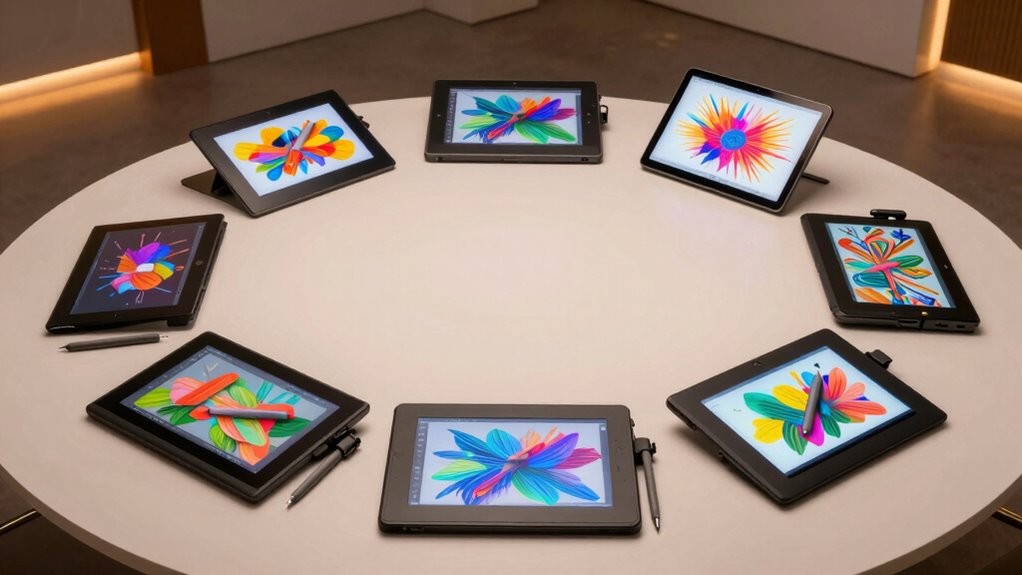
When selecting a professional graphics tablet, I look at how well it works with my existing devices and the level of pressure sensitivity it offers for detailed work. I also consider display quality and size to match my workflow, along with customization options for efficiency. Ultimately, portability and ergonomics are key to ensuring I can work comfortably and on the go.
Compatibility With Devices
Choosing a graphics tablet that seamlessly integrates with your setup requires careful attention to compatibility. First, make certain the tablet works with your operating system—Windows, macOS, Android, or Linux—to avoid connectivity issues. Check if it needs specific ports like HDMI, USB-C, or DisplayPort, and verify your computer has those ports. Decide if you want a standalone device or one that needs to connect to a computer, depending on your portability and workflow. Also, confirm whether the tablet supports your preferred software, such as Photoshop, Illustrator, or Krita, for smooth operation. Finally, consider stylus compatibility—whether it’s battery-free or active—and if it offers the pressure sensitivity you need for detailed work. Compatibility is key to a hassle-free creative experience.
Pressure Sensitivity Levels
Pressure sensitivity levels play an essential role in how accurately a graphics tablet can mimic traditional drawing techniques. Higher pressure sensitivity allows for more nuanced control over stroke thickness and opacity, giving your digital artwork a natural feel. Most professional tablets offer between 8,192 and 16,384 levels; the higher end provides greater detail and smoother gradations. This increased sensitivity enhances shading, line work, and textured effects, making your digital brushes behave more like real tools. The difference in pressure levels becomes especially noticeable when working on detailed or textured projects, where subtle variations can make a big impact. Ultimately, choosing a tablet with higher pressure sensitivity helps you achieve more realistic, refined results and better replicates the nuances of traditional artistry.
Display Quality and Size
A crucial factor in selecting a professional graphics tablet is its display quality and size, as these directly impact your ability to create detailed and accurate artwork. Larger screens, around 13 to 15.6 inches, give you more workspace, reducing the need to zoom and pan constantly. High-resolution screens, such as 1920×1080 or higher, guarantee your images are sharp and clear, revealing fine details necessary for professional work. Wide color gamuts like sRGB, Adobe RGB, and Display P3 improve color accuracy and vibrancy, making your digital art more true-to-life. Full lamination technology minimizes parallax, allowing your stylus to align precisely with the cursor for natural drawing. Anti-glare and matte textures help reduce reflections and eye strain, ensuring comfortable use during long creative sessions.
Workflow Customization Options
To maximize efficiency and tailor your workflow, it’s important to select a graphics tablet that offers robust customization options. Look for tablets with programmable shortcut keys and dials that let you assign frequently used functions, speeding up your process. Confirm the device includes touch controls and customizable buttons that can be tailored to your specific software preferences and creative needs. Adjustable features like multiple express keys and shortcut menus can help streamline complex tasks. Hardware controls such as wheels, dials, or sliders are especially useful for fine adjustments or specific tools. Additionally, choose devices supporting software integration, enabling you to create personalized workspace setups. This flexibility allows you to switch seamlessly between tools and shortcuts, making your workflow more intuitive and efficient.
Portability and Ergonomics
When choosing a professional graphics tablet, considering portability and ergonomics can make a significant difference in your workflow and comfort. Portable tablets range from compact 6.5-inch models to larger 15.6-inch screens, affecting transport and workspace comfort. Lighter, smaller devices are ideal if you work on the go or move between locations. Ergonomic features like adjustable stands, foldable or collapsible stands, and lightweight designs help reduce strain during long drawing sessions. Proper ergonomic design—such as textured surfaces and strategic button placement—enhances comfort and boosts workflow efficiency. A tablet’s size and weight directly influence mobility, while ergonomic features guarantee you can work comfortably for hours. Balancing portability with ergonomic comfort is key to maintaining productivity and avoiding fatigue over time.
Frequently Asked Questions
How Do Screen Sensitivity and Pressure Levels Impact Illustration Quality?
Screen sensitivity and pressure levels directly impact my illustration quality by allowing me to control line thickness, opacity, and texture with precision. Higher sensitivity feels more natural, like drawing on paper, giving me smoother lines and better detail. When pressure levels are extensive, I can vary strokes effortlessly, enhancing my creativity. These features make my work more expressive and professional, helping me achieve the desired effects without frustration.
What Are the Most Important Compatibility Features for Professional Tablets?
The most important compatibility features for professional tablets include seamless integration with your preferred design software, support for major operating systems, and reliable hardware connections like USB-C or Bluetooth. I look for tablets that work smoothly with programs like Adobe Photoshop or Illustrator, ensuring my workflow stays uninterrupted. Compatibility also means having drivers that are regularly updated and minimal latency, so I can focus on creating without technical distractions.
How Does Pen Tilt and Angle Sensitivity Improve Drawing Precision?
Pen tilt and angle sensitivity are game-changers, turning your digital strokes into a real artist’s brush. They let me control the line thickness and shading just by tilting or angling my pen—no more clunky button presses. This makes my drawings more natural, precise, and expressive. Honestly, it’s like having a magic wand that responds to my hand’s every nuance, making my work look more professional and polished.
Which Tablets Offer the Best Ergonomics for Long Drawing Sessions?
I find that tablets with adjustable stands and lightweight designs offer the best ergonomics for long drawing sessions. The Wacom Cintiq Pro and XP-Pen Artist Pro stand out because they allow you to customize angles and reduce strain. I also recommend models with comfortable pen grips and adjustable screens—these features keep me focused and prevent fatigue during extended work periods. Prioritizing ergonomic features makes a big difference in my workflow.
What Are the Long-Term Durability Considerations for Professional-Grade Tablets?
When considering long-term durability, I focus on build quality, screen protection, and pen durability. I look for tablets with sturdy materials, scratch-resistant screens, and reliable pen mechanisms that withstand frequent use. I also consider warranty options and manufacturer reputation for support. Regular maintenance, like keeping the screen clean and using protective covers, helps extend the life of my tablet, ensuring I get the most value out of my investment over time.
Conclusion
Choosing the right graphics tablet is like finding the perfect paintbrush—it transforms your creative landscape. Whether you prefer the vibrant canvas of a screen or the sleek precision of a passive pen, there’s a tool out there that’ll make your ideas flow like a river of ink. Trust your instincts, consider your needs, and let your artistry soar across the digital skies. Your masterpiece awaits—grab your ideal tablet and start creating magic today.