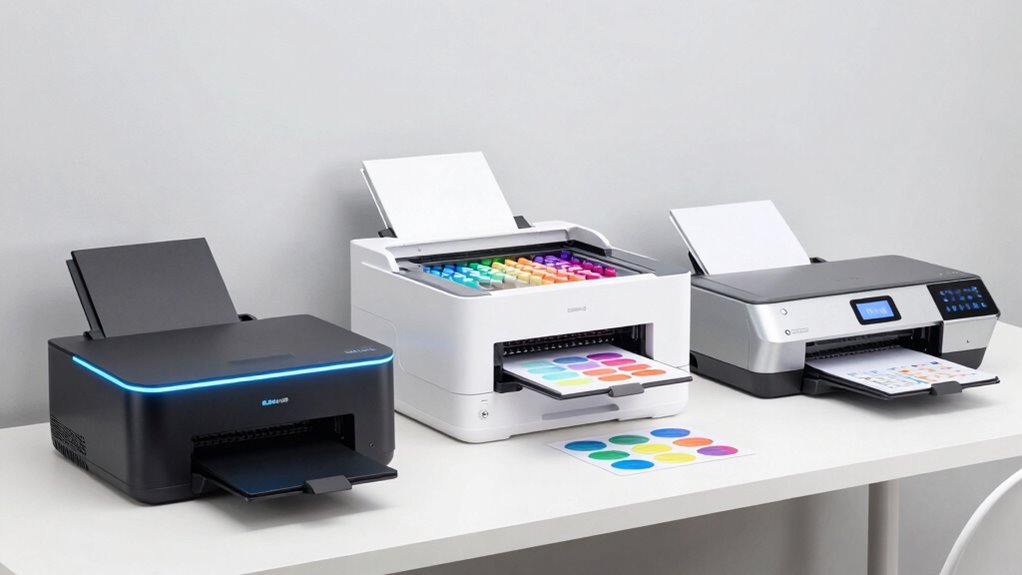
Choosing the right sublimation printer for a small business depends on your specific production needs, budget, and workspace. The Epson SureColor F170 stands out for its high-quality output and compact design, ideal for hobbyists and low-volume production. Meanwhile, the Sawgrass SG500 offers vibrant, professional-grade results with user-friendly software, perfect for growing small businesses focused on custom products. For larger-scale needs, the Sawgrass SG1000 supports bigger media sizes and more volume, making it suitable for scaling artisans. However, tradeoffs include price and media size limitations, which are important to consider for your projected output. In this guide, I’ll walk through these options, highlighting who they serve best and where they fall short.

Get art and craft supplies delivered free — and shop member deals
- Fast, free delivery on millions of items
- Access to Prime Big Deal Days deals on October 6–7
- Prime Video, Amazon Music and more included
Key Takeaways
- Compact models like the Epson SureColor F170 are ideal for space-constrained setups but are limited in media size.
- The Sawgrass SG500 balances quality and ease of use, making it a strong choice for small businesses prioritizing vibrant designs.
- Larger formats like the SG1000 are better for scaling but come with higher costs and more complex maintenance.
- Cost-effective options, such as the Epson EcoTank ET-2903, excel in everyday printing but aren’t designed for high-volume sublimation work.
- Connectivity and software compatibility vary, influencing ease of workflow for different user levels.
| Epson SureColor F170 Dye-Sublimation Printer |  | Best Overall Compact Sublimation Printer | Format: 8.5″ x 11″ | Media Support: 150-sheet auto-feed tray | Connectivity: MacOS & Windows (mobile device connection not supported) | VIEW ON AMAZON | See Our Full Breakdown |
| Epson SureColor F170 Dye-Sublimation Printer with Ink and Starter Kit |  | Best Value with Complete Starter Pack | Printer Type: Dye-Sublimation | Included Ink: Full set of OEM Epson sublimation inks | Paper Sizes: 8.5″ x 11″ & 8.5″ x 14″ | VIEW ON AMAZON | See Our Full Breakdown |
| Sawgrass SG500 Sublimation Printer with 31 mL Ink and Paper Bundle |  | Best for Vibrant, Professional Results | Inkset: SubliJet UHD | Media Size: up to 8.5″ x 14″ | Connectivity: Wi-Fi | VIEW ON AMAZON | See Our Full Breakdown |
| Sawgrass SG1000 Sublimation Printer, 31 mL Inks and Paper Bundle |  | Best for Larger Projects & Growth | Print Size: up to 11” x 17” | Inks: 31 mL SubliJet UHD (CMYK) | Warranty: 2 years | VIEW ON AMAZON | See Our Full Breakdown |
| Epson EcoTank ET-2903 Wireless All-in-One Color Supertank Printer |  | Best for Cost-Effective Everyday Printing | Print Speed: 11 ppm black, 6 ppm color | Print Resolution: 5760 x 1440 dpi | Connectivity: Wi-Fi, USB | VIEW ON AMAZON | See Our Full Breakdown |
| sublimation printers for small businesse | Connectivity |
|---|---|
| Epson SureColor F170 Dye-Subli | MacOS & Windows (mobile device connection not supported) |
| Epson SureColor F170 Dye-Subli | MacOS & Windows (not mobile) |
| Sawgrass SG500 Sublimation Pri | Wi-Fi |
| Sawgrass SG1000 Sublimation Pr | — |
| Epson EcoTank ET-2903 Wireless | Wi-Fi, USB |
More Details on Our Top Picks
Epson SureColor F170 Dye-Sublimation Printer
The Epson SureColor F170 excels as a compact, high-quality dye-sublimation printer designed specifically for small businesses, crafters, and hobbyists. Its PrecisionCore printhead guarantees sharp, vibrant images, and the inclusion of a full OEM ink set simplifies setup. Compared with larger models, this printer’s space-saving design makes it suitable for tight workspaces. However, it’s limited to small media (8.5″ x 11″) and doesn’t support mobile device connection, which could be a drawback for those wanting flexibility. In essence, this model offers excellent print quality in a small footprint but is best suited for low-volume or starter projects.
Pros:- High print quality with PrecisionCore printhead
- Includes a full set of OEM sublimation inks
- Compact and space-saving design
- Dust-resistant tray for cleaner prints
Cons:- Mobile device connection not supported
- Inks cannot be returned once loaded
- Limited to small format (8.5″ x 11″)
Best for: Hobbyists or small-scale businesses with limited space and volume needs
Not ideal for: Businesses requiring larger formats or mobile connectivity
- Format:8.5″ x 11″
- Media Support:150-sheet auto-feed tray
- Connectivity:MacOS & Windows (mobile device connection not supported)
- Included:Genuine Epson ink, user guide, power cable
- Warranty:Full manufacturer support
Our verdict“A solid choice for small-scale operations prioritizing high-quality prints in a compact form.”
Epson SureColor F170 Dye-Sublimation Printer with Ink and Starter Kit
This F170 model with included ink and paper offers excellent value for hobbyists and small businesses starting their sublimation journey. It provides the same high-quality printing as the standalone F170 but simplifies setup with a starter kit. Its compact design and dual media support (8.5″ x 11″ & 8.5″ x 14″) make it versatile for various projects. The main tradeoff is a lack of mobile connectivity, and mishandling during refilling can lead to ink leaks, which may frustrate less experienced users. Still, for those wanting a turn-key solution, this bundle makes high-quality sublimation accessible.
Pros:- High-quality image clarity with PrecisionCore printhead
- Includes full set of sublimation inks and paper
- Compact and space-efficient design
- Easy setup for MacOS and Windows
Cons:- Mobile device connection not supported
- Inks can leak if mishandled during refilling
- Requires careful handling of ink to avoid leaks
Best for: Small businesses or hobbyists seeking an all-in-one starter kit
Not ideal for: High-volume producers or those needing mobile access
- Printer Type:Dye-Sublimation
- Included Ink:Full set of OEM Epson sublimation inks
- Paper Sizes:8.5″ x 11″ & 8.5″ x 14″
- Media Capacity:150-sheet auto-feed tray
- Connectivity:MacOS & Windows (not mobile)
- Dimensions:Space-saving design
Our verdict“A convenient, cost-effective bundle suited for beginners and small-scale projects.”
Sawgrass SG500 Sublimation Printer with 31 mL Ink and Paper Bundle
The Sawgrass SG500 stands out for delivering vibrant, high-definition sublimation prints, making it ideal for businesses focused on high-quality custom products like apparel, mugs, and signage. Its user-friendly software supports templates, color management, and easy workflow, which accelerates production. This printer’s compact desktop design makes it suitable for small spaces, but its media size is limited to 8.5″ x 14″ and smaller, which might restrict larger projects. The cost of the printer and inks may be higher upfront, but the quality and software support justify the investment for serious small business creators.
Pros:- Produces vibrant, high-definition sublimation prints
- Compact and desktop-friendly design
- User-friendly software with templates and color control
- Reliable with Wi-Fi and auto-maintenance features
Cons:- Limited media size for larger projects
- Requires compatible sublimation inks and paper
- May be expensive for hobbyists on a budget
Best for: Small businesses prioritizing vibrant, detailed designs and ease of use
Not ideal for: Larger-scale production or projects requiring bigger media
- Inkset:SubliJet UHD
- Media Size:up to 8.5″ x 14″
- Connectivity:Wi-Fi
- Power:110/120V US outlets
- Additional Software:Templates and color control
- Dimensions:Compact desktop
Our verdict“An excellent pick for small businesses needing vibrant, professional-quality sublimation with simple operation.”
Sawgrass SG1000 Sublimation Printer, 31 mL Inks and Paper Bundle
The Sawgrass SG1000 is designed for expanding small businesses that want to produce larger sublimation items, like banners, signage, or larger apparel. It supports media sizes up to 11″ x 17″, with automatic maintenance that reduces clogging and downtime, making it a reliable choice for consistent volume. Its professional-grade inks and software tools help maintain color accuracy and output quality at higher volumes. The main tradeoffs are its higher price point and larger footprint, which may not suit very small or space-restricted setups, but for those scaling their production, it’s a robust option.
Pros:- Supports large-format printing up to 11″ x 17″
- Automatic maintenance reduces clogging
- Includes vibrant, professional-grade inks and software tools
Cons:- Requires standard 110/120V electrical outlet
- More expensive than smaller models
- Limited to sublimation only
Best for: Growing small businesses needing larger media support and higher volume
Not ideal for: Hobbyists or those with limited space and lower volume needs
- Print Size:up to 11” x 17”
- Inks:31 mL SubliJet UHD (CMYK)
- Warranty:2 years
- Included Software:MySawgrass platform and Sawgrass Print Utility
- Power:110/120V US
Our verdict“A scalable, professional-grade sublimation printer ideal for expanding small business production.”
Epson EcoTank ET-2903 Wireless All-in-One Color Supertank Printer
The Epson EcoTank ET-2903 is designed primarily for home or small office use, but its refillable ink tanks and high print quality can support small business operations that focus on low-volume, everyday printing tasks. The up to three years of ink included reduces ongoing costs, and wireless connectivity allows for flexible placement. However, it does not support larger media sizes or specialized sublimation media, making it less suitable for dedicated sublimation production. It’s best for occasional use and general printing rather than volume or high-quality custom transfers.
Pros:- Cost-effective with up to 3 years of ink included
- High-quality photo and text printing
- Easy to refill ink tanks with no mess
- Wireless and mobile printing capabilities
Cons:- Initial setup may be complex for some users
- Larger footprint compared to traditional printers
- Limited to home and small office use
Best for: Small businesses needing affordable, reliable daily printing
Not ideal for: High-volume sublimation production or larger media sizes
- Print Speed:11 ppm black, 6 ppm color
- Print Resolution:5760 x 1440 dpi
- Connectivity:Wi-Fi, USB
- Display:1.44-inch color screen
- Paper Capacity:100 sheets
- Ink System:Refillable EcoTank with EcoFit bottles
Our verdict“A practical, budget-friendly option for small businesses with modest printing needs, but not for large sublimation projects.”
How We Picked
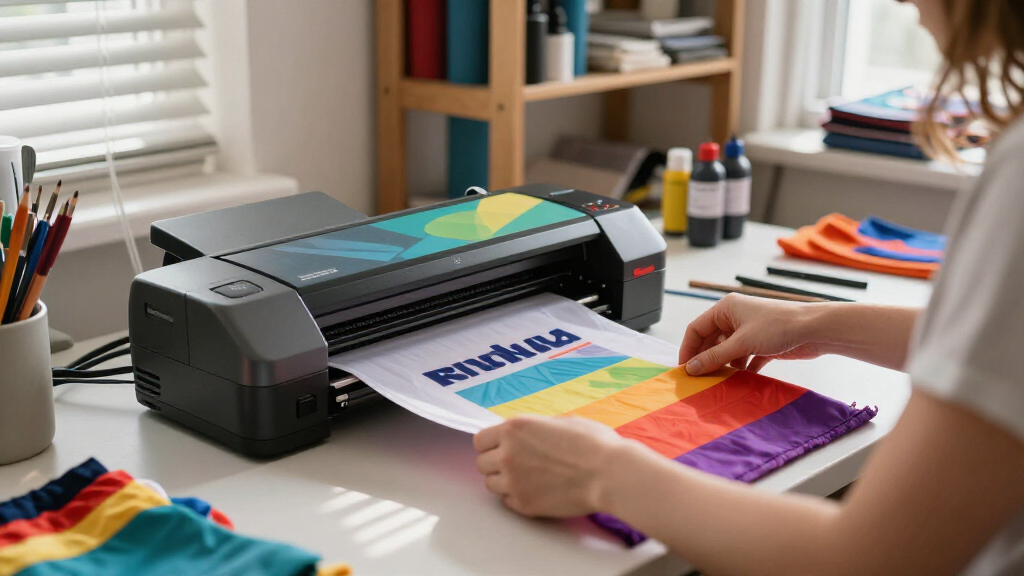
Our selection process focused on small business relevance, balancing print quality, media versatility, ease of use, and overall value. I compared features like media size support, connectivity options, and included accessories. Priority was given to models that cater to small-scale production yet can grow with a business. Cost considerations, software usability, and maintenance requirements also played key roles in the evaluation, ensuring each pick addresses different small business needs effectively.
| sublimation printers for small businesse | Connectivity |
|---|---|
| Epson SureColor F170 Dye-Subli | MacOS & Windows (mobile device connection not supported) |
| Epson SureColor F170 Dye-Subli | MacOS & Windows (not mobile) |
| Sawgrass SG500 Sublimation Pri | Wi-Fi |
| Sawgrass SG1000 Sublimation Pr | — |
| Epson EcoTank ET-2903 Wireless | Wi-Fi, USB |
Factors to Consider When Choosing Sublimation Printers For Small Businesses
When selecting a sublimation printer for a small business, it’s important to match the device’s capabilities to your production volume, media needs, and budget. Consider the size of the items you plan to produce, the space available in your workspace, and your desired level of print quality. Compatibility with your existing workflow and software also plays a significant role. The right printer should balance quality, media support, and ease of maintenance to support your growth without overwhelming your resources.
Size and Media Support
Assess the maximum size of sublimation items you plan to produce. Compact printers like the Epson F170 are suitable for small items and limited space, while models like the Sawgrass SG1000 support larger media, ideal for expanding production. Consider media compatibility, including paper and substrate sizes, to ensure your chosen model can handle your product range.
Print Quality and Output
For vibrant, professional results, look for printers with high-quality printheads like PrecisionCore or SubliJet UHD. These ensure sharp images with accurate color reproduction, essential for premium products. Keep in mind that higher quality often correlates with increased costs, so balance your quality expectations with your budget.
Connectivity and Software
Wireless options and software compatibility can streamline your workflow. Wi-Fi-enabled models like the Sawgrass SG500 facilitate easy printing from multiple devices, while some budget models may lack mobile support. Additionally, software that offers templates and color management can save time and improve consistency in your designs.
Cost and Maintenance
Initial investment varies widely, from budget-friendly options to professional-grade machines. Consider ongoing costs like inks and maintenance. Automatic cleaning features reduce downtime for larger models, but may add to the initial cost. Balance your projected production volume with investment to ensure sustainable growth.
Frequently Asked Questions
What is the best sublimation printer for small businesses with limited space?
The Epson SureColor F170 is an ideal choice for small spaces due to its compact footprint. It offers high-quality prints and includes everything needed to start sublimation, making it perfect for hobbyists or small operations with tight workspace constraints.
Can I print larger sublimation items with these printers?
Yes, but only with models that support larger media sizes. The Sawgrass SG1000 supports media up to 11″ x 17″, making it suitable for larger projects like banners or bigger apparel items. Smaller models like the F170 or SG500 are limited to 8.5″ x 14″ or smaller, which may restrict your product range.
Are these printers suitable for high-volume sublimation production?
The Sawgrass SG1000 is designed for higher volume, with automatic maintenance and support for larger media. The SG500 can handle moderate production but is less suited for very high volumes. Most other options are better suited for low to medium production levels or hobbyist use.
How important is software usability in choosing a sublimation printer?
Software usability is critical for efficiency and quality control. Printers like the Sawgrass models come with intuitive software that simplifies design, color management, and workflow. This can make a significant difference in meeting deadlines and maintaining consistent output, especially as your business scales.
What maintenance should I expect with these sublimation printers?
Maintenance needs vary, but regular cleaning and ink management are common. Larger models like the SG1000 feature automatic maintenance to reduce clogging, while smaller models may require manual cleaning. Proper handling of inks and routine cleaning are essential to keep your printer running smoothly and ensure high-quality results.
Conclusion
If you run a small business focused on high-quality, vibrant products with limited space, the Epson SureColor F170 is likely your best fit. For those just starting out or needing an all-in-one solution, the Epson EcoTank ET-2903 offers affordability and ease. Growing businesses or those aiming for larger, more detailed items should consider the Sawgrass SG500 for its balance of quality and usability, or the Sawgrass SG1000 if larger formats and scalability are priorities. Each selection hinges on your current needs and future growth plans—choose accordingly to support your business’s success.
Fall Picks
fall essentials
As an affiliate, we earn on qualifying purchases.