The best wireless label maker overall in this roundup is the Brother P-touch CUBE Plus, a versatile choice for printed labels across home and office tasks. For shipping, the NULLTONEX 4×6 Bluetooth Thermal Shipping Label Printer is built around larger parcel labels, while the portable Phomemo M110 suits smaller labels on the move. The main tradeoff is format: 4×6 thermal printers target shipping, while compact label makers typically handle narrower labels for organizing and identification. Connectivity, compatible supplies, and whether you want a screen or keyboard also shape the choice. Read on for a comparison of all 14 models and help matching one to your work.

Get art and craft supplies delivered free with Prime
- Fast, free delivery on millions of items
- Prime Video, Amazon Music and more included
- Member-only deals all year
Key Takeaways
- Label size shapes the shortlist: the NULLTONEX and Rongta shipping printers address 4×6 labels, while compact options such as the NIIMBOT D110 are aimed at smaller labels.
- The Brother P-touch CUBE Plus stands out for versatility: its role is a stronger fit for varied home and office labeling than a shipping-only printer.
- Portable thermal models favor convenience: the Phomemo M110 and other compact printers are easier to place or carry, but buyers should check label dimensions and supply compatibility before choosing.
- Keyboard-equipped models suit people who prefer direct controls: the SUPVAN E11 and Brother PT-D610BT offer a different workflow from phone-first Bluetooth devices.
- Similar-looking mini printers are not automatically interchangeable: the two NIIMBOT D110 listings and other compact models should be compared by included supplies, supported label sizes, and intended use.
| NULLTONEX 4×6 Bluetooth Thermal Shipping Label Printer |  | Best for Shipping Labels | Printer type: Direct thermal | Print resolution: 203 DPI | Print speed: Up to 150 mm/s (72 labels per minute) | VIEW LATEST PRICE | See Our Full Breakdown |
| Brother P-touch CUBE Plus Bluetooth Label Maker (PT-P710BT), Black |  | Best for Durable, Versatile Tape | Model: PT-P710BT | Printer type: Thermal | Output: Monochrome | VIEW LATEST PRICE | See Our Full Breakdown |
| SUPVAN T50M Pro Bluetooth Label Maker, Black |  | Best for Custom Designs | Printer type: Thermal | Print output: Monochrome | Connectivity: Bluetooth and USB Type-C | VIEW LATEST PRICE | See Our Full Breakdown |
| Nelko P21 Bluetooth Thermal Label Maker, Black |  | Best Compact Smartphone Pick | Printer type: Direct thermal | Resolution: 203 × 203 DPI | Connectivity: Bluetooth | VIEW LATEST PRICE | See Our Full Breakdown |
| Phomemo M110 Portable Bluetooth Thermal Label Printer |  | Best for Batch Inventory Labels | Printer type: Thermal | Print output: Monochrome | Label width: 20–50 mm (0.78–2 in) | VIEW LATEST PRICE | See Our Full Breakdown |
| Rongta RP425 Wireless Thermal Shipping Label Printer |  | Best for Shipping Labels | Printer type: Thermal, monochrome | Connectivity: Bluetooth and USB | Maximum media size: 4 × 6 inches | VIEW LATEST PRICE | See Our Full Breakdown |
| NIIMBOT B1 Bluetooth Thermal Label Printer |  | Best for App-Based Everyday Labels | Printer type: Thermal, monochrome | Connectivity: Bluetooth and USB | Resolution: 203 dpi | VIEW LATEST PRICE | See Our Full Breakdown |
| Brother P-Touch PT-N25BT Bluetooth Personal Label Maker |  | Best for Keyboard-First Beginners | Printer type: Thermal | Connectivity: Bluetooth | Input: QWERTY keyboard and app | VIEW LATEST PRICE | See Our Full Breakdown |
| Brother P-touch PT-D610BT Bluetooth Business Label Maker |  | Best for Business and Repeat Jobs | Printer type: Thermal | Connectivity: Bluetooth and USB | Maximum tape width: 24 mm (approximately 1 inch) | VIEW LATEST PRICE | See Our Full Breakdown |
| DYMO LetraTag 200B Bluetooth Label Maker Bundle with 3 Tapes |  | Best Starter Bundle | Printer type: Thermal, monochrome | Connectivity: Bluetooth | Control method: App | VIEW LATEST PRICE | See Our Full Breakdown |
| NIIMBOT D110 Mini Bluetooth Thermal Label Maker, White |  | Best Compact Pick | Printer type: Direct thermal | Print output: Monochrome | Resolution: 203 × 203 DPI | VIEW LATEST PRICE | See Our Full Breakdown |
| SUPVAN E11 Rechargeable Bluetooth Label Maker with Keyboard and 4 Tapes |  | Best for Phone-Free Printing | Printer type: Thermal | Print resolution: 203 dpi | Connectivity and controls: Bluetooth; app and push-button controls | VIEW LATEST PRICE | See Our Full Breakdown |
| NIIMBOT D110 Mini Bluetooth Label Maker |  | Best for Specialty Label Refills | Printer type: Thermal | Print output: Monochrome, black text | Resolution: 203 × 203 DPI | VIEW LATEST PRICE | See Our Full Breakdown |
| NDYIN N12 Bluetooth Label Maker, Green |  | Best for Pre-Cut Labels | Printer type: BPA-free direct thermal | Print output: Monochrome | Resolution: 203 × 203 dpi | VIEW LATEST PRICE | See Our Full Breakdown |
| wireless label maker | Printer type | Connectivity | Resolution | Weight |
|---|---|---|---|---|
| NULLTONEX 4×6 Bluetooth Therma | Direct thermal | Bluetooth and USB | — | 1.2 pounds |
| Brother P-touch CUBE Plus Blue | Thermal | Bluetooth and USB | — | — |
| SUPVAN T50M Pro Bluetooth Labe | Thermal | Bluetooth and USB Type-C | 203 dpi | — |
| Nelko P21 Bluetooth Thermal La | Direct thermal | Bluetooth | 203 × 203 DPI | — |
| Phomemo M110 Portable Bluetoot | Thermal | Bluetooth 4.0, up to 33 ft | 203 dpi | — |
| Rongta RP425 Wireless Thermal | Thermal, monochrome | Bluetooth and USB | 203 × 203 dpi | 16 ounces |
| NIIMBOT B1 Bluetooth Thermal L | Thermal, monochrome | Bluetooth and USB | 203 dpi | 293 g |
| Brother P-Touch PT-N25BT Bluet | Thermal | Bluetooth | 180 × 180 dpi | — |
| Brother P-touch PT-D610BT Blue | Thermal | Bluetooth and USB | — | — |
| DYMO LetraTag 200B Bluetooth L | Thermal, monochrome | Bluetooth | — | 0.32 kg |
| NIIMBOT D110 Mini Bluetooth Th | Direct thermal | Bluetooth | 203 × 203 DPI | 149 g |
| SUPVAN E11 Rechargeable Blueto | Thermal | — | — | 0.5 lb |
| NIIMBOT D110 Mini Bluetooth La | Thermal | Bluetooth | 203 × 203 DPI | 149 g |
| NDYIN N12 Bluetooth Label Make | BPA-free direct thermal | Bluetooth | 203 × 203 dpi | 4 oz |
More Details on Our Top Picks
NULLTONEX 4×6 Bluetooth Thermal Shipping Label Printer
I’d choose the NULLTONEX when the wireless label maker needs to handle shipping labels, not just narrow household tape. Its 4 × 6-inch format and support for popular shipping platforms make it a better fit for packing orders than the Phomemo M110, which does not support shipping labels. Bluetooth keeps phone-based printing available, while USB provides a wired alternative for a desk setup. Direct thermal printing also removes ink and toner from the supply list, and the printer can run at up to 150 mm/s for batches of labels. The tradeoff is its shipping-first footprint and output: it prints black and white only, and its 4.3-inch width ceiling rules out wider formats. I’d skip it if your main need is small, decorative labels.
Pros:- Prints standard 4 × 6-inch shipping labels and supports popular shipping platforms.
- Bluetooth and USB give phone users and desk-based computer users connection options.
- Direct thermal printing requires no ink or toner.
- Supports label widths from 1.57 to 4.3 inches and includes 25 labels.
Cons:- Monochrome output cannot produce color-coded or decorative labels.
- Its shipping-label format is less suited to compact household labeling than the Phomemo M110.
- Maximum label width of 4.3 inches limits larger-format uses.
Best for: Small online sellers who print 4 × 6 shipping labels from a phone or computer and want both Bluetooth and USB.
Not ideal for: Crafters and home organizers seeking colorful, narrow decorative labels or a very small pocket-sized maker.
- Printer type:Direct thermal
- Print resolution:203 DPI
- Print speed:Up to 150 mm/s (72 labels per minute)
- Connectivity:Bluetooth and USB
- Supported label width:1.57 to 4.3 inches
- Print output:Monochrome, black and white
- Dimensions:8.08 × 4.73 × 6.9 inches
- Weight:1.2 pounds
- Included accessories:Power cord, USB cable, and 25 sheets of 4 × 6-inch thermal labels
Our verdict“Choose the NULLTONEX if shipping labels are your priority; pick the Phomemo M110 instead for smaller general-purpose labels.”
Brother P-touch CUBE Plus Bluetooth Label Maker (PT-P710BT), Black
The Brother P-touch CUBE Plus earns its place for buyers who need labels that can stand up to more than a quick indoor task. Its compatible TZe tapes include laminated, flexible ID, extra-strength adhesive, iron-on fabric, and tamper-evident options, giving it a broader materials range than the fixed-size Nelko P21. It prints up to 24 mm wide, with a built-in rechargeable battery for portable work and a full automatic cutter for cleanly separated labels. Bluetooth supports phone-based design, and USB connects it to a computer. The tradeoff is a narrower tape format than the NULLTONEX shipping printer and monochrome output, so it won’t replace a 4 × 6 shipping-label machine. I’d choose it for durable organizing and identification, but skip it if you want wide parcel labels or a basic one-button workflow.
Pros:- Supports a wide range of TZe tapes, including laminated, fabric, flexible ID, and extra-strength adhesive types.
- Bluetooth and USB support mobile and computer-based label design.
- Built-in rechargeable battery supports portable use.
- Automatic full cutter separates labels cleanly.
Cons:- Maximum tape width of 24 mm is far narrower than the NULLTONEX’s shipping-label format.
- Monochrome printing limits visual color coding.
- Mobile-app use requires a wireless connection.
Best for: Home and small-office organizers who need portable, durable tape labels for cables, storage, fabric, or equipment.
Not ideal for: Online sellers printing standard shipping labels, or buyers who want color output or a simple fixed-label device.
- Model:PT-P710BT
- Printer type:Thermal
- Output:Monochrome
- Connectivity:Bluetooth and USB
- Maximum tape width:24 mm (0.94 in)
- Tape compatibility:P-touch TZe tapes, including laminated, flexible ID, extra-strength adhesive, acid-free, tamper-evident, and iron-on fabric types
- Battery and cutter:Built-in Li-ion battery; automatic full cutter
- Print resolution:180 × 360 dpi
- Weight and dimensions:1.4 lb; 4.6 × 5 × 4.6 in (D × W × H)
Our verdict“Pick the CUBE Plus for portable, durable tape labels across varied materials, not for shipping or wide-format printing.”
SUPVAN T50M Pro Bluetooth Label Maker, Black
The SUPVAN T50M Pro is the flexible pick for buyers who want more than plain text on a label. Its app combines 30-plus fonts, 50 frames, and 660 icons, with image importing for personal designs; that gives it a wider creative toolkit than the Brother P-touch CUBE Plus, whose strongest distinction is its range of durable tape types. The SUPVAN also handles labels from 3/4 to 2 inches wide and supports formats such as address, cable, jewelry, and file labels, so it can shift between household and small-business tasks. Its 203 dpi thermal output avoids ink and toner. The compromise is that many editing options live in the app, making it less appealing if you want standalone controls. It is also monochrome, so designs rely on layout rather than color.
Pros:- App includes more than 30 fonts, 50 frames, and 660 icons for custom layouts.
- Can import images from phones, tablets, or PCs.
- Supports several label types, including address, cable, jewelry, and file labels.
- Compact design and 203 dpi thermal printing require no ink or toner.
Cons:- Many design and editing features depend on using the app.
- Monochrome output cannot create color-coded labels.
- Its 2-inch maximum width falls short of the NULLTONEX’s 4 × 6-inch shipping format.
Best for: Crafters and small-business owners who want varied label layouts, icons, and imported images across several label types.
Not ideal for: Buyers who prefer keyboard-based label creation, need color printing, or want the specialized durable tape selection of the Brother CUBE Plus.
- Printer type:Thermal
- Print output:Monochrome
- Connectivity:Bluetooth and USB Type-C
- Label width:3/4–2 inches
- Resolution:203 dpi
- Compatible devices:Android and iOS devices, laptops, PCs, smartphones, and tablets
- Weight and dimensions:433 g; 5.9 × 2.6 × 4.3 inches
- Controls:App and push button
- Included accessories:40 × 30 mm white label tape and manual
Our verdict“Choose the T50M Pro for app-led design flexibility across everyday label types, rather than shipping-label volume or durable specialty tape.”
Nelko P21 Bluetooth Thermal Label Maker, Black
The Nelko P21 is the most focused choice here for quick phone-made labels in a compact package. Its rechargeable body weighs 0.23 kg, and the Nelko app offers templates alongside tools for text, QR codes, barcodes, and images. Compared with the SUPVAN T50M Pro, the P21 is more constrained by its fixed-size media and phone-only workflow, but that narrower setup may suit buyers who want a small portable maker rather than a broader label-format tool. The limits matter: it does not connect to computers, accept continuous tape, or work with Google Pixel phones running Android 14. It also prints monochrome labels and ships without a charging adapter. I’d choose it for short, phone-designed labels, not for flexible desktop use or long continuous runs.
Pros:- Compact and lightweight body with a built-in rechargeable battery.
- Bluetooth pairing works with iOS and Android smartphones.
- App supports text, QR codes, barcodes, and images.
- Large selection of app languages, icons, borders, materials, and templates.
Cons:- Does not connect to computers or support continuous label tape, unlike the SUPVAN T50M Pro.
- Limited to fixed label sizes up to 14 × 75 mm.
- Charging adapter is not included, and Google Pixel phones running Android 14 are unsupported.
Best for: iOS and Android smartphone users who want a lightweight portable label maker for short, fixed-size labels with QR codes or images.
Not ideal for: Computer-based users, Google Pixel owners running Android 14, or anyone who needs continuous tape or flexible label widths.
- Printer type:Direct thermal
- Resolution:203 × 203 DPI
- Connectivity:Bluetooth
- Compatible devices:iOS and Android smartphones
- Supported label sizes:Fixed sizes, including 14 × 40 mm, 14 × 50 mm, and 14 × 75 mm
- Battery:Built-in rechargeable
- Weight and dimensions:0.23 kg; 6.65 × 4.5 × 1.9 inches
- App features:29 languages, 3,600+ icons, 700+ borders, 5,500+ materials, and 750+ templates
- Limitations:No computer compatibility or continuous label tape; incompatible with Google Pixel phones running Android 14
Our verdict“Choose the P21 for portable, smartphone-only labeling with fixed media; skip it if computer access or continuous tape matters.”
Phomemo M110 Portable Bluetooth Thermal Label Printer
The Phomemo M110 makes the most sense for repeat labeling jobs where templates and batch entry save effort. Its app supports Excel batch printing and OCR that turns text in photos into editable text, useful for inventory, product, or organizational labels that would be tedious to create one at a time. At 222.8 g, it is lighter than the SUPVAN T50M Pro, while its 20–50 mm media range overlaps with that model’s everyday label formats. The key distinction is that the M110 does not print shipping labels, so the NULLTONEX is the clear choice for parcels. It also prints only in monochrome, and some templates, icons, and fonts require paid membership. I’d favor it for structured, smaller labels—not for shipping, color work, or buyers who want every app design tool included.
Pros:- Excel batch printing can reduce repetitive entry for inventory and product labels.
- OCR can convert text in photos into editable text.
- Portable design weighs 222.8 g and connects over Bluetooth.
- Supports 20–50 mm labels and includes a test roll and USB-C data cable.
Cons:- Does not support shipping labels, unlike the NULLTONEX.
- Monochrome output rules out color-coded printing.
- Some templates, icons, and fonts require paid membership.
Best for: Small sellers and inventory managers who print repeated product or stock labels from spreadsheet data.
Not ideal for: Online sellers needing shipping labels, color-label users, or buyers unwilling to pay for access to some app content.
- Printer type:Thermal
- Print output:Monochrome
- Label width:20–50 mm (0.78–2 in)
- Connectivity:Bluetooth 4.0, up to 33 ft
- Resolution:203 dpi
- Weight and dimensions:222.8 g; 4.48 × 2.44 × 3.43 inches
- Power capacity:1500 mAh
- App functions:Editable templates, Excel batch printing, and OCR text recognition
- Included:Printer, test thermal label roll, USB-C data cable, and user manual
Our verdict“Pick the M110 for spreadsheet-driven batches of small labels, but choose the NULLTONEX for shipping and the T50M Pro for broader design customization.”
Rongta RP425 Wireless Thermal Shipping Label Printer
The Rongta RP425 is the clearest fit here for small sellers who need wireless printing of full-size shipping labels, rather than a general-purpose household label maker. Its 4 × 6-inch media support suits common parcel labels, while Bluetooth printing from phones avoids a computer-only workflow. USB offers another route when preparing batches at a desk. Compared with the NIIMBOT B1, which is built around narrower labels and app-designed organization tags, the RP425 prioritizes shipping dimensions over compact, everyday labeling. That focus is also its main limitation: it prints monochrome thermal output and offers simplex printing only, so it is not a fit for colorful craft labels or more elaborate print jobs. I’d choose it for shipping volume, not for pantry or office organization.
Pros:- Supports media up to 4 × 6 inches for standard shipping-label workflows
- Bluetooth printing from compatible phones and USB connection for computers
- Thermal printing avoids the need for ink
- Works with Windows, macOS, Android, and iOS
Cons:- Monochrome output limits decorative and color-coded labeling
- Simplex printing only
- Its shipping-label focus is less suitable for small household labels
Best for: Home-based sellers and small businesses printing 4 × 6-inch parcel labels from phones or computers
Not ideal for: Crafters and home organizers who need color, decorative labels, or narrow-format everyday labeling
- Printer type:Thermal, monochrome
- Connectivity:Bluetooth and USB
- Maximum media size:4 × 6 inches
- Resolution:203 × 203 dpi
- Print speed:15 pages per minute
- Compatible operating systems:Windows, macOS, Android, iOS
- Dimensions:4 × 1 × 2 inches
- Weight:16 ounces
- Warranty:1 year
Our verdict“Choose the RP425 if your main job is printing 4 × 6-inch shipping labels wirelessly, not making decorative or small-format labels.”
NIIMBOT B1 Bluetooth Thermal Label Printer
The NIIMBOT B1 suits people who want to design and print compact labels from a phone without a keyboard-led setup. Its app detects label size and supplies templates, fonts, borders, and symbols, which can reduce setup friction when switching between routine tasks. The rechargeable battery also makes it easier to move around than the Brother P-Touch PT-N25BT, which can run on batteries but uses a larger body and a dedicated tape format. The B1 is not a shipping printer like the Rongta RP425: its included rolls are only 1.18 inches wide, so it is better for organizing supplies than parcel labels. PC printing is possible, but needs a USB cable and driver, and tablets are not supported. I’d pick it for phone-first labeling, not a mixed-device household.
Pros:- App detects label size and includes templates and customization tools
- Rechargeable 1500 mAh battery supports portable use
- Bluetooth mobile printing plus USB connectivity for PCs
- Two white label rolls are included
Cons:- Not compatible with tablets
- PC printing requires a USB cable and driver download
- Included label rolls are much narrower than the Rongta RP425’s shipping media
Best for: Android or iPhone users making narrow organization labels and wanting a rechargeable, app-led workflow
Not ideal for: Tablet users, shipping sellers, or PC-first buyers who want a simple plug-in setup
- Printer type:Thermal, monochrome
- Connectivity:Bluetooth and USB
- Resolution:203 dpi
- Battery capacity:1500 mAh
- Included labels:Two white rolls, 1.18 inches wide
- Compatible devices:iOS and Android smartphones, PCs, and laptops; not tablets
- Dimensions:2.4 × 3.6 × 5.2 inches
- Weight:293 g
- Auto shutoff:After 15 minutes of inactivity
Our verdict“Choose the B1 for rechargeable, phone-based printing of everyday narrow labels, but skip it if you need tablet support or shipping-size output.”
Brother P-Touch PT-N25BT Bluetooth Personal Label Maker
The Brother PT-N25BT gives beginners a choice between typing on a physical QWERTY keyboard and designing labels in an app. Its 16-character LCD preview lets users check text before printing, while saved-label memory helps repeat common tags without starting over. That makes it more self-contained than the NIIMBOT B1, which leans more heavily on the phone app. The tradeoff is a narrower, brand-specific supply system: this model works with 12 mm Brother Btag tape, not the broader media used by the Rongta RP425. It also prints up to two lines, so it cannot match the PT-D610BT’s longer, business-oriented layouts. I’d recommend it for simple home labeling and users who value direct keyboard control, but not for those seeking wide labels or flexible media choices.
Pros:- Physical QWERTY keyboard works without relying on a phone
- LCD preview helps catch text errors before printing
- Stores up to 10 labels for repeat jobs
- Runs on an adapter or six AAA batteries
Cons:- Compatible only with Brother Btag tape, up to 12 mm wide
- Adapter and six AAA batteries are sold separately
- Two-line limit is less flexible than the Brother PT-D610BT
Best for: New label-maker users who want a physical keyboard, preview screen, and straightforward home labeling
Not ideal for: Small businesses needing long, wide, or varied-format labels, or buyers who want to use non-Btag supplies
- Printer type:Thermal
- Connectivity:Bluetooth
- Input:QWERTY keyboard and app
- Display:16-character LCD
- Compatible tape:Brother Btag, 12 mm wide
- Maximum label text:Two lines, combined height up to 9 mm
- Label memory:Up to 10 labels
- Power:Adapter or six AAA batteries, sold separately
- Resolution:180 × 180 dpi
Our verdict“Choose the PT-N25BT for simple, keyboard-led home labeling; pick a business model if you need wider tape or longer layouts.”
Brother P-touch PT-D610BT Bluetooth Business Label Maker
The Brother PT-D610BT is the most capable desk-oriented option in this group for structured office labeling. It prints up to seven lines on 24 mm TZe tape, and its color LCD, automatic cutter, and memory for 90 labels help when jobs need consistent formatting across many items. Bluetooth and USB let users work from a phone, the built-in keyboard, or a computer. Compared with the PT-N25BT, it offers much more room for detailed labels and repeat work, but it is a larger commitment to Brother’s tape system and still tops out at about one inch wide. The Rongta RP425 is a better match for parcel labels; this model is for durable office identification, templates, and codes. I’d skip it for casual, minimal labeling where its extra controls add little value.
Pros:- Prints up to seven lines on tape up to 24 mm wide
- Bluetooth and USB support phone, computer, and direct-device workflows
- Color LCD preview, automatic cutter, and memory for up to 90 labels
- Includes 175 business templates and supports barcodes, QR codes, and logos
Cons:- Uses Brother TZe tape, limiting supply choice
- Maximum tape width is about one inch
- Its extensive controls may be unnecessary for occasional household labels
Best for: Office managers and small-business teams producing repeatable equipment, file, barcode, or QR-code labels
Not ideal for: Casual home users seeking a tiny, simple label maker or sellers printing 4 × 6-inch shipping labels
- Printer type:Thermal
- Connectivity:Bluetooth and USB
- Maximum tape width:24 mm (approximately 1 inch)
- Display:20-character, two-line full-color LCD
- Maximum text lines:7
- Preloaded templates:175
- Stored labels:Up to 90
- Cutter:Automatic
- Included accessories:AC adapter and USB cable
Our verdict“Choose the PT-D610BT for repeat office jobs and detailed labels; choose the Rongta RP425 instead for full-size shipping labels.”
DYMO LetraTag 200B Bluetooth Label Maker Bundle with 3 Tapes
The DYMO LetraTag 200B is an easy starting point for phone-first home labeling, especially because the bundle includes three tape types: white paper, white plastic, and clear plastic. The app adds font sizes, box styles, icons, and date insertion, giving it more visual variety than the keyboard-led Brother PT-N25BT. Unlike that Brother model, though, the LetraTag 200B has no built-in keyboard, so label creation depends on a compatible Apple or Android phone and the app. Its four AA batteries are not included, and it is designed for DYMO LetraTag supplies rather than the Brother Btag tapes used by the PT-N25BT. This is a practical pick for household organization where material choice matters, but less appealing for buyers who want computer connectivity or a rechargeable power setup.
Pros:- Includes white paper, white plastic, and clear plastic tapes
- App supports multiple font sizes, box styles, icons, and date insertion
- Bluetooth printing from Apple and Android smartphones
- Two-year warranty
Cons:- Requires four AA batteries, which are not included
- App is the only listed control method, unlike the PT-N25BT’s built-in keyboard
- Designed for DYMO LetraTag labels
Best for: Phone-owning households that want to label storage, files, and belongings with multiple tape materials
Not ideal for: People who prefer typing directly on the device, need a rechargeable battery, or want to use Brother Btag tape
- Printer type:Thermal, monochrome
- Connectivity:Bluetooth
- Control method:App
- Compatible devices:Apple and Android smartphones; laptops
- Power:Four AA batteries, not included
- Included label tapes:Three: white paper, white plastic, and clear plastic
- Formatting options:Five font sizes, 15 box styles, 100+ icons, underline, multiple text lines, and date insertion
- Weight:0.32 kg
- Warranty:2 years
Our verdict“Choose the LetraTag 200B bundle for app-designed household labels and varied included tape materials, provided you are comfortable with phone-only control.”
NIIMBOT D110 Mini Bluetooth Thermal Label Maker, White
For small labeling jobs on the move, this 149 g pocket-sized printer keeps the setup simple: connect an iOS or Android phone over Bluetooth, choose a design in the NIIM app, and print without ink or toner. Its automatic label positioning helps keep each label aligned, while the rechargeable battery supports up to four hours of continuous printing. Compared with the SUPVAN E11, the D110 is lighter and more focused on phone-based printing, but the E11 adds a built-in keyboard and supports both continuous and die-cut labels. The D110’s 15 mm maximum print width suits narrow tags, not larger signage, and it prints monochrome only. It also depends on compatible label rolls, whose sensor chip must remain undamaged. I’d choose it for portability over hands-on controls or media flexibility.
Pros:- Lightweight 149 g design is easy to carry and store
- Direct thermal printing needs no ink or toner
- Automatic positioning helps align labels
- Rechargeable battery supports up to four hours of continuous printing
Cons:- Requires an iOS or Android phone and the NIIM app
- Monochrome output and 15 mm maximum print width limit label designs
- The roll sensor chip must not be damaged
Best for: People who want a lightweight, phone-controlled label maker for narrow household, school, or travel labels.
Not ideal for: Buyers who want a built-in keyboard, wider labels, color output, or a printer that works without a smartphone and app.
- Printer type:Direct thermal
- Print output:Monochrome
- Resolution:203 × 203 DPI
- Maximum print width:15 mm
- Connectivity:Bluetooth
- Compatible devices:iOS and Android smartphones
- Weight:149 g
- Battery:1500 mAh; up to 4 hours of continuous printing
Our verdict“Choose the D110 if portability and straightforward phone-based printing matter more than a keyboard or broader label options.”
SUPVAN E11 Rechargeable Bluetooth Label Maker with Keyboard and 4 Tapes
The built-in keyboard gives the E11 a useful advantage over phone-dependent models such as the NIIMBOT D110 Mini: you can type and print directly, or switch to Bluetooth app design when you want more fonts, frames, and icons. Its app offers 30+ fonts, 50+ frames, and 660+ icons, and the printer accepts both continuous and die-cut labels. That flexibility makes it a stronger fit for varied home, school, and office tasks than a narrow-format, app-only mini printer. Low-margin printing can also reduce wasted label material. The tradeoff is a 15 mm media limit, which keeps it in small-label territory, and its monochrome output cannot add color coding. Although the battery is listed for up to a month per charge, actual runtime will depend on use. I’d pick it for control and format choice, not the smallest carry size.
Pros:- Prints from its built-in keyboard or a Bluetooth-connected app
- Supports continuous and die-cut labels
- App includes more than 30 fonts, 50 frames, and 660 icons
- 0.2-inch print margin helps limit label material waste
Cons:- Monochrome output limits color-coded labeling
- Maximum media size of 15 mm × 6 m restricts label width
- Heavier and larger than pocket-focused options such as the NIIMBOT D110
Best for: Households, teachers, and small-office users who want both on-device typing and app-based label design.
Not ideal for: People who need wide labels, color printing, or the lightest pocket-sized option; the NIIMBOT D110 is smaller and lighter.
- Printer type:Thermal
- Print resolution:203 dpi
- Connectivity and controls:Bluetooth; app and push-button controls
- Battery:1200 mAh; listed for up to 1 month per charge
- Weight:0.5 lb
- Dimensions:5.8 × 3.1 × 1.5 in
- Label compatibility:Continuous and die-cut labels
- Maximum media size:15 mm × 6 m
- Included media:Two 15 mm × 6 m continuous tapes and two 12 mm × 40 mm die-cut tapes
Our verdict“Pick the E11 if you want a wireless label maker that can also print without opening a phone app.”
NIIMBOT D110 Mini Bluetooth Label Maker
This D110 shares the same 149 g compact format and app-led Bluetooth workflow as the white NIIMBOT D110, but its standout reason to choose it is refill variety: compatible options include waterproof and oil-resistant labels. That can suit containers or supplies exposed to spills better than a basic paper-label setup. It also supports batch printing and automatic label rewinding, useful when preparing several labels in one session. Like the white D110, it prints black text only and depends on an iOS or Android phone with the NIIMBOT app. The SUPVAN E11 is a better match if you want direct keyboard input or both continuous and die-cut media; this NIIMBOT is the more compact, phone-first choice. It does not connect to computers, so I’d skip it for desktop workflows or wider labels.
Pros:- Compact 149 g body is easy to carry
- Thermal printing works without ink or toner
- Supports batch printing and automatic label rewinding
- Waterproof and oil-resistant refill styles are available
Cons:- Does not work with computers
- Requires a smartphone and the NIIMBOT app
- Prints black text only and supports media up to 12 × 75 mm
Best for: Phone users labeling bottles, pantry containers, or supplies who want access to waterproof or oil-resistant refill styles.
Not ideal for: Computer-based workflows, users who want a built-in keyboard, or anyone needing color or wider-format labels.
- Printer type:Thermal
- Print output:Monochrome, black text
- Resolution:203 × 203 DPI
- Connectivity:Bluetooth
- Compatible devices:iOS and Android smartphones
- Charging:USB Type-C; approximately 2 hours
- Weight:149 g
- Maximum media size:12 × 75 mm
- Special features:Batch printing, automatic label rewinding, and compatible waterproof and oil-resistant refills
Our verdict“Choose this D110 for compact phone-based printing when specialty water- or oil-resistant refills suit the job.”
NDYIN N12 Bluetooth Label Maker, Green
The N12 is a straightforward pick for buyers who prefer pre-cut labels with fixed lengths over trimming continuous tape. It arrives with a roll of 180 white labels, and its Nada Print app adds a broad design library of more than 1,000 symbols, 270 frames, and 100 fonts. At 4 oz, it remains portable, while Bluetooth support covers iOS and Android phones and tablets. Compared with the SUPVAN E11, the N12 offers fixed-format convenience rather than continuous-label flexibility or direct keyboard printing. Its included 14 × 40 mm labels are handy for short tags, but fixed lengths can be limiting when wording varies or a longer label is needed. It also requires the Nada Print app and prints in monochrome. I’d choose it for repeatable, small pre-cut labels, not an adaptable tape workflow.
Pros:- Includes 180 pre-cut white labels in 14 × 40 mm format
- Light 4 oz design suits portable use
- App offers more than 1,000 symbols, 270 frames, and 100 fonts
- Rechargeable thermal printing requires no ink, toner, or ribbons
Cons:- Fixed label lengths are less adaptable than the SUPVAN E11’s continuous media
- Requires the Nada Print app for mobile design and printing
- Monochrome output does not support color coding
Best for: People who regularly print short, uniform labels from a phone or tablet and want a roll of pre-cut labels included.
Not ideal for: Users who need variable-length continuous tape, on-device typing, or labels beyond the available fixed formats.
- Printer type:BPA-free direct thermal
- Print output:Monochrome
- Resolution:203 × 203 dpi
- Connectivity:Bluetooth
- Compatible devices:Smartphones and tablets running iOS or Android
- Label sizes:Fixed lengths: 12 × 40 mm, 14 × 40 mm, 14 × 50 mm, and 14 × 75 mm
- Included media:One roll of 180 pre-cut white labels, 14 × 40 mm
- Weight:4 oz
- Battery and warranty:Built-in rechargeable lithium battery; 1-year warranty
Our verdict“Choose the N12 if you want lightweight, app-designed printing on pre-cut labels rather than adjustable-length tape.”
How We Picked
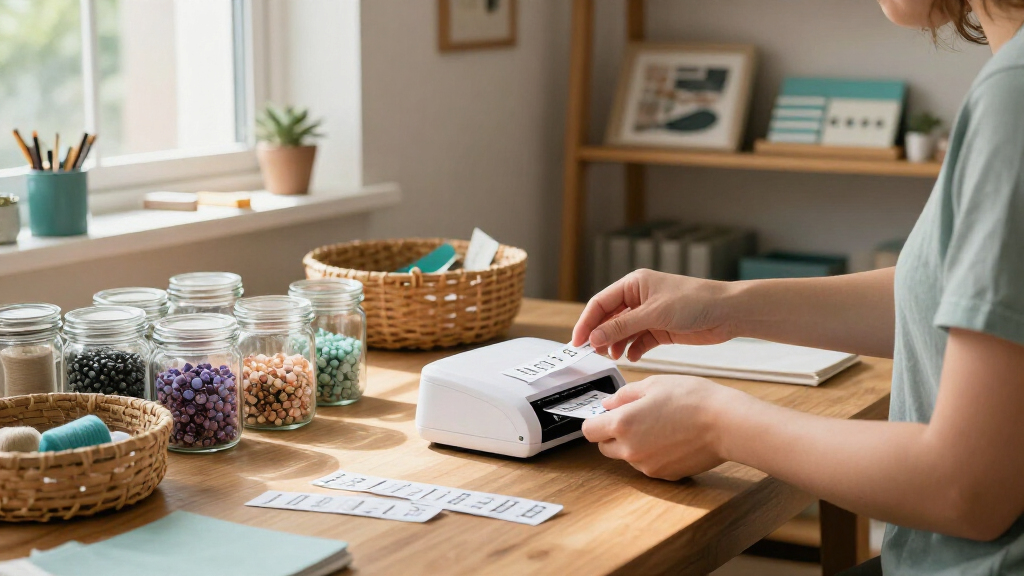
I ranked these wireless label makers by how well their format and workflow match common jobs, rather than treating every Bluetooth printer as a substitute for every other one. The key criteria were label size and type, connection and control method, portability, practical versatility, and how clearly each model serves shipping, business, or home organization. A 4×6 shipping printer can be the right tool for parcels but a poor fit for pantry labels; a pocket-size thermal model reverses that tradeoff.
Ranking also reflects the value of a distinct use case, ease of choosing supplies, and the flexibility a buyer gets beyond a single task. Models with a broader range of everyday uses rank ahead of more specialized options when their core features support that difference. The list includes several compact and mini printers, so I give them separate roles only where their formats, controls, or intended jobs justify it; buyers should compare the exact listing and supply requirements before purchasing.
| wireless label maker | Printer type | Connectivity | Compatible devices |
|---|---|---|---|
| NULLTONEX 4×6 Bluetooth Therma | Direct thermal | Bluetooth and USB | — |
| Brother P-touch CUBE Plus Blue | Thermal | Bluetooth and USB | — |
| SUPVAN T50M Pro Bluetooth Labe | Thermal | Bluetooth and USB Type-C | Android and iOS devices, laptops, PCs, smartphones, and tablets |
| Nelko P21 Bluetooth Thermal La | Direct thermal | Bluetooth | iOS and Android smartphones |
| Phomemo M110 Portable Bluetoot | Thermal | Bluetooth 4.0, up to 33 ft | — |
| Rongta RP425 Wireless Thermal | Thermal, monochrome | Bluetooth and USB | — |
| NIIMBOT B1 Bluetooth Thermal L | Thermal, monochrome | Bluetooth and USB | iOS and Android smartphones, PCs, and laptops; not tablets |
| Brother P-Touch PT-N25BT Bluet | Thermal | Bluetooth | — |
| Brother P-touch PT-D610BT Blue | Thermal | Bluetooth and USB | — |
| DYMO LetraTag 200B Bluetooth L | Thermal, monochrome | Bluetooth | Apple and Android smartphones; laptops |
| NIIMBOT D110 Mini Bluetooth Th | Direct thermal | Bluetooth | iOS and Android smartphones |
| SUPVAN E11 Rechargeable Blueto | Thermal | — | — |
| NIIMBOT D110 Mini Bluetooth La | Thermal | Bluetooth | iOS and Android smartphones |
| NDYIN N12 Bluetooth Label Make | BPA-free direct thermal | Bluetooth | Smartphones and tablets running iOS or Android |
Factors to Consider When Choosing Wireless Label Makers
Before choosing among these wireless label makers, decide what the label needs to do and where you will print it. That decision can rule out a large part of the list before app features or portability enter the picture.
Match the Printer to the Label Format
Start with the size and shape of the labels you already use or expect to make. Shipping workflows often call for standard 4×6 labels, while shelves, cables, containers, and small products usually need narrower formats. A printer that cannot produce the needed dimensions is not rescued by a polished app or a compact body. Check whether the device uses rolls, folded labels, or proprietary cartridges, since the loading method can affect daily convenience. If your work spans parcel labels and small organizational tags, one printer may not cover both well. Choosing by the main job first avoids paying for capacity you will not use or buying a handy mini unit that cannot handle your largest label.
Check Supply Compatibility Before Buying
Wireless connectivity is only part of the ongoing ownership decision; the label supply can shape what the printer is useful for. Confirm the supported width, material, and format, and check whether labels are readily available through the channels you use. Some devices are designed around particular cartridges or rolls, while others may accept a broader set of thermal label formats. A low-cost starter bundle can be convenient, but it may not include the size or finish your regular tasks require. Also check whether you need durable labels for handling, moisture, or storage conditions instead of basic indoor identification. Looking at supply requirements before purchase helps prevent a printer from sitting unused after its included labels run out.
Choose a Phone-First or Keyboard-First Workflow
Bluetooth models vary in how much they rely on a phone app versus controls on the device. A phone-first design can make it easier to edit layouts, keep templates, or type longer text, but it depends on a compatible mobile workflow. An integrated keyboard can be more direct for quick, simple labels and may suit users who do not want to compose every label on a phone. Business users should also check which devices and operating systems the app supports before ordering. If several people will share one printer, consider how easily each person can connect and repeat common jobs. The most convenient control method is the one that fits the place and pace of your regular labeling, not the one with the longest feature list.
Treat Portability and Print Volume as Separate Needs
A compact printer is easier to store and carry, but small size does not tell you how well it fits a high-volume routine. For occasional labels at a desk, a lightweight device may be more practical than a larger unit. For frequent shipping or repeated business labeling, loading supplies, keeping the printer available, and handling batches may matter more than pocketability. Think about where the printer will live and whether you need it to move between rooms, workstations, or locations. Battery or rechargeable operation can help with placement, but it is worth checking how charging fits your routine. Choose for the amount and location of printing you actually expect, rather than assuming the smallest model is automatically the easiest to live with.
Decide Whether Thermal or Tape Labels Fit the Job
Thermal printers avoid the need for ink, which can simplify routine use, but their output and compatible media are tied to thermal labeling. Tape-based systems can make sense for durable, neatly finished labels on items such as drawers, equipment, or cables, depending on the supported tape. Neither approach is a universal replacement for the other. Consider where the label will be placed, how long it needs to remain readable, and whether its appearance matters as much as speed. Buyers sometimes focus on the word “wireless” and overlook the material itself, even though that determines the label’s look and suitability. Pick the printing method around the surface and lifespan of the label, then compare Bluetooth features within that group.
Compare Bundles and Duplicate Listings Carefully
Listings that share a model name may differ in included labels, color, or accessories, so read the exact package details rather than relying on the model title alone. This matters in this roundup, which includes two NIIMBOT D110 listings and several compact printers that can appear similar at a glance. A bundle with extra supplies may be useful if those labels match your intended format; otherwise, the additions may not change the printer’s value to you. Check the package contents, supported label specifications, and any app or device requirements. Avoid assuming that accessories from one version will fit another just because the products look alike. A careful listing check can prevent ordering the right printer in the wrong configuration.
Frequently Asked Questions
Can one wireless label maker handle both shipping labels and home organization?
Sometimes, but the label formats are often different enough that one device is not the best tool for both jobs. The NULLTONEX and Rongta models are oriented toward 4×6 shipping labels, while compact options such as the NIIMBOT D110 are designed around smaller labels. Before buying, compare the printer’s supported widths and supply types with the exact labels you need. If both tasks are frequent, consider whether keeping two specialized printers would be simpler than compromising on either format. If one task is occasional, choose for the one you do most often.
Do I need a phone app if the label maker has Bluetooth?
Bluetooth usually provides the connection, while an app or device controls what you print. Phone-first models can offer convenient text entry and layout tools, but you should confirm that the app works with your phone and operating system. A keyboard-equipped model may reduce reliance on a phone for simple labels, though it will not necessarily provide the same editing options. Think about whether you need templates, symbols, or frequent text changes before choosing. If multiple people will use the printer, check how connection and setup work for each person.
Are thermal labels a good choice for labels that need to last?
Thermal printing can be convenient for routine labeling, but longevity depends on the label material and the conditions where it is used. Exposure to heat, light, moisture, or frequent handling can affect how well a label remains readable. Check the printer’s compatible media and look for a label type suited to the surface and expected lifespan. For shipping or short-term organization, the requirements may be different from labels on equipment or items kept for years. Choose the supply based on the job rather than assuming all thermal labels perform alike.
When is a keyboard-equipped label maker a better choice than a mini Bluetooth printer?
A keyboard-equipped model can be a better fit when you want to enter short labels directly on the device or prefer not to depend on a phone for every print. Mini Bluetooth printers tend to appeal to buyers who value compact storage and app-based control. The choice comes down to workflow: consider who will operate the printer, how often labels change, and whether typing on a phone is comfortable. For shared work areas, direct controls may make quick jobs simpler, while a phone can be more useful for layouts and longer text. Check the supported label formats too, since control style does not tell you what sizes the printer can produce.
How should I compare two listings with the same label maker model name?
Compare the package contents and specifications instead of assuming the listings are identical. The two NIIMBOT D110 entries in this roundup make this a practical point: check color, included labels, and any listed accessory differences. Confirm the supported label size and supply type, since those details determine whether the printer suits your task. Also verify the connection requirements and app compatibility on the specific listing. If the hardware and core specifications match, choose the package that better fits your supply needs rather than paying attention to a listing title alone.
Conclusion
For the best overall balance of everyday home and office labeling, I recommend the Brother P-touch CUBE Plus. The NULLTONEX 4×6 Bluetooth Thermal Shipping Label Printer is my pick for shipping-focused buyers, while the Phomemo M110 is better suited to people who want a portable, smaller-format thermal printer. For a beginner, start by choosing the label size and control style you find easiest; the Brother PT-N25BT or a simple mini Bluetooth model may be a more approachable fit than a business-focused device. Buyers who prioritize direct input should compare keyboard-equipped options such as the SUPVAN E11, while frequent business users can look at the Brother PT-D610BT. I would not name a universal best value without comparing the exact package and supply costs: choose the model whose included labels, compatible media, and format match the job you do most.
Black Friday Picks

Sony WH-1000XM4C Wireless Noise-Cancelling Headphones, Black
As an affiliate, we earn on qualifying purchases.