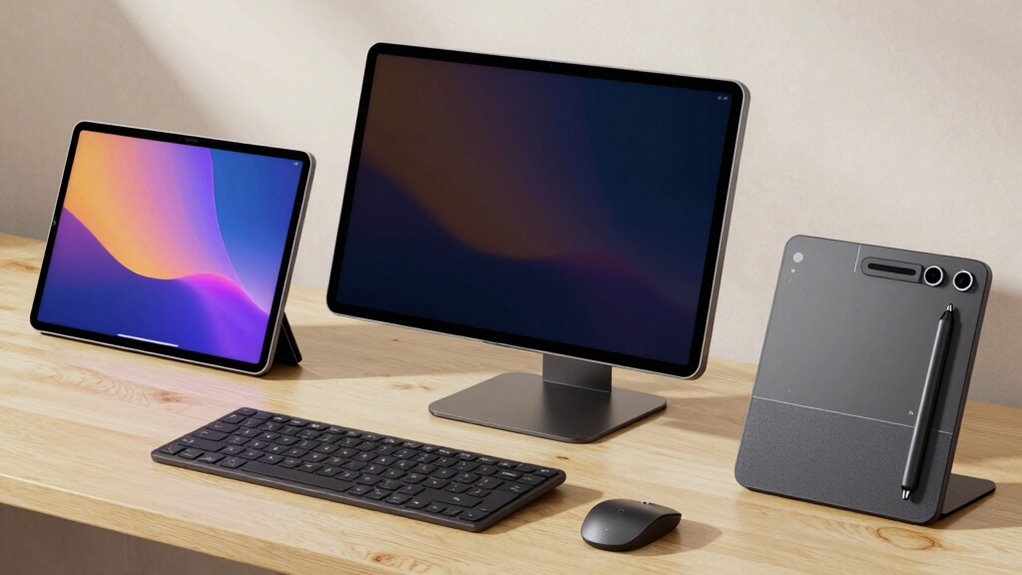
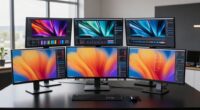
Choosing the right drawing pen display can dramatically improve your digital art workflow, whether you’re a hobbyist or a professional. The XP-PEN Artist12 offers a compact, budget-friendly option with vibrant visuals—perfect for beginners or those needing portability. For more advanced artists, the XPPen Artist 13.3 Pro provides a high-resolution, tilt-supporting display that balances performance and price. Meanwhile, the XPPen Artist 13.3 Pro V2 aims at professionals with its ultra-high pressure sensitivity and color accuracy, though it requires a connected device. These picks showcase a spectrum of features, tradeoffs, and target users to help you find the best fit.

Get art and craft supplies delivered free with Prime
- Fast, free delivery on millions of items
- Prime Video, Amazon Music and more included
- Member-only deals all year
Key Takeaways
- The XP-PEN Artist12 excels in portability and affordability but relies on a connected computer, making it less ideal as a standalone device.
- The XPPen Artist 13.3 Pro balances high color accuracy, tilt support, and software compatibility, suited for serious hobbyists and semi-pros.
- The XPPen Artist 13.3 Pro V2 delivers professional-grade pressure sensitivity and vibrant display quality but is best for users who need maximum detail and are comfortable with a higher price.
- Portability varies greatly—smaller screens like the Artist12 are easier to carry, while larger models like the Artist 15.6 Pro suit studio setups.
- All options require a connection to a computer or laptop; none function as standalone devices, which might influence portability and workflow.


| drawing pen displays for digital artist | Display Size | Color Gamut | Compatibility | Resolution |
|---|---|---|---|---|
| XP-PEN Artist12 11.6 Inch FHD | 11.6 inches | 72% NTSC (100% sRGB) | Windows 7/8/10/11, Mac 10.10+, Linux | 1920×1080 (FHD) |
| XPPen Artist 13.3 Pro Drawing | 13.3 inches | 88% NTSC (Adobe RGB ≧91%) | Windows 7+, Mac OS X 10.10+, Chrome OS 88+, Linux | — |
| XPPen Artist 13.3 Pro V2 Drawi | — | 125% sRGB, 107% Adobe RGB, 95% Display P3 | Windows 7+, macOS 10.13+, Chrome OS 88+, Android with USB-C, Linux | — |
| XPPen Artist 12 3rd Generation | 11.9 inches | — | — | 1920×1080 Full HD |
| 15.6" Drawing Tablet with Scre | 15.6 inches | 120% sRGB | Windows 11/10/8/7, Mac OS X 10.10+ | 1920×1080 (Full HD) |
More Details on Our Top Picks
XP-PEN Artist12 11.6 Inch FHD Drawing Monitor with Battery-Free Pen and Glove
The XP-PEN Artist12 stands out for its vibrant 11.6-inch FHD display and user-friendly features, making it an excellent choice for beginners and those needing portability. Its battery-free stylus offers high pressure sensitivity, and customizable shortcut keys enhance workflow efficiency. However, its reliance on a computer connection and limited standalone capability mean it’s best suited as a secondary display for dedicated digital artists. Compared with larger, more advanced models, it sacrifices some flexibility but remains accessible and easy to set up.
Pros:- Vivid 11.6-inch FHD display with excellent color accuracy
- Battery-free stylus with high pressure sensitivity and eraser
- Compatible with a wide range of software and OS
- Customizable shortcut keys and touch bar
Cons:- Requires connection to a computer via HDMI and USB-A
- Setup can be complex for some users
- Limited to use as an external display, not standalone
Best for: Beginners, students, or artists seeking an affordable, portable secondary display
Not ideal for: Professionals needing a standalone device or larger working area
- Display Size:11.6 inches
- Resolution:1920×1080 (FHD)
- Color Gamut:72% NTSC (100% sRGB)
- Pen Type:Battery-free stylus with eraser
- Pressure Sensitivity:8192 levels
- Compatibility:Windows 7/8/10/11, Mac 10.10+, Linux
Our verdict“A compact, budget-friendly option ideal for beginners or artists on the go, but not suited for standalone use.”
XPPen Artist 13.3 Pro Drawing Tablet with Screen
The XPPen Artist 13.3 Pro is a versatile choice for enthusiasts and semi-professionals, offering a fully laminated FHD display with supporting tilt up to 60°. Its 16,384 pressure levels combine natural shading with precise control, making it suitable for detailed projects. Customizable shortcut keys speed up workflows, and broad software compatibility ensures seamless integration. While it demands a connection to a computer or laptop, its impressive display quality and support for professional features make it a solid upgrade over entry-level options. Compared to the Artist12, it offers better color and more natural drawing experience, though at a higher cost.
Pros:- High color accuracy with 88% NTSC (Adobe RGB ≧91%)
- Supports tilt and pressure for natural brush strokes
- Customizable shortcut keys
- Broad compatibility with major creative software
Cons:- Requires a compatible computer or laptop
- Learning curve for new users unfamiliar with digital tablets
- No standalone functionality
Best for: Hobbyists and semi-pro artists seeking a balance of quality and affordability
Not ideal for: Artists needing a standalone device or working with very large screens
- Display Size:13.3 inches
- Color Gamut:88% NTSC (Adobe RGB ≧91%)
- Viewing Angle:178°
- Tilt Support:Up to 60°
- Pressure Levels:16,384
- Compatibility:Windows 7+, Mac OS X 10.10+, Chrome OS 88+, Linux
Our verdict“A well-rounded display that combines strong color performance and tilt support, suited for dedicated artists seeking quality without stepping into high-end territory.”
XPPen Artist 13.3 Pro V2 Drawing Tablet with Screen, 16K Pressure, Red Dial, 8 Keys
The XPPen Artist 13.3 Pro V2 is designed for serious digital artists demanding top-tier performance. Its full-laminated 13.3-inch IPS display boasts an expansive color gamut and minimal parallax, perfect for detailed work. With 16,384 pressure levels and a responsive stylus, it captures the finest strokes, making it ideal for professionals working on complex illustrations or photo editing. The adjustable stand, color calibration, and customizable keys further enhance productivity. The main consideration is that it remains a connected device—no standalone operation—and the price is higher, reflecting its high-end features. Compared to the Pro model, the V2 offers even better sensitivity and color fidelity, but at a premium cost.
Pros:- High-end 16K pressure sensitivity
- Vivid, full-laminated IPS display with wide color gamut
- Customizable keys and adjustable stand
- Includes red dial for workflow control
Cons:- Requires a computer or laptop—no standalone use
- Price may be prohibitive for casual users
- Driver support needed for Linux and some features
Best for: Professional digital artists, illustrators, and designers who need maximum detail and color accuracy
Not ideal for: Beginners or casual hobbyists due to its complexity and price
- Screen Size:13.3 inches
- Pressure Levels:16,384
- Display Type:Full-laminated IPS
- Color Gamut:125% sRGB, 107% Adobe RGB, 95% Display P3
- Brightness:250 cd/m²
- Compatibility:Windows 7+, macOS 10.13+, Chrome OS 88+, Android with USB-C, Linux
Our verdict“A dedicated, high-performance device for professionals who prioritize color accuracy and fine detail but require a connected setup.”
XPPen Artist 12 3rd Generation 11.9″ Drawing Tablet with Screen, 16K Pen, AG Glass
The XPPen Artist 12 3rd Generation provides a portable yet capable 11.9-inch drawing experience. Its AG glass surface mimics paper, reducing eye strain and offering a natural feel. The high-precision magnetic pen supports 16K pressure levels and tilt, making it a versatile choice for artists who need to work on the move. Its ultra-lightweight design and foldable stand add to its portability, while color accuracy and eye comfort features make it suitable for detailed work. The main tradeoff is its smaller screen size, which might be limiting for detailed projects compared to larger models like the Artist 15.6 Pro. Still, it’s ideal for artists who prioritize mobility without sacrificing core features.
Pros:- Portable and lightweight at 1.58 lbs
- High-precision 16K pen with tilt support
- Excellent color accuracy and eye comfort
- Foldable stand for ergonomic drawing
Cons:- Limited to 11.9-inch display size
- Requires compatible software for full functionality
- Price may be high for casual users
Best for: On-the-go artists, students, or those needing a compact, lightweight device
Not ideal for: Artists requiring larger screens for detailed work or studio setups
- Display Size:11.9 inches
- Resolution:1920×1080 Full HD
- Color Accuracy:99% sRGB, ΔE<1.5
- Pressure Levels:16,384
- Tilt Support:60°
- Connectivity:USB-C, multi-interface
Our verdict“A portable, highly sensitive drawing tool ideal for artists needing mobility without major compromises on features.”
15.6″ Drawing Tablet with Screen XPPen Artist 15.6 Pro Tilt Support Graphics Tablet Full-Laminated Red Dial (120% sRGB) with 8192 Levels Pressure Sensitivity and 8 Shortcut Keys
The XPPen Artist 15.6 Pro combines a spacious 15.6-inch full HD display with vivid colors and a wide viewing angle, making it ideal for artists who prefer a larger workspace. Its full-laminated technology minimizes parallax, and the red dial offers quick access to workflow controls. With 8 customizable shortcuts and 8192 pressure levels, it balances performance and usability. The main limitation is that it requires a computer connection and is less portable, making it more suitable for dedicated studio environments. Compared to smaller tablets, it offers more room for detailed work, but its size and price make it less suitable for artists who prioritize portability.
Pros:- Large 15.6-inch full HD display with 120% sRGB
- Full-laminated screen reduces parallax
- Red dial for workflow control
- 8 customizable shortcut keys
Cons:- Requires connection to a computer
- Not portable for on-the-go use
- Price may be high for casual hobbyists
Best for: Digital artists working primarily at a desk who need a larger workspace
Not ideal for: Artists requiring a portable or compact device for travel or quick sketches
- Display Size:15.6 inches
- Resolution:1920×1080 (Full HD)
- Color Gamut:120% sRGB
- Pressure Sensitivity:8192 levels
- Additional Features:Red Dial, adjustable brightness
- Compatibility:Windows 11/10/8/7, Mac OS X 10.10+
Our verdict“A spacious, feature-rich display perfect for detailed work in a dedicated studio setup, though less suited for portability.”

How We Picked
Our selection process focused on balancing display quality, pressure sensitivity, connectivity, and value. I considered the target user for each tablet—ranging from beginners to professionals—and evaluated how features like color gamut, tilt support, and ergonomic design serve different workflows. We prioritized models with proven compatibility across popular creative software and assessed tradeoffs such as portability versus screen size, cost versus features, and setup complexity. The goal was to present options that meet diverse needs while highlighting each product’s unique strengths and limitations.
| drawing pen displays for digital artist | Compatibility |
|---|---|
| XP-PEN Artist12 11.6 Inch FHD | Windows 7/8/10/11, Mac 10.10+, Linux |
| XPPen Artist 13.3 Pro Drawing | Windows 7+, Mac OS X 10.10+, Chrome OS 88+, Linux |
| XPPen Artist 13.3 Pro V2 Drawi | Windows 7+, macOS 10.13+, Chrome OS 88+, Android with USB-C, Linux |
| XPPen Artist 12 3rd Generation | — |
| 15.6" Drawing Tablet with Scre | Windows 11/10/8/7, Mac OS X 10.10+ |
Factors to Consider When Choosing Drawing Pen Displays For Digital Artists
Selecting the right drawing pen display depends on your specific needs—whether you prioritize portability, color accuracy, or workspace size. It’s essential to consider how the device connects to your existing setup, the level of pressure sensitivity required, and your preferred workflow features like shortcut keys or tilt support. Understanding these factors helps narrow down the options and ensures you choose a device that complements your artistic style and working environment.
Display Size and Portability
Small screens like the Artist12 are easy to carry and ideal for artists who need a portable setup or secondary display. Larger screens, such as the Artist 15.6 Pro, offer more workspace for detailed projects but require a dedicated desk and are less portable. Consider your working environment and whether you need to switch between studio and on-the-go work regularly.
Color Accuracy and Display Technology
Color fidelity varies among models—from 72% NTSC on entry-level devices to 125% sRGB on high-end options. Full-laminated screens reduce parallax and improve drawing precision, especially for detailed work. If color accuracy is critical for your projects, prioritize models with broader gamuts and laminated displays.
Pressure Sensitivity and Stylus Performance
Higher pressure levels (like 16,384) and tilt support provide a more natural drawing experience, mimicking traditional media. Entry-level tablets with lower pressure sensitivity are sufficient for casual use but may feel less responsive for detailed shading or professional work. Also, a responsive stylus with minimal lag enhances your control and comfort during long sessions.
Connectivity and Compatibility
All models reviewed require connection to a computer or laptop, so consider your existing ports and whether a USB-C or HDMI connection suits your setup. Compatibility with your preferred software (Photoshop, Illustrator, etc.) and operating system ensures a smoother workflow. Some models offer more extensive OS support, which can be a decisive factor for varied workflows.
Frequently Asked Questions
Do I need a computer to use these drawing pen displays?
Yes, all the options in this lineup require a connection to a computer or laptop for operation. None of these devices are standalone tablets, so you need to have a compatible device to run your creative software. This setup can be limiting if portability is your primary concern, but it also allows for more powerful processing and larger displays.What is the difference between pressure sensitivity levels, and why does it matter?
Pressure sensitivity levels determine how finely your stylus can detect pressure variations, which affects shading, line weight, and detail in your artwork. Higher levels, like 16,384, allow for more nuanced control, resulting in more natural and expressive strokes. For professional work, higher pressure levels can make a significant difference in achieving realistic results.Are these devices suitable for beginners?
Most of these pen displays, especially smaller or less complex models like the Artist12, are suitable for beginners due to their straightforward features and affordability. However, some high-end models with advanced features might have a steeper learning curve and higher price point, making them better suited for more experienced artists or those ready to invest in professional-grade tools.Can I use these displays with any software?
Yes, all the reviewed devices support major creative applications such as Photoshop, Illustrator, Clip Studio Paint, and more. Compatibility depends on driver support and OS, so it’s good to verify whether your specific software is explicitly supported. Most models list broad compatibility, but driver updates might be necessary for optimal performance.What should I consider when choosing between a small and large screen?
Choosing between a small and large screen depends on your workflow and mobility needs. Smaller displays like the Artist12 are easier to carry and set up in tight spaces, ideal for artists who travel or prefer a secondary device. Larger screens, like the Artist 15.6 Pro, provide more room for detailed work and are better suited for dedicated studio use, though they sacrifice portability.Conclusion
For beginners or artists who need a portable setup, the XP-PEN Artist12 offers a compelling mix of affordability and usability. Semi-pro artists seeking a balance of color accuracy and workflow features will find the XPPen Artist 13.3 Pro a suitable choice. Professionals demanding maximum detail, color fidelity, and responsiveness should consider the XPPen Artist 13.3 Pro V2, despite its higher price and setup requirements. Ultimately, your choice hinges on your workflow preferences, budget, and whether portability or workspace size is your priority.
Halloween Picks

HOPOCO Halloween Pumpkin Fog Machine with 12 LED Colors and 4 Light Modes

Pumpkin Halloween Fog Machine with 12-Color LED Lights, Bluetooth Speaker, and Remote

6-Foot Jason Voorhees Animatronic Halloween Decoration
As an affiliate, we earn on qualifying purchases.