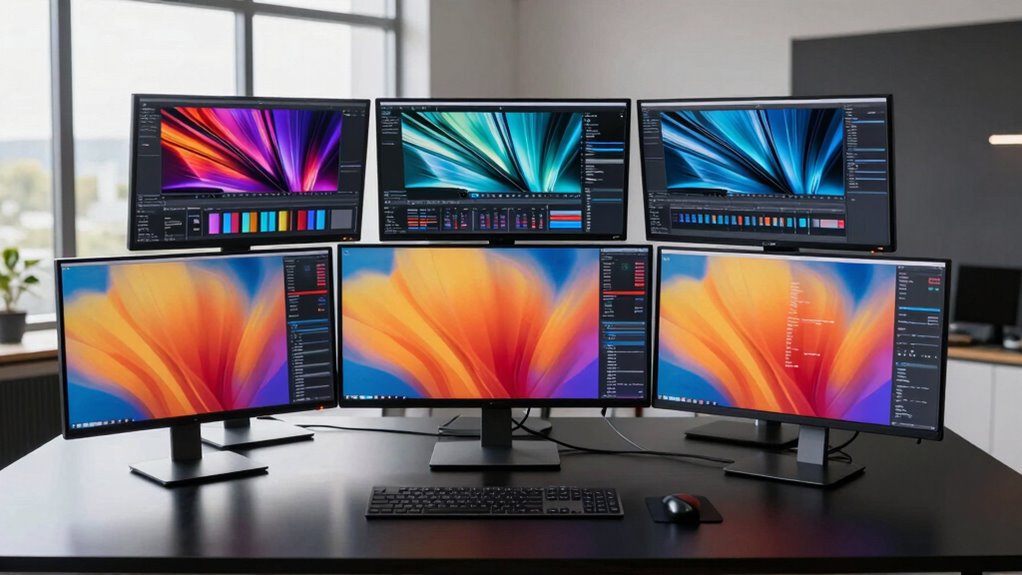

For designers and editors seeking high-resolution displays, 5K monitors offer sharp detail and vibrant color accuracy essential for professional work. The BenQ MA270S stands out as the best overall choice, thanks to its excellent color reproduction and versatile connectivity. The BenQ PD2730S is a strong contender for creative professionals needing precise color and ergonomic features, while the LG 27GM950B-B provides a superb balance of high refresh rate and stunning visuals for those blending work with gaming. Buyers face tradeoffs between resolution, color accuracy, connectivity, and price—making it important to weigh what matters most in your workflow. Continue reading for a detailed breakdown of these options and what makes each one unique.

Get art and craft supplies delivered free with Prime
- Fast, free delivery on millions of items
- Prime Video, Amazon Music and more included
- Member-only deals all year
Key Takeaways
- The top picks balance high resolution with color accuracy, but tradeoffs exist in refresh rate and connectivity options.
- Most leading 5K monitors for creatives feature Thunderbolt 4 or USB-C, emphasizing seamless integration with Macs and modern PCs.
- While premium models offer exceptional color calibration, budget options like KTC provide HDR and dual modes at a lower price point.
- Designers prioritizing ergonomic features benefit from adjustable stands, which are common in higher-end models.
- Choosing between a dedicated creative monitor and a versatile all-rounder depends on whether color fidelity or multi-purpose use is more important.
| BenQ MA270S 27” 5K Nano Gloss Monitor for Mac Creators with Dual Thunderbolt 4, KVM, and Adjustable Stand |  | Best Overall for Mac Creators | Screen Size: 27 inches | Resolution: 5120×2880 (5K) | Panel: Nano Gloss | VIEW ON AMAZON | See Our Full Breakdown |
| LG 27GM950B-B 27-inch Ultragear evo Mini-LED IPS 5K 165Hz Gaming Monitor |  | Best for Gamers and Content Creators | Display Size: 27 inches | Resolution: 5120×2880 (5K) | Peak Brightness: 1250 nits | VIEW ON AMAZON | See Our Full Breakdown |
| BenQ PD2730S 27″ 5K Monitor with Thunderbolt 4, P3 Color, Nano Matte Panel, KVM, Height Adjustable for Creative Professionals |  | Best for Creative Professionals on a Budget | Display Size: 27 inches | Resolution: 5120 x 2880 (5K) | Contrast Ratio: 2000:1 | VIEW ON AMAZON | See Our Full Breakdown |
| Samsung 27″ ViewFinity S8 (S80HF) Series High-Resolution Monitor |  | Best for Versatile Productivity and Connectivity | Size: 27 inches | Resolution: 5120×2880 (5K) | Pixel Density: 218 PPI | VIEW ON AMAZON | See Our Full Breakdown |
| ASUS ProArt PA27JCV 27-Inch 5K USB-C Professional Monitor for Mac |  | Best for Professional Creatives Seeking Factory Calibration | Display Size: 27 inches | Resolution: 5120 x 2880 (5K) | Panel Type: IPS | VIEW ON AMAZON | See Our Full Breakdown |
| KTC 27 Inch 5K Monitor with HDR 400 and Dual Mode |  | Best Overall for Versatile Professional Use | Display Size: 27 inches | Resolution: 5120 x 2880 (5K UHD) | Panel Type: IPS | VIEW ON AMAZON | See Our Full Breakdown |
| KTC 27 Inch 5K2K Dual Mode Monitor with 65W Type-C Port |  | Best for Dual-Resolution Flexibility and Creative Work | Display Size: 27 inches | Resolution: 5120×2880 (5K) at 60Hz, 2560×1440 (2K) at 120Hz | Color Coverage: 99% DCI-P3, 100% sRGB | VIEW ON AMAZON | See Our Full Breakdown |
| 5k monitors for designers and editor | Resolution | Connectivity | Display Size | HDR |
|---|---|---|---|---|
| BenQ MA270S 27” 5K Nano Gloss | 5120×2880 (5K) | Dual Thunderbolt 4, HDMI, USB-C | — | — |
| LG 27GM950B-B 27-inch Ultragea | 5120×2880 (5K) | DisplayPort 2.1, HDMI 2.1, USB-C | 27 inches | VESA DisplayHDR 1000 |
| BenQ PD2730S 27" 5K Monitor wi | 5120 x 2880 (5K) | Thunderbolt 4, HDMI | 27 inches | — |
| Samsung 27" ViewFinity S8 | 5120×2880 (5K) | USB-C, LAN | — | HDR10+ |
| ASUS ProArt PA27JCV 27-Inch 5K | 5120 x 2880 (5K) | USB-C with 96W, DisplayPort | 27 inches | — |
| KTC 27 Inch 5K Monitor with HD | 5120 x 2880 (5K UHD) | Type-C, HDMI 2.0, DisplayPort | 27 inches | HDR 400 |
| KTC 27 Inch 5K2K Dual Mode Mon | 5120×2880 (5K) at 60Hz, 2560×1440 (2K) at 120Hz | USB-C PD65W, DisplayPort 1.4, HDMI 2.0, 2 x USB A 3.0 | 27 inches | HDR 400 |
More Details on Our Top Picks
BenQ MA270S 27” 5K Nano Gloss Monitor for Mac Creators with Dual Thunderbolt 4, KVM, and Adjustable Stand
This BenQ model stands out for its high-resolution 5K display with vibrant P3 color accuracy, making it ideal for Mac users who prioritize color fidelity. Its Nano Gloss panel enhances visual clarity, surpassing the typical matte screens found on many creative monitors, and dual Thunderbolt 4 ports facilitate seamless daisy chaining for multi-device setups. The adjustable stand ensures ergonomic comfort during long editing sessions. While the premium price might deter budget-conscious buyers, its Mac-specific color tuning and streamlined workflow features justify the investment for dedicated Mac creatives. Compared to the ASUS ProArt, this monitor offers better integrated KVM and a more refined design, but it is less versatile for non-Mac systems. Overall, this is a top choice for Mac-based professionals who want a display that combines excellent color, connectivity, and ergonomics.
Pros:- High-resolution 5K display with vibrant P3 color accuracy
- Seamless Thunderbolt 4 connectivity with daisy chaining
- Adjustable stand for ergonomic comfort
- Smart KVM switching for multi-device management
Cons:- Premium price may be high for casual or budget-conscious users
- Limited to Mac-specific color tuning, less compatible with Windows
Best for: Mac creatives who need integrated connectivity and precise color for professional work
Not ideal for: Windows users or those on a tight budget, as the Mac-specific calibration and premium price may not deliver value outside the Apple ecosystem
- Screen Size:27 inches
- Resolution:5120×2880 (5K)
- Panel:Nano Gloss
- Color Gamut:P3
- Connectivity:Dual Thunderbolt 4, HDMI, USB-C
- Power Delivery:96W/15W
- Adjustments:Height, tilt, swivel, pivot
Our verdict“Best suited for Mac professionals seeking a high-quality, color-accurate display with flexible connectivity.”
LG 27GM950B-B 27-inch Ultragear evo Mini-LED IPS 5K 165Hz Gaming Monitor
This LG monitor offers a rare combination of 5K resolution and a 165Hz refresh rate, making it well-suited for gamers who also need detailed visuals for creative work. Its Mini-LED technology delivers exceptional HDR performance with a peak brightness of 1250 nits, outshining typical HDR monitors like the Samsung ViewFinity S8 in brightness and contrast. While its advanced features and high refresh rate are ideal for gaming, they also benefit video editors requiring smooth playback, although the setup can be complex due to multiple connectivity options like DisplayPort 2.1 and HDMI 2.1. To fully leverage its capabilities, a high-end GPU is necessary, which could be a barrier for some users. Compared with the ViewFinity S8, this model emphasizes gaming and high-refresh performance, but it might be overkill for purely professional editing workflows. This pick is best for users who want a versatile display that excels in both gaming and detailed content creation.
Pros:- High-resolution 5K display with ultra-sharp visuals
- Exceptional HDR with peak brightness of 1250 nits
- 165Hz refresh rate for smooth motion and gaming
- Future-proof connectivity with DisplayPort 2.1 and HDMI 2.1
Cons:- High cost due to advanced features and high refresh rate
- Requires powerful GPU to utilize 165Hz at 5K resolution
- Setup complexity may intimidate less tech-savvy users
Best for: Creative professionals who also game or need high-refresh rates for video editing
Not ideal for: Budget-conscious users or those seeking a simple, straightforward monitor solely for editing tasks
- Display Size:27 inches
- Resolution:5120×2880 (5K)
- Peak Brightness:1250 nits
- HDR:VESA DisplayHDR 1000
- Color Gamut:up to 99% DCI-P3
- Refresh Rate:165Hz
- Connectivity:DisplayPort 2.1, HDMI 2.1, USB-C
Our verdict“Ideal for creative professionals who desire a flexible display for both high-end editing and gaming experiences.”
BenQ PD2730S 27″ 5K Monitor with Thunderbolt 4, P3 Color, Nano Matte Panel, KVM, Height Adjustable for Creative Professionals
The BenQ PD2730S offers a compelling balance of 5K resolution, color accuracy, and ergonomic features at a more accessible price point than some premium options. Its Nano Matte panel reduces glare and eye strain, making it suitable for long editing sessions. The monitor’s 98% P3 color coverage ensures vibrant, professional-grade visuals, and Thunderbolt 4 connectivity supports multiple devices with daisy chaining. While it’s slightly limited by a 60Hz refresh rate, this is typical for professional editing, where high frame rates are less critical. Compared with the ASUS ProArt, the PD2730S is more budget-friendly but might lack some advanced factory calibration features. Heavy and sizable, it requires a sturdy setup. It fits best for creative professionals seeking a high-quality display without the ultra-premium price tag.
Pros:- Ultra-sharp 5K resolution with excellent detail
- Good color accuracy with 98% P3 coverage
- Nano Matte panel reduces glare and eye strain
- Thunderbolt 4 with daisy chaining support
Cons:- Limited to 60Hz refresh rate, less ideal for fast-paced workflows
- Relatively high price for some users
- Heavy and large, requiring a robust setup
Best for: Content creators and designers seeking high-quality 5K with good value
Not ideal for: Gamers or users requiring high refresh rates or ultra-wide color accuracy beyond P3
- Display Size:27 inches
- Resolution:5120 x 2880 (5K)
- Contrast Ratio:2000:1
- Color Coverage:98% P3
- Panel:Nano Matte
- Connectivity:Thunderbolt 4, HDMI
- Response Time:4 ms
Our verdict“Great for professionals prioritizing color accuracy and ergonomics at a moderate price point.”
Samsung 27″ ViewFinity S8 (S80HF) Series High-Resolution Monitor
The Samsung ViewFinity S8 provides a high pixel density 5K display with HDR10+ for vibrant visuals, making it a strong choice for those who need sharp, detailed images along with flexible productivity features. Its built-in KVM switch simplifies device management, and the USB-C port offers 90W charging, reducing cable clutter. The monitor’s ergonomic design minimizes eye strain, which is beneficial for long editing or multitasking sessions. Compared to the LG 27GM950B-B, the S8 emphasizes versatility and connectivity over gaming performance, making it more suitable for professional workflows. However, its large size demands ample desk space, and its advanced features can be complex for new users. This monitor suits those who value a blend of high-resolution visuals with multitasking and device management capabilities.
Pros:- Sharp 5K resolution with vibrant HDR10+ support
- USB-C with 90W charging reduces cable clutter
- Built-in KVM switch for easy device management
- Ergonomic design reduces eye strain
Cons:- Large size requires significant desk space
- Premium price may be prohibitive for some
- Features can be complex for beginners
Best for: Productivity-focused professionals needing versatile connectivity and multitasking features
Not ideal for: High-end gamers or users seeking ultra-high refresh rates for gaming or motion-intensive tasks
- Size:27 inches
- Resolution:5120×2880 (5K)
- Pixel Density:218 PPI
- HDR:HDR10+
- USB-C Power Delivery:90W
- Connectivity:USB-C, LAN
- Features:KVM switch, PIP/PBP modes
Our verdict“Best for professionals who need a versatile, high-resolution display with strong connectivity options.”
ASUS ProArt PA27JCV 27-Inch 5K USB-C Professional Monitor for Mac
The ASUS ProArt PA27JCV stands out for its high color accuracy—covering 99% DCI-P3 and 100% sRGB—and factory calibration, making it a reliable choice for color-critical work. Its 5K resolution delivers sharp visuals, and the IPS panel ensures wide viewing angles. The monitor’s USB-C port supports 96W power delivery, simplifying cable management, and it includes a 3-month Adobe Creative Cloud subscription, adding value for creative workflows. While it lacks the high refresh rates of gaming-focused models like the LG 27GM950B-B, its strengths lie in consistent color reproduction and professional-grade calibration. Its relatively high price and reliance on compatible devices may limit appeal for casual users. Compared to the BenQ PD2730S, it offers slightly better calibration but fewer ergonomic adjustments. This monitor is best for professionals demanding precise color and consistent performance.
Pros:- High-resolution 5K display with excellent detail
- Factory calibration with 99% DCI-P3 and 100% sRGB
- USB-C with 96W power delivery for simplified setup
- IPS panel with wide viewing angles
Cons:- Premium price might be prohibitive for some
- Limited to professional workflows, less suited for gaming
- Requires compatible devices to unlock full feature set
Best for: Designers and content creators who need factory-calibrated professional color accuracy
Not ideal for: Casual users or gamers who prioritize high refresh rates and gaming features
- Display Size:27 inches
- Resolution:5120 x 2880 (5K)
- Panel Type:IPS
- Color Gamut:99% DCI-P3, 100% sRGB
- Color Accuracy:Delta E<2
- Connectivity:USB-C with 96W, DisplayPort
- Warranty:5 years (3 + 2 extension)
Our verdict“Ideal for professional creatives requiring high color accuracy and reliable calibration in a high-resolution display.”
KTC 27 Inch 5K Monitor with HDR 400 and Dual Mode
The KTC 27 Inch 5K Monitor stands out for delivering an ultra-sharp 5120×2880 resolution combined with vibrant colors and HDR 400 support, making it ideal for detailed editing and color-sensitive tasks. Compared to the BenQ PD2730S, it offers a higher resolution and HDR brightness, though it sacrifices some ergonomic features. Its multiple connectivity options including Type-C, HDMI, and DisplayPort, provide seamless integration into professional workflows. However, with a limited refresh rate of 60Hz in 5K mode, it’s less suited for fast-paced editing or gaming. At 8.3 pounds, the weight might be a concern for portability or desk setup. Its premium price reflects the high-end features, but budget-conscious users might find it costly. Overall, this monitor makes the most sense for professionals prioritizing resolution, color accuracy, and connectivity over gaming performance or portability.
Pros:- High-resolution 5K display for detailed work
- Multiple connectivity options including Type-C, HDMI, and DisplayPort
- HDR 400 support enhances contrast and vibrancy
- Blue light reduction and flicker-free technology for eye comfort
Cons:- Limited to 60Hz refresh rate in 5K mode, reducing suitability for gaming or fast editing
- Relatively heavy at 8.3 pounds, which may impact portability
Best for: Creative professionals who need high-resolution, color fidelity, and versatile connectivity for editing and content creation.
Not ideal for: Gamers or users seeking high refresh rates for fast-paced editing or gaming, due to its 60Hz limitation in 5K mode.
- Display Size:27 inches
- Resolution:5120 x 2880 (5K UHD)
- Panel Type:IPS
- Brightness:500 cd/m²
- Contrast Ratio:2000:1
- Connectivity:Type-C, HDMI 2.0, DisplayPort
- HDR:HDR 400
- Weight:8.3 pounds
- Refresh Rate:60Hz in 5K mode
Our verdict“This monitor is best suited for professionals who prioritize resolution and color accuracy over high refresh rates or portability.”
KTC 27 Inch 5K2K Dual Mode Monitor with 65W Type-C Port
The KTC 27 Inch 5K2K Dual Mode Monitor offers a flexible setup with support for 5K at 60Hz and 2K at 120Hz, catering to both professional editing and casual gaming. Its 99% DCI-P3 coverage ensures vibrant, accurate colors suitable for demanding creative tasks, comparable to the BenQ PD2730S, but with the added benefit of dual resolution modes. The extensive connectivity suite, including a USB-C PD 65W port, simplifies workspace clutter and supports fast charging. While the dual-mode capability adds versatility, it’s limited to 60Hz in 5K, which might be a drawback for users wanting a higher refresh rate in that mode. The absence of built-in speakers and specific stand details might impact ergonomics and convenience. This pick makes the most sense for those needing a multi-purpose monitor that balances professional color work with occasional gaming or fast workflows.
Pros:- Supports both 5K@60Hz and 2K@120Hz modes for versatility
- High color accuracy with 99% DCI-P3
- Extensive connectivity including USB-C PD 65W for charging
- Eye care technology like flicker-free and low blue light
Cons:- Limited to 60Hz in 5K mode, affecting fast-moving content
- No built-in speakers or detailed stand info, which could impact ergonomic setup
Best for: Creative professionals who value dual resolution modes and high color accuracy, and who occasionally engage in fast-paced tasks or gaming.
Not ideal for: Users seeking a monitor with a high refresh rate in 5K mode or built-in audio features, as this model lacks those options.
- Display Size:27 inches
- Resolution:5120×2880 (5K) at 60Hz, 2560×1440 (2K) at 120Hz
- Color Coverage:99% DCI-P3, 100% sRGB
- Brightness:500 cd/m²
- HDR:HDR 400
- Connectivity:USB-C PD65W, DisplayPort 1.4, HDMI 2.0, 2 x USB A 3.0
- Blue Light Technology:Low Blue Light, Flicker-Free, DC Dimming
- Weight:Unspecified
Our verdict“This monitor suits creative professionals needing flexible resolution options and excellent color performance, with some compromises on refresh rate in 5K mode.”

How We Picked
These monitors were evaluated based on a combination of display quality, color accuracy, connectivity options, ergonomic features, and overall build quality. Priority was given to models with 5K resolution, as this is essential for detailed design and editing work. We also considered user interface ease, compatibility with Mac and Windows systems, and value for price. The ranking reflects a balance between professional-grade features and practical usability, ensuring each pick addresses different user needs—from casual editors to seasoned designers. The selection process aimed to highlight options that deliver consistent performance and reliable color fidelity in demanding creative workflows.| 5k monitors for designers and editor | HDR |
|---|---|
| BenQ MA270S 27” 5K Nano Gloss | — |
| LG 27GM950B-B 27-inch Ultragea | VESA DisplayHDR 1000 |
| BenQ PD2730S 27" 5K Monitor wi | — |
| Samsung 27" ViewFinity S8 | HDR10+ |
| ASUS ProArt PA27JCV 27-Inch 5K | — |
| KTC 27 Inch 5K Monitor with HD | HDR 400 |
| KTC 27 Inch 5K2K Dual Mode Mon | HDR 400 |
Factors to Consider When Choosing 5k Monitors For Designers And Editors
Selecting the right 5K monitor for design and editing tasks involves understanding several key factors. While resolution is critical, other elements such as color accuracy, connectivity, ergonomic features, and price play vital roles in making the best choice. Being aware of common pitfalls—like prioritizing resolution over calibration or ignoring connectivity needs—can help you avoid costly mistakes. This guide explores the main considerations that influence your decision, helping you identify which features align with your workflow and budget.Color Accuracy and Calibration
For professional editing and design work, color fidelity is paramount. Look for monitors with factory-calibrated displays and wide color gamuts (like DCI-P3 or AdobeRGB). Some models include advanced calibration tools or support hardware calibration, which ensures consistent color reproduction over time. Ignoring color accuracy can lead to mismatched prints or digital content that looks different across devices, so prioritize monitors with proven color performance if your work depends on precise hues.
Connectivity Options
Modern workflows demand flexible connectivity. USB-C and Thunderbolt 4 ports are especially valuable for Mac users, offering both power delivery and data transfer through a single cable. HDMI and DisplayPort are also common, but their placement and version support matter. Avoid monitors with limited or outdated ports, as they can restrict your setup’s expandability. Ensure the monitor supports your computer’s output standards and consider future-proofing with multiple ports for peripherals and accessories.
Ergonomics and Adjustability
Extended hours of work require ergonomic features like height adjustment, tilt, swivel, and pivot. Monitors with these capabilities can reduce strain and improve comfort. While some budget models omit these features to cut costs, neglecting ergonomics can lead to discomfort over time, especially during demanding editing sessions. Invest in a monitor that allows fine-tuning of position to fit your workspace and posture, which ultimately enhances productivity and reduces fatigue.
Size and Screen Real Estate
Choosing the right size depends on your workspace and the scale of your projects. 27-inch displays are common and provide a good balance of detail and desk space, but larger sizes might be appealing for multitasking or detailed editing. Keep in mind that higher resolution screens also require more powerful graphics hardware. Smaller monitors may save costs but could limit workspace, so consider your workflow needs carefully when selecting size and resolution pairing.
Price and Overall Value
High-end 5K monitors come with significant price tags, but their features can justify the cost for serious professionals. Budget options like KTC provide essential features such as HDR and dual modes at a lower price, suitable for those on a tighter budget or less reliant on perfect color fidelity. Weigh the benefits of premium calibration, build quality, and connectivity against your budget. Sometimes, spending more upfront results in better workflow efficiency and fewer upgrades later.
Frequently Asked Questions
Is 5K resolution necessary for professional design and editing?
While 5K resolution offers incredible detail that benefits high-end editing and design, it isn’t strictly necessary for every professional. It provides sharper images, more workspace, and finer detail, which can improve workflow efficiency. However, many users achieve excellent results with 4K monitors, especially if color accuracy and calibration are prioritized. The decision depends on your specific needs, project complexity, and whether your hardware can support 5K comfortably.
Do all 5K monitors support Mac systems equally well?
Not all 5K monitors are optimized for Mac compatibility, but many high-end models feature Thunderbolt 3 or 4, ensuring seamless integration with macOS. Look for monitors explicitly marketed as Mac-compatible or with Thunderbolt support for plug-and-play ease. Compatibility issues are less common now, but verifying the monitor’s support for macOS features, color profiles, and calibration tools can save frustration. If you’re a Mac user, prioritize models with native Thunderbolt connectivity and macOS-specific features.
What should I prioritize: color accuracy or refresh rate?
For designers and editors, color accuracy generally takes precedence over high refresh rates. Accurate color reproduction impacts your ability to produce true-to-life visuals and consistent prints. While high refresh rates (like 165Hz) are beneficial for gaming or fast-paced video editing, they are less critical for static image editing or color grading. Focus on a monitor with a wide color gamut, factory calibration, and good uniformity for most professional creative tasks.
Are higher-priced 5K monitors worth it for casual use?
Higher-priced 5K monitors often include advanced calibration, better build quality, and more versatile connectivity options, which are valuable for professional workflows. For casual use, these features might be overkill, and a well-chosen 4K or lower-resolution monitor could suffice. However, if you frequently work on detailed projects or value future-proofing, investing in a premium model can provide better long-term satisfaction and performance.
Can I use a 5K monitor with a standard GPU?
Using a 5K monitor requires a graphics card capable of supporting such high resolutions, typically with DisplayPort 1.4 or Thunderbolt support. Many mid-range GPUs may struggle or require driver adjustments for smooth performance at 5K. Before purchasing, verify your hardware’s capability to output 5K signals reliably. If your GPU isn’t compatible, you might experience issues like flickering or limited refresh rates, which can hinder your workflow.
Conclusion
For those who prioritize overall performance and seamless integration, the BenQ MA270S makes an excellent choice, especially for Mac users and creative professionals. The BenQ PD2730S offers a blend of color accuracy and ergonomic features, ideal for serious designers. Budget-conscious buyers should consider the KTC models, which provide solid features at a lower price. Beginners or casual editors may find standard 4K displays sufficient, but anyone working on precise color tasks should look toward the premium options. Ultimately, your choice depends on your specific workflow, budget, and how much you value features like calibration, connectivity, and ergonomic design.
Halloween Picks
halloween
As an affiliate, we earn on qualifying purchases.