If you’re looking for the best monitor calibration devices in 2026, I recommend considering options like the Datacolor SpyderPro for high-end calibration and multi-monitor support, the Spyder Monitor Calibrator for quick, professional results, and Calibrite’s ColorChecker Passport Video 2 for versatile photo and video calibration. The SpyderCube helps visualize light sources, while the Calibrite Display 123 offers guided setup and portability. Keep exploring to discover which device truly fits your workflow and budget.
Key Takeaways
- Compatibility with high-end displays like OLED, QD-OLED, and ultra-bright monitors up to 12,000 nits ensures professional-grade calibration.
- Features multi-monitor support for consistent color accuracy across diverse setups and multiple screens.
- Integration with editing software and user-friendly interfaces streamline workflows for photographers.
- Advanced ambient light measurement and automatic adjustments maintain color fidelity in varying lighting conditions.
- Portable, quick-to-use devices like Calibrite Display 123 and SpyderPro offer reliable calibration on the go.
| Datacolor SpyderPro Monitor Calibration & 3D LUT |  | Professional Grade | Display Compatibility: Ultra-bright displays (QD-OLED, Mini-LED, Apple XDR) | Calibration Type: Color calibration, 3D LUT export | Ambient Light Support: Yes, integrates with light meters | VIEW LATEST PRICE | See Our Full Breakdown |
| Datacolor Spyder Monitor Calibrator for True Colors |  | User-Friendly | Display Compatibility: OLED, LED, mini-LED, Apple Liquid Retina XDR | Calibration Type: Color calibration, adaptive technology | Ambient Light Support: Yes, measures room lighting | VIEW LATEST PRICE | See Our Full Breakdown |
| Calibrite ColorChecker Passport Video 2 Calibration Kit |  | Versatile Workflow | Display Compatibility: Still photography and video targets (not display-specific) | Calibration Type: Camera profiling, color matching | Ambient Light Support: No | VIEW LATEST PRICE | See Our Full Breakdown |
| Datacolor SpyderCube Calibration Tool |  | Precise Calibration | Display Compatibility: RAW, photo, and video workflows (not display-specific) | Calibration Type: White balance, exposure, contrast | Ambient Light Support: No | VIEW LATEST PRICE | See Our Full Breakdown |
| Calibrite Display 123 Colorimeter for Accurate Color Calibration |  | Compact Accuracy | Display Compatibility: Up to two displays, including professional monitors | Calibration Type: Color calibration, monitor profiling | Ambient Light Support: Yes, supports room lighting adjustments | VIEW LATEST PRICE | See Our Full Breakdown |
More Details on Our Top Picks
-
datacolor Spyder - Monitor Calibrator for Graphic Designers, Photographers, and Content Creators, Shows You True Colors, Works on OLED Monitors & LED Screens, Easy-to-Use Color Calibration Tool
Color “Surprises” Are a Thing of the Past: Datacolor’s exclusive DevicePreview TM Beta feature simulates what your photos...
As an affiliate, we earn on qualifying purchases.
Datacolor SpyderPro Monitor Calibration & 3D LUT
The Datacolor SpyderPro Monitor Calibration & 3D LUT is an excellent choice for photographers who need precise color accuracy across high-end displays, including QD-OLED, Mini-LED, and Apple XDR. It supports ultra-bright screens with brightness up to 12,000 nits, ensuring accurate calibration for even the most advanced monitors. The device offers powerful color calibration features, allowing me to translate colors seamlessly across multiple video monitors and color spaces via 3D LUT export. With tools like Device Preview Plus and batch processing, I can compare images easily and streamline my workflow. Plus, it syncs with light meters to adapt calibration to ambient lighting, enhancing accuracy.
- Display Compatibility:Ultra-bright displays (QD-OLED, Mini-LED, Apple XDR)
- Calibration Type:Color calibration, 3D LUT export
- Ambient Light Support:Yes, integrates with light meters
- Workflow Integration:Advanced export options, image processing tools
- Portability:Not specified
- Supported Applications:Photo/video editing, content authenticity
- Additional Feature:Supports ultra-bright displays up to 12,000 nits
- Additional Feature:Includes Device Preview Plus tool
- Additional Feature:Content credentials export feature
-
Calibrite ColorChecker Passport Video 2 Portable Color Calibration Kit for Photo/Video, Classic 24 Patch and White Balance Targets w/2 Video Targets, Protective Case and Lanyard (CCPPV2)
SPECIFICATIONS: Portable Passport Video 2 kit includes ColorChecker Classic 24 patch target, White Balance target, and 2 video...
As an affiliate, we earn on qualifying purchases.
Datacolor Spyder Monitor Calibrator for True Colors
For photographers seeking precise color accuracy across various high-end displays, the Datacolor Spyder Monitor Calibrator stands out as an excellent choice. It’s designed for graphic designers, photographers, and content creators, ensuring true color representation on OLED, LED, mini-LED, and Apple Liquid Retina XDR screens. Calibration takes just about 90 seconds, thanks to its intuitive interface that suits both beginners and pros. The device features an ambient light sensor for automatic adjustments based on room lighting, and its pre-set options deliver professional results. Plus, the DevicePreview TM Beta allows you to see how images will look on different devices, helping you anticipate color variations.
- Display Compatibility:OLED, LED, mini-LED, Apple Liquid Retina XDR
- Calibration Type:Color calibration, adaptive technology
- Ambient Light Support:Yes, measures room lighting
- Workflow Integration:Automatic/manual ambient light adjustment, alert system
- Portability:Compact, portable (3 x 3 x 2 inches)
- Supported Applications:Photo editing, digital workflows
- Additional Feature:DevicePreview TM Beta simulation
- Additional Feature:Compact, portable design (3x3x2 inches)
- Additional Feature:Supports automatic ambient light adjustments
-
Datacolor SpyderCube - 3D Advanced Calibration Tool and Profiling Solution for Accurate Color Matching and Consistency
𝗠𝗔𝗦𝗧𝗘𝗥 𝗬𝗢𝗨𝗥 𝗖𝗢𝗟𝗢𝗥: Accelerate RAW processing and set the perfect white balance, exposure, contrast, and black point for...
As an affiliate, we earn on qualifying purchases.
Calibrite ColorChecker Passport Video 2 Calibration Kit
If you need a versatile calibration kit that works seamlessly for both video and still photography, the Calibrite ColorChecker Passport Video 2 is an excellent choice. It includes a 24-patch ColorChecker Classic, a White Balance target, and two video targets for in-camera and post-production use. The kit comes with a durable, adjustable case and a lanyard for easy access and portability. Paired with Calibrite’s PROFILER software, it supports multi-camera matching and custom profile creation, ensuring consistent, accurate colors across different setups and lighting conditions. Its compact design makes it perfect for on-set use, streamlining your workflow and color management.
- Display Compatibility:Still photography and video targets (not display-specific)
- Calibration Type:Camera profiling, color matching
- Ambient Light Support:No
- Workflow Integration:Camera profiling, multi-camera matching
- Portability:Compact, portable case
- Supported Applications:Photography, video production
- Additional Feature:Multi-camera matching capability
- Additional Feature:Durable, portable protective case
- Additional Feature:Supports both stills and video workflows
Datacolor SpyderCube Calibration Tool
Photographers seeking precise color calibration will find the Datacolor SpyderCube Calibration Tool especially valuable, thanks to its unique 3D design that visualizes primary and secondary light sources. It speeds up RAW processing and helps set white balance, exposure, contrast, and black points for entire photo series. The black trap provides an absolute black reference, ensuring accurate color calibration. Its design includes a chrome ball, white, and black faces to verify contrast and detail, with warnings for over- or underexposure. Plus, you can save adjustments as presets and apply them across multiple images, seamlessly integrating with popular editing software.
- Display Compatibility:RAW, photo, and video workflows (not display-specific)
- Calibration Type:White balance, exposure, contrast
- Ambient Light Support:No
- Workflow Integration:Software integration with Adobe, batch processing
- Portability:Designed for on-set use
- Supported Applications:Photo, video editing, color correction
- Additional Feature:Unique 3D light source visualization
- Additional Feature:Black trap for absolute black reference
- Additional Feature:Compatibility with Adobe Photoshop, Lightroom, Premiere Pro
Calibrite Display 123 Colorimeter for Accurate Color Calibration
The Calibrite Display 123 Colorimeter stands out for its user-friendly, guided calibration process, making it ideal for professionals who need quick, accurate color adjustments without hassle. Its compact size and lightweight design make it easy to incorporate into any workspace, whether single or multi-monitor setups. The device supports calibration of up to two screens and features a built-in comparison view to verify improvements instantly. Connecting via USB-C, it simplifies setup and guarantees consistent, reliable color accuracy. With its straightforward software workflow and adjustable placement, the Display 123 helps me achieve precise, repeatable results effortlessly for photo editing and creative projects.
- Display Compatibility:Up to two displays, including professional monitors
- Calibration Type:Color calibration, monitor profiling
- Ambient Light Support:Yes, supports room lighting adjustments
- Workflow Integration:Guided calibration workflow, comparison view
- Portability:Compact, lightweight (4.8 ounces)
- Supported Applications:Photo editing, professional workflows
- Additional Feature:Built-in comparison view
- Additional Feature:Supports dual display calibration
- Additional Feature:Guided 1-2-3 calibration process
Factors to Consider When Choosing Monitor Calibration Devices for Photographers
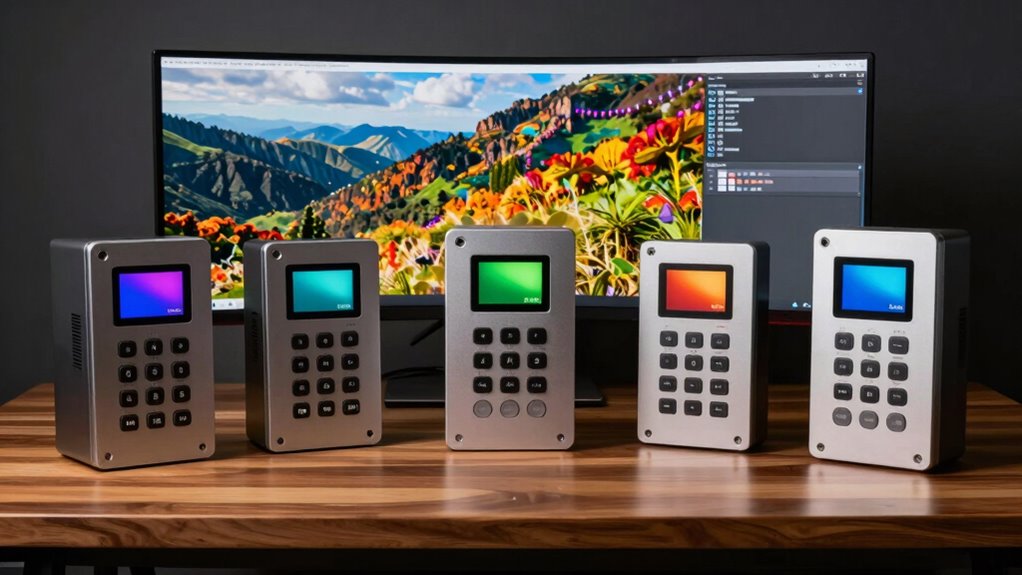
When choosing a monitor calibration device, I focus on compatibility with my display and how well it fits my workflow. I also consider calibration accuracy features, ease of use, and how it performs in my lighting environment. Finally, I look at software integration options to guarantee smooth operation across my editing tools.
Compatibility With Displays
Choosing the right calibration device means ensuring it supports your specific display type, whether it’s OLED, LED, Mini-LED, or QD-OLED, so you can achieve true color accuracy. It’s essential to confirm compatibility with ultra-bright displays like Apple’s XDR or Liquid Retina XDR, which can reach up to 12,000 nits, to maintain precise calibration. If you work with multiple monitors, check whether the device can calibrate several screens simultaneously or supports multi-display workflows for consistent results. High-end display technologies require a calibration tool that can effectively communicate and adapt to their unique specifications. Additionally, make sure the device’s software and hardware can accommodate various sizes and resolutions, ensuring thorough calibration across your entire setup.
Calibration Accuracy Features
Ensuring your calibration device delivers accurate and reliable results hinges on its ability to match colors precisely to a standard reference. Features like 3D LUT support and multi-color space calibration enhance this accuracy, ensuring true-to-life colors. Advanced light measurement integration considers ambient lighting, which helps maintain consistent calibration in different environments. The device’s capacity to hold calibration over time—through automatic adjustments or alerts—also influences long-term accuracy. High-quality tools often include visual verification features such as comparison views or black traps, allowing you to confirm color and exposure precision visually. These accuracy-focused features ensure your monitor reproduces colors faithfully, giving you confidence in your edits and final outputs. When choosing a calibration device, prioritize these aspects to achieve consistent, professional results.
Ease of Use
A calibration device’s ease of use can make or break your overall experience, especially if you need quick, reliable results without hassle. An intuitive interface and straightforward setup process are essential for efficiency. Devices with guided workflows and clear instructions help guarantee accurate calibration without requiring advanced technical skills. Automatic or semi-automatic calibration features simplify the process further, reducing user error and saving time. Compact, portable designs also matter, allowing you to perform calibration easily across different workspaces or while on the go. Visual aids, such as comparison views or real-time feedback, enhance usability by letting you verify results instantly. Overall, a user-friendly calibration device streamlines the process, making it accessible and less stressful, so you can focus on your creative work.
Lighting Environment Support
Lighting conditions in your workspace can considerably impact the accuracy of your monitor calibration. That’s why I recommend choosing a device that supports ambient light measurement. Devices with built-in light sensors or that can sync with light meters help you account for environmental brightness, guaranteeing your calibration reflects real-world conditions. It’s also helpful if the device can measure and adapt to different lighting sources like incandescent, fluorescent, or LED lighting, maintaining consistent colors throughout the day. Automatic or manual adjustments are valuable for compensating changing ambient light. Finally, opt for tools that provide detailed ambient light readings, so you can create precise calibration profiles tailored to your specific workspace environment. This guarantees your colors stay accurate regardless of lighting variations.
Software Integration Options
Choosing a monitor calibration device with seamless software integration is essential for streamlining your editing workflow. It guarantees that calibration processes are smooth and don’t disrupt your creative process. Look for devices that work effortlessly with popular editing platforms like Adobe Photoshop, Lightroom, or Premiere Pro, so you can calibrate without switching tools. Compatibility with both Windows and Mac expands your options, regardless of your operating system. Devices supporting automatic or manual ambient light sensor integration allow for real-time adjustments based on your environment, maintaining color accuracy throughout the day. Additionally, choose calibration tools that offer software updates and ongoing support to stay compatible with new software versions and display tech. Real-time previews or comparison views help verify calibration accuracy instantly, saving you time and ensuring consistent results.
Portability and Size
When selecting a monitor calibration device, size and portability are essential factors, especially if I frequently work on the go or in different locations. Smaller devices, usually under 5 inches, are easier to carry and fit into camera bags or small drawers, making them ideal for fieldwork or on-location shoots. Lightweight options, weighing less than 6 ounces, help me avoid fatigue during long calibration sessions or when moving between workspaces. Compact designs enable quick storage and setup without added bulk. Many portable calibration tools feature USB or wireless connectivity, allowing me to connect and calibrate multiple devices swiftly without cumbersome cables. Overall, a portable, space-saving device seamlessly integrates into my mobile workflow, ensuring efficient calibration wherever I work.
Multi-Monitor Support
Supporting multiple monitors with a single calibration device can considerably streamline my workflow, especially when I work with complex multi-screen setups. It’s essential that the device can support several displays at once, ensuring consistent color accuracy across all screens. I look for tools with software features that make multi-monitor profiling and profile management straightforward, saving time and reducing errors. The calibration device should automatically recognize each monitor, allowing me to calibrate them independently or as groups effortlessly. Synchronizing color profiles across multiple screens is critical for seamless editing and viewing. Some devices support dual or multi-display setups directly, which speeds up the calibration process without needing separate tools. Overall, strong multi-monitor support keeps my workspace efficient and color consistent.
Price and Value
The cost of monitor calibration devices varies widely, from budget-friendly options under $100 to premium models costing several hundred dollars. When evaluating price and value, I consider whether extra features—like multi-monitor support or heightened color accuracy—justify a higher investment. A more expensive device often offers better durability, more precise calibration, and compatibility with high-end displays, making it a smarter long-term choice for professionals. For casual photographers, lower-priced options might be sufficient, but they may lack advanced features essential for meticulous color work. Comparing cost against capabilities helps determine if a pricier model provides better overall value. Ultimately, investing in a quality calibration device can considerably improve color fidelity, making it worth considering higher-end options if your work demands maximum accuracy.
Frequently Asked Questions
How Often Should Photographers Calibrate Their Monitors?
I recommend calibrating your monitor at least once a month to guarantee color accuracy, especially if you’re working on professional projects. Changes in ambient lighting, software updates, and monitor aging can affect display quality over time. If you notice color shifts or inconsistent previews, it’s a good idea to recalibrate sooner. Regular calibration keeps your workflow consistent and guarantees your edits look perfect across all devices.
Are Calibration Devices Compatible With All Monitor Types?
Most calibration devices are compatible with a wide range of monitor types, including LCD, LED, and OLED screens. However, I always double-check the device specifications before purchasing, because some older or specialized monitors might have limited compatibility. I’ve found that modern calibration tools generally work seamlessly with standard monitors, but it’s good to verify compatibility to guarantee accurate color calibration and avoid any surprises.
What Is the Average Cost of Professional Calibration Tools?
I’ve found that professional calibration tools usually cost between $150 and $350. Some experts argue that investing more guarantees greater accuracy and longevity, but others say mid-range options work just fine for most photographers. I’ve tested both, and honestly, it depends on your needs. If you’re serious about color precision, spending extra might be worth it. But for casual work, a reliable mid-tier device should do the trick.
Can Calibration Devices Improve Print Color Accuracy?
Yes, calibration devices can greatly improve print color accuracy. I’ve found that when I regularly calibrate my monitor, the colors I see on screen closely match the prints I produce. These tools adjust my display to guarantee consistent color reproduction, reducing surprises when printing. By maintaining accurate display calibration, I can trust that my digital images will translate well into physical prints, saving time and ensuring professional-quality results.
How Do Calibration Devices Affect Workflow Efficiency?
Calibration devices profoundly boost my workflow efficiency by ensuring consistent, accurate colors right from the start. When I calibrate my monitor regularly, I avoid wasting time tweaking images repeatedly or guessing color matches. It’s like having a secret weapon—everything aligns perfectly, speeding up editing and printing processes. This precision means I spend less time troubleshooting and more time focusing on my creative work, making my entire workflow smoother and more reliable.
Conclusion
Choosing the right monitor calibration device is essential for photographers aiming for true-to-life colors. Did you know that poorly calibrated monitors can lead to color inaccuracies of up to 30%? Investing in a quality calibration tool guarantees your edits look consistent across devices. Whether you prefer the all-inclusive features of the SpyderPro or the portability of the ColorChecker Passport, selecting the right device makes all the difference in delivering professional-quality images.