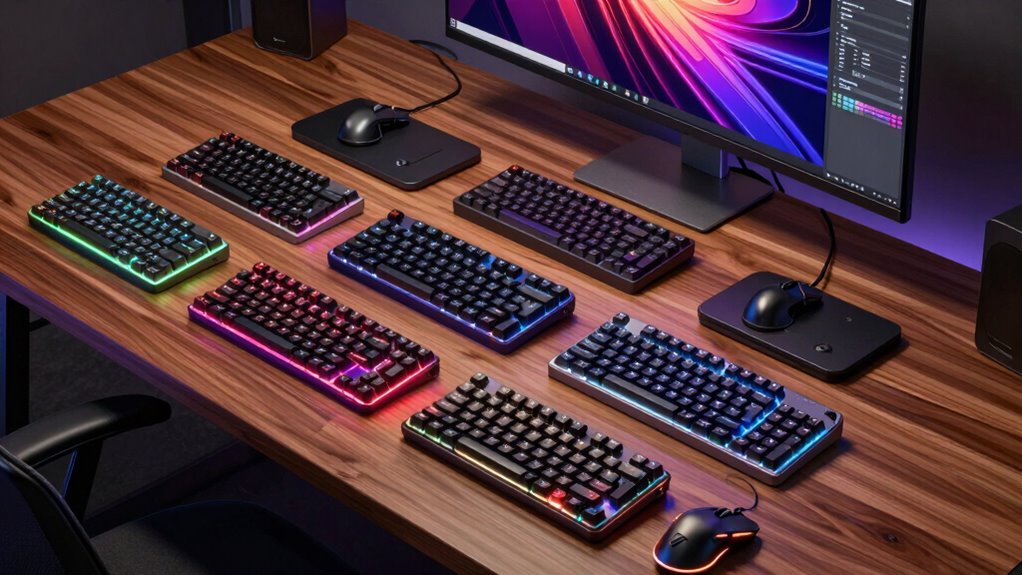

Finding the right pro keyboard and mouse bundles for creators involves balancing performance, comfort, and versatility. The Logitech MX Keys S Combo stands out as the best overall for its premium build and customization options. For those on a budget, the Logitech MK270 offers reliable performance at an accessible price. Creators should consider factors like compatibility, ergonomics, and feature set, which often involve tradeoffs between cost and functionality. Continue reading for a detailed breakdown of each bundle and how they compare to meet various creator needs.

Get art and craft supplies delivered free with Prime
- Fast, free delivery on millions of items
- Prime Video, Amazon Music and more included
- Member-only deals all year
Key Takeaways
- The top-performing bundles combine high-quality build and extensive customization options, with the Logitech MX Keys S Combo leading this category.
- Ergonomics and comfort features, such as palm rests and silent keys, are key for creators spending long hours at their desks.
- Compatibility with multiple operating systems and device switching capabilities add significant value, especially for creators working across platforms.
- Budget-friendly options like the Logitech MK270 still deliver dependable performance but lack advanced features found in premium bundles.
- The best bundles for creators balance performance, comfort, and versatility without overpaying for unnecessary features.
| Logitech MK540 Advanced Wireless Keyboard and Mouse Combo for Windows |  | Best Overall for Reliable, Everyday Use | Connectivity: 2.4 GHz Unifying USB receiver | Battery Life: Keyboard up to 36 months, mouse up to 18 months | Compatibility: Windows 10 or later, Windows 8, Windows 7, Chrome OS | VIEW ON AMAZON | See Our Full Breakdown |
| Logitech Signature Comfort Plus Combo MK880 Wireless Keyboard and Mouse Combo, Full-Size Comfort Keyboard with Palm Rest, Silent Clicks, Bluetooth, for Windows and macOS – Graphite |  | Best for Multi-Device, All-Day Comfort | Connectivity: Bluetooth | Compatibility: Windows, macOS, Chrome OS, Linux, iPadOS, Android | Battery Life: 36 months for keyboard, 24 months for mouse | VIEW ON AMAZON | See Our Full Breakdown |
| Logitech MX Keys S Combo – Wireless Keyboard and Mouse with Palm Rest, Customizable Illumination, Fast Scrolling, Bluetooth, USB-C, for Windows, Linux, Chrome, Mac |  | Best for Precision and Multi-Platform Creators | Keyboard Type: Wireless, Backlit | Mouse Type: Wireless, MagSpeed scroll wheel | Connectivity: Bluetooth, USB-C, Logi Bolt USB receiver | VIEW ON AMAZON | See Our Full Breakdown |
| Logitech MX Keys S Combo for Mac, Wireless Keyboard and Mouse with Palm Rest, Backlit, Bluetooth, USB-C – Space Grey |  | Best for Apple Creators Requiring Seamless Ecosystem Integration | Compatibility: MacBook Pro, MacBook Air, iMac, iPad | Connectivity: Bluetooth Low Energy, USB-C | Backlit Keys: Yes | VIEW ON AMAZON | See Our Full Breakdown |
| Logitech Signature Comfort Plus Combo MK880 Wireless Keyboard and Mouse for Business |  | Best for Ergonomic, Extended-Use Business Environments | Connectivity: Logi Bolt, Bluetooth | Compatibility: Windows, macOS, ChromeOS, Linux | Keyboard Design: Full-size, curved with palm rest | VIEW ON AMAZON | See Our Full Breakdown |
| Logitech MK955 Signature Slim Wireless Keyboard and Mouse Combo |  | Best for Multi-Device Creators Seeking Eco-Friendly Design | Connectivity: Bluetooth, Logi Bolt | Device Switching: Yes, switch between three devices | Compatibility: Windows, Mac, Chrome OS, Linux, iPadOS, iOS, Android | VIEW ON AMAZON | See Our Full Breakdown |
| Logitech MK270 Wireless Keyboard and Mouse Combo for Windows |  | Best for Budget-Conscious Windows Creators Needing Reliable Performance | Wireless Technology: 2.4 GHz | Range: 33 ft | Keyboard Features: Full-size, spill-resistant, multimedia hotkeys | VIEW ON AMAZON | See Our Full Breakdown |
| pro keyboard and mouse bundles for creator | Connectivity | Compatibility |
|---|---|---|
| Logitech MK540 Advanced Wirele | 2.4 GHz Unifying USB receiver | Windows 10 or later, Windows 8, Windows 7, Chrome OS |
| Logitech Signature Comfort Plu | Bluetooth | Windows, macOS, Chrome OS, Linux, iPadOS, Android |
| Logitech MX Keys S Combo | Bluetooth, USB-C, Logi Bolt USB receiver | Windows, macOS, Linux, Chrome |
| Logitech MX Keys S Combo for M | Bluetooth Low Energy, USB-C | MacBook Pro, MacBook Air, iMac, iPad |
| Logitech Signature Comfort Plu | Logi Bolt, Bluetooth | Windows, macOS, ChromeOS, Linux |
| Logitech MK955 Signature Slim | Bluetooth, Logi Bolt | Windows, Mac, Chrome OS, Linux, iPadOS, iOS, Android |
| Logitech MK270 Wireless Keyboa | — | — |
More Details on Our Top Picks
Logitech MK540 Advanced Wireless Keyboard and Mouse Combo for Windows
This combo stands out for its combination of long battery life, ergonomic comfort, and reliable wireless range, making it ideal for creators who need a dependable setup without fuss. Compared to the MX Keys S Combo, it offers a more straightforward experience without the high cost or complex features, though it sacrifices some advanced customization and multi-device flexibility. The spill-resistant design and extensive battery life mean less interruptions during long work sessions, and the ambidextrous mouse adds versatility. However, it requires a USB receiver, which may be limiting for users with minimal ports and is compatible only with Windows and Chrome OS, making it less suitable for Mac-heavy setups. This bundle makes the most sense for creators prioritizing simplicity, durability, and affordability.
Pros:- Long-lasting battery life for both keyboard and mouse
- Comfortable, ergonomic design with palm rest
- Reliable wireless connection up to 33 feet
- Spill-resistant and durable
Cons:- Requires a USB receiver, limiting portability
- Limited to Windows and Chrome OS compatibility
Best for: Creators who want a dependable, ergonomic combo for daily use with minimal fuss
Not ideal for: Mac users or creators who need multi-device switching and advanced customization
- Connectivity:2.4 GHz Unifying USB receiver
- Battery Life:Keyboard up to 36 months, mouse up to 18 months
- Compatibility:Windows 10 or later, Windows 8, Windows 7, Chrome OS
- Features:Multimedia hotkeys, spill-resistant, adjustable tilt, palm rest
Our verdict“This combo is perfect for creators seeking a straightforward, reliable wireless setup for everyday productivity.”
Logitech Signature Comfort Plus Combo MK880 Wireless Keyboard and Mouse Combo, Full-Size Comfort Keyboard with Palm Rest, Silent Clicks, Bluetooth, for Windows and macOS – Graphite
This bundle emphasizes ergonomic design and multi-device flexibility, making it suitable for creators juggling several platforms or long work hours. Unlike the MX Keys S Combo, it includes a full-sized keyboard with a cushioned palm support and a sculpted mouse, prioritizing comfort over sleekness. Its support for up to three devices via Easy-Switch and customizable shortcuts boost productivity, especially in multi-tasking environments. The long battery life mitigates frequent charging, but its premium price and Bluetooth-only connectivity could be drawbacks for budget-conscious or device-limited users. Furthermore, full functionality is limited to compatible operating systems, which might restrict some creative workflows. This combo fits creators who value comfort, versatility, and extended usability for multi-platform work.
Pros:- Ergonomic design with comfortable palmrest and sculpted mouse
- Supports up to 3 devices with Easy-Switch
- Long battery life for both keyboard and mouse
- Customizable shortcuts enhance productivity
Cons:- Requires Bluetooth compatibility, limiting use with some devices
- Premium price point
Best for: Creators who need ergonomic comfort and multi-device support for extended sessions
Not ideal for: Users with non-Bluetooth devices or those seeking a more compact setup
- Connectivity:Bluetooth
- Compatibility:Windows, macOS, Chrome OS, Linux, iPadOS, Android
- Battery Life:36 months for keyboard, 24 months for mouse
- Features:Dual-foam palm rest, customizable shortcuts, Meeting and AI launch keys
Our verdict“This combo is ideal for creators prioritizing ergonomic comfort and multi-device management during long work hours.”
Logitech MX Keys S Combo – Wireless Keyboard and Mouse with Palm Rest, Customizable Illumination, Fast Scrolling, Bluetooth, USB-C, for Windows, Linux, Chrome, Mac
The MX Keys S Combo offers a laptop-like typing feel combined with high-precision features, making it a strong choice for creators who need accurate input and seamless multi-device use. Its customizable backlit keys and MagSpeed scroll wheel outperform many competitors like the MK540, especially when high-fidelity tracking or smooth scrolling is critical. The multi-OS support and USB-C charging add versatility, but the setup process for multiple devices and the higher price tag may deter casual users. Its sleek, eco-friendly design appeals to those who prefer a professional aesthetic with high-end features. This bundle suits creators who require precise control, advanced customization, and multi-platform compatibility in a refined package.
Pros:- Fluid, laptop-like typing with customizable backlit keys
- MagSpeed scroll wheel with fast, precise scrolling
- High DPI sensor tracks on glass surfaces
- Supports multiple OS with easy device switching
Cons:- Higher cost compared to simpler options
- Requires setup for multi-device pairing
Best for: Creators needing precise input, multi-device workflows, and a premium typing experience
Not ideal for: Budget-conscious users or those seeking basic, straightforward setups
- Keyboard Type:Wireless, Backlit
- Mouse Type:Wireless, MagSpeed scroll wheel
- Connectivity:Bluetooth, USB-C, Logi Bolt USB receiver
- Compatibility:Windows, macOS, Linux, Chrome
- Battery:Rechargeable
Our verdict“This combo is best for creators demanding precision, customization, and multi-platform flexibility in a sleek design.”
Logitech MX Keys S Combo for Mac, Wireless Keyboard and Mouse with Palm Rest, Backlit, Bluetooth, USB-C – Space Grey
This Mac-specific bundle combines a tailored key layout with premium features like backlit keys and a high-precision MX Master 3S mouse, making it ideal for dedicated Apple users. Its seamless multi-device switching across Apple products ensures smooth workflows, surpassing the general versatility of the MX Keys S Combo designed for Windows and Linux. The use of recycled plastic in both devices aligns with eco-conscious values, though its premium price may restrict accessibility. Compatibility is limited to Apple devices, which makes it less suitable for users working across diverse ecosystems. This setup makes sense for creators fully embedded in the Apple environment, seeking high performance and aesthetic consistency.
Pros:- Seamless multi-device switching for Apple devices
- Backlit keys with adjustable brightness
- High-precision MagSpeed scroll wheel
- Eco-friendly recycled plastic content
Cons:- Premium price barrier
- Limited compatibility outside Apple ecosystem
Best for: Apple-focused creators who prioritize ecosystem integration and premium design
Not ideal for: Non-Apple users or those needing cross-platform flexibility
- Compatibility:MacBook Pro, MacBook Air, iMac, iPad
- Connectivity:Bluetooth Low Energy, USB-C
- Backlit Keys:Yes
- Scroll Wheel:MagSpeed, 8K DPI sensor
- Recycled Plastic Content:27% in MX Master 3S, 26% in MX Keys S
Our verdict“This bundle is tailored for Apple enthusiasts who want a premium, integrated keyboard and mouse experience.”
Logitech Signature Comfort Plus Combo MK880 Wireless Keyboard and Mouse for Business
This full-sized bundle emphasizes ergonomic comfort and quiet operation, making it well-suited for creators working long hours or in quiet settings. Its curved keyboard with a cushioned palm rest and the sculpted mouse with rubber grips prioritize comfort, similar to the MK880 but with added business-oriented features like customizable shortcut keys. The quiet clicks, which are 90% quieter, reduce noise distractions, especially in shared or quiet workspaces. While the full-size design might be bulky for small desks, it offers a durable, ergonomic solution for creators who value comfort and productivity over compactness. The lack of explicit battery details and higher price point could be potential hurdles for some users. This bundle is ideal for creators who want a comfortable, quiet, and customizable setup for extended work sessions.
Pros:- Ergonomic design with cushioned palm rest and sculpted mouse
- Quiet clicking technology reduces noise by 90%
- Supports multiple OS with seamless switching
- Customizable shortcut keys enhance workflow
Cons:- Batteries or charging details are not specified
- Bulkier design may not fit small workspaces
Best for: Creators in professional or quiet environments needing a comfortable, quiet setup
Not ideal for: Creators with limited space or those seeking a more compact or budget-friendly option
- Connectivity:Logi Bolt, Bluetooth
- Compatibility:Windows, macOS, ChromeOS, Linux
- Keyboard Design:Full-size, curved with palm rest
- Mouse Features:Sculpted, rubber grips, soft palm cushion
- Number of Shortcut Keys:22
- Customizable Buttons:4
Our verdict“This combo is suited for creators prioritizing comfort, quiet operation, and productivity in professional settings.”
Logitech MK955 Signature Slim Wireless Keyboard and Mouse Combo
This combo stands out for its ability to switch seamlessly between three devices, making it ideal for creators juggling multiple screens or platforms. Compared with the Logitech MK270, it offers a more refined, quieter typing experience and the flexibility of switching without unplugging, which boosts productivity. The use of recycled plastic — 48% in the keyboard and 25% in the mouse — highlights its eco-conscious build, aligning with creators who prioritize sustainability. However, it relies on Bluetooth or Logi Bolt connections, which can be less straightforward than the USB solution in the MK270, and it comes at a higher price point. For creators who need multi-device support without sacrificing environmental values, this is a compelling choice, albeit with some setup complexity.
Pros:- Seamless switching between three devices boosts multitasking efficiency
- Quiet typing and clicking minimizes noise disruptions
- Eco-friendly design with significant recycled plastic content
- Customizable keys enhance workflow personalization
Cons:- Requires Bluetooth or Logi Bolt connection, which may introduce setup complexity
- Higher price compared to basic or single-device combos
Best for: Professional creators who switch between multiple devices and value eco-friendly materials.
Not ideal for: Users seeking a budget-friendly, plug-and-play setup or those on a strict Windows-only system without Bluetooth.
- Connectivity:Bluetooth, Logi Bolt
- Device Switching:Yes, switch between three devices
- Compatibility:Windows, Mac, Chrome OS, Linux, iPadOS, iOS, Android
- Recycled Plastic Content:Keyboard 48%, Mouse 25%
- Keyboard Type:Wireless, slim, customizable
- Material:Recycled plastic
Our verdict“This bundle is best suited for multi-device creators who prioritize environmental sustainability and don’t mind a higher investment.”
Logitech MK270 Wireless Keyboard and Mouse Combo for Windows
Compared to the MK955, the MK270 offers a straightforward, wired-free experience with a familiar full-size layout and long-lasting batteries, making it a dependable choice for creators who prioritize simplicity. Its 2.4 GHz wireless connection provides reliable performance up to 33 feet, similar to more expensive options like the MK540, but without the advanced features or premium build. While the spill-resistant keyboard and multimedia hotkeys support daily productivity, the design is more utilitarian, and it works solely with Windows, limiting compatibility for Mac users. The included USB receiver can also be misplaced easily, which might disrupt workflow. For creators on a budget or those who prefer plug-and-play functionality, this combo offers solid performance without extra frills, but it lacks the multi-platform flexibility of pricier models.
Pros:- Reliable 2.4 GHz wireless connection up to 33 ft
- Long battery life—36 months for keyboard, 12 months for mouse
- Full-size, spill-resistant keyboard with multimedia hotkeys
- Comfortable, ambidextrous mouse suitable for extended use
Cons:- Requires a USB receiver, which can be lost or misplaced
- Limited to Windows compatibility, reducing flexibility for Mac users
- Basic design lacks advanced features found in higher-end models
Best for: Windows-based creators seeking a reliable, full-size keyboard and mouse at a lower cost.
Not ideal for: Mac users or creators needing multi-device or cross-platform support, as it is Windows-only and relies on a USB receiver.
- Wireless Technology:2.4 GHz
- Range:33 ft
- Keyboard Features:Full-size, spill-resistant, multimedia hotkeys
- Mouse Features:Ambidextrous, smooth cursor control
- Battery Life:Keyboard: 36 months, Mouse: 12 months
- Material:49% recycled plastic (mouse), 54% recycled plastic (keyboard)
Our verdict“This combo is an excellent pick for Windows creators seeking dependable, straightforward wireless performance on a budget.”

How We Picked
These products were evaluated based on their performance, build quality, ergonomic design, compatibility, and feature set. We prioritized bundles that offer seamless multi-device connectivity, reliable wireless performance, and durability suitable for daily creative work. Ease of use and customization options were also key factors, with a focus on how these bundles support long hours of productivity. The ranking reflects a balance of value and premium features, ensuring options suit a variety of creator needs and budgets.| pro keyboard and mouse bundles for creator | Compatibility |
|---|---|
| Logitech MK540 Advanced Wirele | Windows 10 or later, Windows 8, Windows 7, Chrome OS |
| Logitech Signature Comfort Plu | Windows, macOS, Chrome OS, Linux, iPadOS, Android |
| Logitech MX Keys S Combo | Windows, macOS, Linux, Chrome |
| Logitech MX Keys S Combo for M | MacBook Pro, MacBook Air, iMac, iPad |
| Logitech Signature Comfort Plu | Windows, macOS, ChromeOS, Linux |
| Logitech MK955 Signature Slim | Windows, Mac, Chrome OS, Linux, iPadOS, iOS, Android |
| Logitech MK270 Wireless Keyboa | — |
Factors to Consider When Choosing Pro Keyboard And Mouse Bundles For Creators
Selecting the right pro keyboard and mouse bundle involves considering several important factors that impact daily usability and long-term satisfaction. Beyond the initial features, it’s vital to evaluate how well a bundle integrates into your workflow and supports your specific tasks. Understanding these considerations helps prevent common mistakes like choosing incompatible or uncomfortable setups that hinder productivity.Compatibility and Connectivity
Ensuring your chosen bundle works seamlessly with your operating system and devices is critical. Many creators use Windows, macOS, or Linux, so verify multi-platform support if needed. Wireless options like Bluetooth or proprietary RF connections affect setup simplicity and reliability. Consider whether the bundle supports quick device switching, which can streamline multitasking across devices and improve workflow efficiency.
Ergonomics and Comfort
Extended hours of use demand a comfortable setup. Look for features like cushioned palm rests, adjustable tilt angles, and silent keys that reduce fatigue and noise. Poor ergonomics can lead to discomfort or repetitive strain injuries. While premium bundles often excel here, even budget options should prioritize comfort features suited to your working style.
Build Quality and Durability
Pro creators need gear that withstands daily use without deterioration. Metal or high-quality plastic construction enhances longevity. Keys and switches should feel responsive and durable, especially for frequent typing and clicking. Investing in a well-built bundle can save money over time by reducing replacements and repairs.
Feature Set and Customization
Advanced features like programmable keys, backlit keys, and adjustable scroll speeds add convenience. Customization options enable tailoring the setup to specific creative tasks, whether editing videos or designing graphics. However, more features often mean higher costs, so prioritize what genuinely enhances your workflow.
Price and Value
While premium bundles offer extensive features, they come at a higher cost. Balance your budget against the features that will improve your productivity. Reliable, mid-range options can provide excellent value, especially if they meet your core needs without unnecessary extras. Be wary of overpaying for features you won’t use.
Frequently Asked Questions
Can I use these bundles with multiple devices?
Yes, most pro bundles in this roundup support multi-device connectivity via Bluetooth or proprietary wireless links. Features like device switching buttons make it simple to toggle between computers or tablets, which is especially useful for creators working across different platforms. Always verify compatibility and supported connection types before purchasing to ensure smooth multi-device operation.
Are wireless keyboards and mice as reliable as wired options for creators?
Wireless bundles have advanced significantly and now offer reliability comparable to wired options, with the added benefit of clutter-free setups. High-quality wireless connections minimize lag and dropouts, crucial for precise creative work. However, for extremely critical tasks requiring absolute zero latency, some creators prefer wired options, but for most daily tasks, wireless is sufficiently dependable.
What features should I prioritize if I spend long hours at my desk?
Prioritize ergonomic features like padded palm rests, adjustable tilt, and quiet keys to reduce fatigue. Backlit keys can improve visibility in low-light environments, while customizable buttons can speed up repetitive tasks. Durability and build quality also matter, ensuring your setup remains comfortable and functional over time without frequent replacements.
Is it worth investing in a premium bundle with customization options?
Premium bundles with customization features can significantly enhance productivity, especially for creators who require quick access to shortcuts or prefer a tailored workflow. These options often include programmable keys, adjustable illumination, and superior build quality. However, if your work is straightforward, a mid-range bundle might offer better value without the extra complexity or cost.
Should I choose a bundle designed specifically for Mac or Windows?
Choosing a bundle designed for your primary operating system ensures compatibility and optimal performance. Mac-specific bundles often feature key layouts and functions suited for macOS, while Windows bundles may include additional function keys or shortcuts. When using multiple platforms, look for versatile options that support both or consider separate sets tailored to each system.