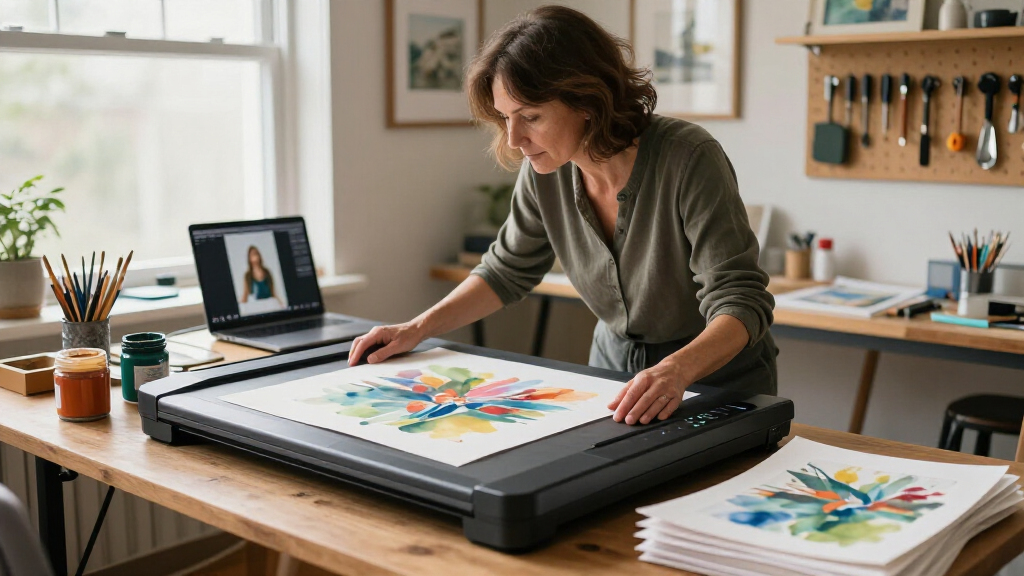

Scanning artwork demands something different from scanning snapshots or receipts: a large, truly flat scanning bed, honest color reproduction, and enough resolution to capture fine linework and texture. After comparing eight desktop photo scanners against those demands, the VIISAN 3120 A3 Flatbed Scanner earns the top spot because its oversized A3 bed and 1200 DPI optics handle full sheets of artwork, sketchbook pages, and mixed-media pieces that letter-size scanners simply can’t. If desk space or budget is tight, the Canon CanoScan LiDE 400 and Epson Perfection V39 II are strong flatbed alternatives, while the Epson FastFoto FF-680W trades flatbed precision for sheer speed when you’re archiving stacks of smaller prints. The core tradeoff in this category is bed size and scan fidelity versus speed and footprint, and a few popular photo scanners here are genuinely poor matches for artwork. Keep reading for the full breakdown of where each model wins and where it falls short.
Key Takeaways
- Bed size was the single biggest differentiator: the VIISAN 3120’s A3 bed was the only option that could capture full-sheet artwork without stitching multiple scans together.
- Sheet-fed scanners like the FastFoto FF-680W and ScanSnap iX2500 are fast but risky for artwork — feeding pieces through rollers can damage soft media like charcoal, pastel, or delicate prints.
- Among letter-size flatbeds, the Epson Perfection V39 II offered the best balance of 4800 DPI resolution and raised-lid flexibility for mounted or textured pieces, making it the best value for most artists.
- The slim CanoScan LiDE 300 and LiDE 400 rely on contact image sensor (CIS) technology, which keeps them ultra-compact but renders depth and texture more flatly than the CCD-style flatbeds better suited to artwork.
- The Plustek ePhoto Z300 and other feeder-style units make sense only for flat photo prints; nearly every scanner optimized for speed is a compromise for original artwork.
| VIISAN 3120 A3 Flatbed Scanner, 1200 DPI |  | Best for Oversize Artwork | Maximum scan size: 304 × 426 mm (11.98 × 16.8 in) | Optical resolution: Up to 1200 × 1200 dpi | Scan speed: 8 seconds per A3 color scan at 200 dpi | VIEW LATEST PRICE | See Our Full Breakdown |
| Epson Perfection V19 II Flatbed Photo Scanner |  | Best for High-Detail Small Artwork | Scanner type: Flatbed photo scanner | Optical resolution: 4800 dpi | Power: USB powered | VIEW LATEST PRICE | See Our Full Breakdown |
| Canon CanoScan LiDE 400 Slim Document and Photo Scanner |  | Best Compact Flatbed | Dimensions: 7.7 × 14.5 × 0.4 inches | Resolution: 4800 × 4800 dpi | Connection: USB Type-C | VIEW LATEST PRICE | See Our Full Breakdown |
| Canon CanoScan LiDE 300 Scanner |  | Best for Simple Document-and-Image Scanning | Scanner type: Document | Connectivity: USB | Scan mode: Auto Scan Mode | VIEW LATEST PRICE | See Our Full Breakdown |
| ScanSnap iX2500 Photo Edition Wireless or USB High-Speed Scanner, Black |  | Best for Batch Photo Digitizing | Scanner type: Document, ID card, and insurance card | Connection: USB and Wi-Fi 6 | Resolution: 600 dpi | VIEW LATEST PRICE | See Our Full Breakdown |
| Epson FastFoto FF-680W High-Speed Duplex Photo and Document Scanner |  | Best for High-Volume Photo Archiving | Photo scan speed: Up to 1 photo per second at 300 dpi | Batch capacity: Up to 36 photos | Maximum photo size: 8 × 10 in | VIEW LATEST PRICE | See Our Full Breakdown |
| Epson Perfection V39 II Flatbed Photo Scanner |  | Best Resolution for Artwork Detail | Scanner type: Flatbed color scanner | Optical resolution: 4800 dpi | Scanning speed: Letter-sized documents in as quickly as 10 seconds | VIEW LATEST PRICE | See Our Full Breakdown |
| Plustek ePhoto Z300 Photo Scanner |  | Best Budget Pick for Casual Photo Digitizing | Photo sizes: 3×5, 4×6, 5×7, and 8×10 inches | Paper sizes: Letter and A4 | Optical resolution: Up to 600 dpi | VIEW LATEST PRICE | See Our Full Breakdown |
| desktop photo scanners for artwork | Optical resolution | Scanner type |
|---|---|---|
| VIISAN 3120 A3 Flatbed Scanner | Up to 1200 × 1200 dpi | — |
| Epson Perfection V19 II Flatbe | 4800 dpi | Flatbed photo scanner |
| Canon CanoScan LiDE 400 Slim D | — | — |
| Canon CanoScan LiDE 300 Scanne | — | Document |
| ScanSnap iX2500 Photo Edition | — | Document, ID card, and insurance card |
| Epson FastFoto FF-680W High-Sp | — | — |
| Epson Perfection V39 II Flatbe | 4800 dpi | Flatbed color scanner |
| Plustek ePhoto Z300 Photo Scan | Up to 600 dpi | — |
More Details on Our Top Picks
VIISAN 3120 A3 Flatbed Scanner, 1200 DPI
The VIISAN 3120 is the clearest fit here when artwork is larger than a standard letter page: its A3 scan bed handles originals up to 304 × 426 mm without splitting them into sections. That advantage matters more for posters, drawings, and larger prints than the higher stated resolution of the Epson Perfection V19 II, whose bed is more compact. The VIISAN offers up to 1200 dpi optical resolution and 48-bit color, while its CIS sensor is designed for flat items. Its automatic scan on lid closure and lack of warm-up time can speed up repetitive work. The tradeoff is that it is a poor match for textured or raised artwork, and full-size 1200 dpi scans require the supplied software; WIA is limited to 600 dpi.
Pros:- A3 bed captures large flat artwork in one scan
- 1200 × 1200 dpi optical resolution with 48-bit color depth
- Auto-Scan and LED lighting avoid a warm-up delay
- Works with Windows TWAIN/WIA and macOS ICA
Cons:- CIS sensor can produce blurry results on raised or three-dimensional subjects
- WIA scanning is limited to 600 dpi
- Full-size 1200 dpi scans require the supplied software
Best for: Artists and printmakers digitizing flat A3-sized drawings, paintings, or photographs in one pass
Not ideal for: People scanning textured, mounted, or three-dimensional artwork, or buyers who need the highest resolution through standard WIA software
- Maximum scan size:304 × 426 mm (11.98 × 16.8 in)
- Optical resolution:Up to 1200 × 1200 dpi
- Scan speed:8 seconds per A3 color scan at 200 dpi
- Sensor:CIS
- Color depth:48-bit
- Lighting:LED light source; no warm-up time
- Compatibility:Windows 7/8.1/10/11; macOS 10.15 or later
Our verdict“Choose the VIISAN 3120 when fitting large, flat artwork in one scan matters more than compact size or handling depth.”
Epson Perfection V19 II Flatbed Photo Scanner
For artwork that fits on a compact flatbed, the Epson Perfection V19 II puts its emphasis on fine capture: its 4800 dpi optical resolution is far above the VIISAN 3120’s 1200 dpi ceiling. That makes it a more suitable choice for small originals when you want room to crop or enlarge the scan, though it cannot match the VIISAN’s A3 coverage. USB power and a 3.1-pound body also make it easier to store between projects. A removable high-rise lid helps accommodate books and albums, while Easy Photo Fix can restore faded photo color. The tradeoff for artwork-focused buyers is that the listing gives no large-format bed dimensions, and OCR and some functions depend on ScanSmart running on a connected Windows PC or Mac.
Pros:- 4800 dpi optical resolution supports detailed capture and cropping
- USB power and 3.1-pound weight simplify storage and setup
- Easy Photo Fix offers faded-photo color restoration
- Removable high-rise lid accommodates books and albums
Cons:- Does not offer the VIISAN 3120’s stated A3 scan area
- OCR and some functions require Epson ScanSmart on a computer
- Software download requires an internet connection
Best for: Artists and archivists scanning small, flat originals who want high optical resolution and a compact USB-powered setup
Not ideal for: People digitizing A3 work or seeking a scanner with minimal software dependence for advanced features
- Scanner type:Flatbed photo scanner
- Optical resolution:4800 dpi
- Power:USB powered
- Weight:3.1 lb
- Scan speed:Letter-sized scans in as fast as 10 seconds at 300 dpi
- Software:Epson ScanSmart
- Features:One-touch scanning, Easy Photo Fix, OCR, built-in kickstand, high-rise removable lid
Our verdict“Pick the V19 II for detailed scans of smaller artwork when portability matters more than an oversized bed.”
Canon CanoScan LiDE 400 Slim Document and Photo Scanner
The Canon CanoScan LiDE 400 suits artwork buyers who want a slim flatbed for standard-size originals and a simple cable setup. Its listed 4800 × 4800 dpi resolution matches the Epson Perfection V19 II’s headline resolution, while the single USB Type-C cable carries both data and power. Color restoration and dust removal can help with older prints, and Auto Scan mode reduces setup when switching between images and documents. Compared with the VIISAN 3120, though, the LiDE 400 is limited to supported sizes around letter/A4 and cannot capture A3 artwork in one pass. Its very thin profile is easy to store, but the supplied data does not specify color depth or a dedicated artwork mode, so buyers should not infer color-management capabilities from resolution alone.
Pros:- 4800 × 4800 dpi resolution for detailed standard-size scans
- USB Type-C carries power and data through one cable
- Color restoration and dust removal are included
- Auto Scan mode detects the type of item being scanned
Cons:- Supported scan sizes do not accommodate the VIISAN 3120’s A3 originals
- Color depth is not stated in the supplied product data
- The very slim design offers no stated support for raised artwork
Best for: Printmakers and photo archivists scanning standard-size flat artwork who value a slim footprint and one-cable connection
Not ideal for: Artists working with A3 originals or requiring documented color depth and artwork-specific controls
- Dimensions:7.7 × 14.5 × 0.4 inches
- Resolution:4800 × 4800 dpi
- Connection:USB Type-C
- Scanning speed:As fast as 8 seconds
- Supported paper sizes:8.27 × 11.69 inches; 8.50 × 11.69 inches
- Scan features:Color restoration, dust removal, Auto Scan mode
- PDF functions:Searchable, editable multi-page PDFs
Our verdict“Choose the LiDE 400 for standard-size flat artwork when a slim, USB-powered flatbed is the priority.”
Canon CanoScan LiDE 300 Scanner
The Canon CanoScan LiDE 300 is the most basic flatbed option in this group: it digitizes images and documents over USB, with Auto Scan Mode detecting what is placed on the bed. That simplicity may appeal to someone who wants occasional, straightforward scans, but the supplied product data does not state resolution, scan area, color depth, or artwork-oriented adjustments. This leaves less evidence for judging fine-detail reproduction than the Canon LiDE 400, which specifies 4800 × 4800 dpi and color restoration. It is also a less clear choice for large originals than the VIISAN 3120, whose A3 capacity is explicit. For artwork, the LiDE 300 makes sense only when basic image digitizing is enough and the missing technical detail is acceptable.
Pros:- Auto Scan Mode detects the type of item being scanned
- USB connectivity provides a direct computer connection
- Can digitize both documents and images
- Simple feature set suits occasional scanning
Cons:- Resolution and maximum scan area are not specified in the supplied data
- No artwork-specific color or dust correction is listed
- Offers less documented detail capability than the Canon LiDE 400
Best for: Casual home users digitizing small, flat images and documents who want automatic scan detection over USB
Not ideal for: Artists who need a specified resolution, known scan-bed dimensions, or documented color-restoration features
- Scanner type:Document
- Connectivity:USB
- Scan mode:Auto Scan Mode
- Supported media:Documents and images
- Item detection:Automatically detects what is being scanned
- Resolution:Not specified in the supplied product data
Our verdict“Consider the LiDE 300 for occasional basic image scanning, but choose a better-documented flatbed for artwork reproduction.”
ScanSnap iX2500 Photo Edition Wireless or USB High-Speed Scanner, Black
The ScanSnap iX2500 Photo Edition is the outlier here: its automatic feeder and photo carrier sheets target batches of loose prints, rather than artwork that needs to stay flat on a bed. It lists 600 dpi resolution, automatic rotation, cropping, color restoration, and red-eye reduction, plus wireless or USB connection. Those tools can make family-photo archiving faster than scanning each print individually on the Epson Perfection V19 II. Carrier sheets provide a way to feed delicate prints, but the iX2500 still moves originals through a document-style path; that makes it a poor fit for original drawings, textured media, or anything that should not bend. Its stated speed and feeder capacity are maximums that can vary by use, and its 24-bit color depth is lower than the VIISAN’s stated 48-bit.
Pros:- Photo carrier sheets are included for delicate prints
- Automatic rotation, cropping, color restoration, and red-eye reduction
- Supports both Wi-Fi 6 and USB connections
- Touchscreen profiles and file organization features support repeatable batch workflows
Cons:- 600 dpi resolution and 24-bit color depth are less suited to high-detail artwork than the VIISAN 3120’s stated specs
- Document-feeder path is not appropriate for raised or oversized artwork
- Listed maximum scanning speed and feeder capacity can vary by use
Best for: Photo archivists digitizing batches of loose prints who value feeder speed, automatic enhancements, and wireless transfer
Not ideal for: Artists scanning original, textured, oversized, or especially fragile artwork that should remain stationary on a flatbed
- Scanner type:Document, ID card, and insurance card
- Connection:USB and Wi-Fi 6
- Resolution:600 dpi
- Color depth:24-bit
- Photo scanning speed:Up to 100 photos per minute
- Feeder capacity:Up to 100 documents or 36 photos
- Photo carrier sheets:3 included
- Dimensions and weight:6.26 × 11.5 × 6.34 inches; 7.7 pounds
Our verdict“Choose the iX2500 for batches of loose photos, not for artwork that needs a stationary flatbed capture.”
Epson FastFoto FF-680W High-Speed Duplex Photo and Document Scanner
When the job is digitizing hundreds of family photos in an afternoon, this model is in a different league from flatbeds like the Epson Perfection V39 II. It feeds up to 36 photos automatically at roughly one photo per second, while a flatbed forces you to lift the lid and place each item by hand. The killer feature for archival work is duplex scanning: handwritten notes on photo backs are captured in the same pass, preserving context that single-sided scanners lose. The tradeoff for artwork specifically is real — it maxes out at 8×10 inches and 300 dpi photo scans, so fine texture and detail in original art will come out softer than the V39 II’s 4800 dpi flatbed captures. Wi-Fi and the FastFoto app add convenience, but both depend on accounts and compatible devices working smoothly.
Pros:- Batch-feeds up to 36 photos at up to one per second
- Duplex scanning captures writing on photo backs in one pass
- Built-in color restoration and red-eye reduction
- Handles both wireless and USB workflows with OCR support
Cons:- 300 dpi photo scanning is too coarse for detailed artwork reproduction
- Mobile app and cloud features depend on accounts, internet access, and compatible devices
- Wireless scanning to a computer requires installing Epson’s software
Best for: Anyone archiving large boxes of family photographs, especially ones with handwritten notes on the backs
Not ideal for: Artists scanning original illustrations or oversized pieces — resolution tops out at 300 dpi for photos and it can’t handle anything beyond 8×10 inches
- Photo scan speed:Up to 1 photo per second at 300 dpi
- Batch capacity:Up to 36 photos
- Maximum photo size:8 × 10 in
- Document scan speed:Up to 45 ppm / 90 ipm
- Connectivity:USB and Wi-Fi
- Duplex scanning:Both sides in a single pass
- OCR:Included via Epson ScanSmart
- Included accessories:Carrier sheet and microfiber cloth
Our verdict“Buy this if speed and volume matter more than fine detail; skip it if your scans need gallery-quality resolution.”
Epson Perfection V39 II Flatbed Photo Scanner
For actual artwork, this is the pick of this batch. The 4800 dpi optical resolution captures fine linework, pencil texture, and subtle color gradients that the Plustek ePhoto Z300 simply cannot resolve at its 600 dpi ceiling — the difference matters if you plan to enlarge or print reproductions. The removable high-rise lid is another artwork-friendly touch: it accommodates books, canvases, and slightly dimensional pieces that a sheetfed scanner would reject or damage. Scanning is slower than the FastFoto FF-680W’s one-second feeds, and every item has to be placed individually on the glass, so this is a quality-over-speed machine. Epson’s ScanSmart software also stitches oversized scans together, letting you work around the letter-size bed in a pinch. USB power keeps the desk setup to a single cable, which I appreciate in a compact workspace.
Pros:- 4800 dpi optical resolution captures fine artwork detail
- Removable high-rise lid handles books and thicker media
- Easy Photo Fix restores faded colors in old prints
- Stitching software supports scanning oversized artwork in sections
Cons:- One-at-a-time flatbed workflow makes batch projects slow
- Cloud storage features depend on compatible third-party services
Best for: Illustrators, mixed-media artists, and hobbyists who need detailed reproductions of individual pieces up to letter size
Not ideal for: Anyone digitizing stacks of loose family photos — placing each item on the flatbed by hand becomes tedious fast
- Scanner type:Flatbed color scanner
- Optical resolution:4800 dpi
- Scanning speed:Letter-sized documents in as quickly as 10 seconds
- Power:USB-powered
- Software:Epson ScanSmart
- Photo restoration:Easy Photo Fix
- Lid:High-rise, removable
Our verdict“This option makes the most sense for artists who prioritize detail over throughput and rarely scan more than a few pieces at a time.”
Plustek ePhoto Z300 Photo Scanner
This model sits between two worlds: faster and easier than a flatbed like the Epson Perfection V39 II, yet far cheaper and simpler than the Epson FastFoto FF-680W. Photos feed through a slot rather than lying on glass, so a 4×6 print takes about two seconds — no lid lifting, no alignment fuss. The compromise is resolution: with only 300 and 600 dpi settings, it handles snapshots and shareable digital copies well, but it will not reproduce fine artwork detail the way the V39 II’s 4800 dpi sensor can. It also lacks the batch feeding of the FastFoto, meaning photos go in one at a time, though the rolling feed still beats flatbed pacing for small batches. Restoration tools help rescue faded prints, and cross-platform Windows and Mac support keeps it flexible in shared households. Those advertised scan times apply at 300 dpi only — expect slower runs at the higher setting.
Pros:- Quick feed-through scanning, about 2 seconds for a 4×6 photo
- Handles all common photo sizes plus letter and A4 paper
- Built-in enhancement tools for faded images
- Works across recent Windows and Mac versions
Cons:- 600 dpi maximum resolution limits detail and enlargement potential
- Photos must be inserted one at a time with no batch feeder
Best for: Casual users who want to digitize photo boxes a handful at a time without paying for professional-grade resolution
Not ideal for: Artists or printmakers needing enlargement-quality scans — 600 dpi is the ceiling, and originals must be flexible enough to feed through the slot
- Photo sizes:3×5, 4×6, 5×7, and 8×10 inches
- Paper sizes:Letter and A4
- Optical resolution:Up to 600 dpi
- Resolution settings:300 dpi and 600 dpi
- Scan speed:About 2 seconds for a 4×6 photo at 300 dpi
- Sensor:CCD
- Compatibility:Windows 7/8/10/11 and Mac OS X 10.12–15.x
Our verdict“A sensible low-commitment choice for snapshot digitizing, as long as gallery-level detail isn’t on your list of requirements.”

How We Picked
I evaluated each scanner through one specific lens: how well it digitizes original artwork rather than documents or family photos. The criteria that separated the winners were bed size and flatness (can it hold a full sheet without bending?), optical resolution (is the DPI real optical quality or interpolated inflation?), color accuracy and depth rendering (does it capture subtle washes, pencil tones, and texture?), and lid or cover flexibility for pieces that aren’t perfectly flat. Feeder-based speed mattered only as a secondary factor, and in some cases it actively counted against a scanner for this use case.
That’s why the ranking may look unconventional if you’ve read general photo scanner roundups. Flatbeds dominate the top positions because rollers and curved feed paths are hazardous to originals, and large-format flatbeds outrank compact ones because artwork rarely comes in letter size. Value picks were judged on cost-per-capability for artists specifically — a cheap scanner that flattens texture isn’t a bargain here. Finally, I factored in software usability and file format support, since color-managed TIFF output matters far more for artwork reproduction than quick JPEG sharing features.
| desktop photo scanners for artwork | Scanner type |
|---|---|
| VIISAN 3120 A3 Flatbed Scanner | — |
| Epson Perfection V19 II Flatbe | Flatbed photo scanner |
| Canon CanoScan LiDE 400 Slim D | — |
| Canon CanoScan LiDE 300 Scanne | Document |
| ScanSnap iX2500 Photo Edition | Document, ID card, and insurance card |
| Epson FastFoto FF-680W High-Sp | — |
| Epson Perfection V39 II Flatbe | Flatbed color scanner |
| Plustek ePhoto Z300 Photo Scan | — |
Factors to Consider When Choosing Desktop Photo Scanners For Artwork
Choosing a scanner for artwork involves tradeoffs that don’t apply to everyday photo or document scanning. These are the factors that actually change your results, and the mistakes I see buyers make most often.Bed Size Determines What You Can Actually Scan
The most common mistake artwork buyers make is purchasing a letter-size scanner and then discovering their pieces don’t fit. Anything larger than 8.5 x 11.7 inches either has to be scanned in sections and digitally stitched — a process that introduces seam misalignment and uneven lighting — or photographed instead. An A3 bed gives you room for full watercolor sheets, sketchbook spreads, and 11×14 illustrations in a single pass. If most of your work is small (trading cards, ACEOs, small studies), a letter-size flatbed is perfectly fine and saves both money and desk space. Measure your typical artwork before you buy anything, not after.
Optical Resolution vs. Interpolated Resolution
Scanner marketing often blends optical and interpolated resolution into one big number, which misleads buyers. Optical DPI is what the sensor physically captures; interpolated DPI is software guesswork that adds pixels without adding detail. For artwork, roughly 600–1200 DPI optical covers most reproduction and print needs at original size, while 2400–4800 DPI only pays off when you need to enlarge small details or capture extremely fine linework. A 1200 DPI A3 scanner will outperform a heavily marketed 9600 DPI interpolated unit for artwork every time. Check the sensor spec, not the headline number.
CIS vs. CCD Sensors and How They Render Depth
Two sensor types dominate desktop flatbeds, and they behave differently on artwork. CIS sensors (found in slim CanoScan models) draw USB power, stay thin, and start fast, but they have almost no depth of field — thick paint, canvas texture, and raised collage elements render flat or soft. CCD-style optics (typical of Epson Perfection units) have greater focal depth and capture surface texture and dimension more convincingly. If your work is two-dimensional and smooth, CIS is a reasonable space-saving choice. If texture is part of the art, this distinction matters more than any resolution figure on the box.
Why Sheet Feeders Are a Trap for Original Artwork
High-speed feeders like the FastFoto and ScanSnap lines are brilliant for boxed family photos and terrible for originals. Rollers can smudge charcoal, pastel, and graphite, bend delicate paper, and leave slight surface marks that are permanent. Feed paths also curve the media, which softens focus on anything with dimension. A feeder only makes sense if you’re digitizing flat, durable photo prints of artwork rather than the artwork itself. When in doubt, treat ‘photo scanner’ and ‘artwork scanner’ as different categories despite overlapping marketing.
Color Accuracy, Bit Depth, and File Output
Reproducing artwork faithfully depends on 48-bit color depth and the ability to save uncompressed TIFF files, not just JPEGs. Higher bit depth preserves subtle gradations in watercolor washes and skin tones that 24-bit JPEGs flatten irreversibly. Look for scanners that support color correction profiles or work with editing software for post-scan adjustment. Also check whether the included software allows manual exposure control — automatic modes tend to brighten scans and clip delicate highlight detail in pale media. These capabilities separate a scan you can print from a scan you have to redo.
Cover Design and Non-Flat Media
Many artists scan pieces that aren’t perfectly flat: mounted work, canvas panels, or sketchbooks that won’t open fully. A removable or lifting lid lets you place a bulky item on the glass and cover it with a dark cloth instead of forcing the lid down. Trying to press a rigid lid onto a thick piece risks cracking the glass or the artwork. Flat, flexible paper works with any lid design, so this only matters if your practice includes dimensional work. It’s an inexpensive feature that dramatically widens what a scanner can handle.
Frequently Asked Questions
Can I use a regular photo scanner for artwork, or do I need a special one?
You can, but only if the scanner meets two conditions: a flat bed large enough for your work and sensor optics that render depth and color faithfully. Most ‘photo scanners’ are optimized for standard-size prints and prioritize speed, which works against artwork. Feed-style photo scanners are the riskiest choice because their rollers can damage soft media like pastel or charcoal. A flatbed with at least 600 DPI optical resolution, 48-bit color, and a bed matching your largest typical piece will handle artwork well. The specialty you’re paying for is really just bed size and optical quality rather than a separate product category.
What DPI should I scan artwork at for prints versus online sharing?
For web sharing, 300 DPI at original size is more than enough and keeps file sizes manageable. For prints at the same size as the original, 600 DPI gives you comfortable headroom for sharp detail. If you plan to enlarge a small piece — say, turning a 5×7 drawing into an 11×14 print — scan at 1200 DPI or higher so the enlargement has genuine detail rather than interpolated filler. Going beyond 2400 DPI rarely improves results for artwork unless you’re capturing extremely fine linework for archival study. Scanning once at a higher resolution than you think you need is cheaper than rescanning later.
Is an A3 scanner like the VIISAN 3120 worth it if most of my artwork is smaller?
Only if you regularly produce work larger than letter size or want to scan sketchbook spreads and multiple pieces in one pass. An A3 bed also lets you lay out several small works at once and crop them digitally, which speeds up batch digitizing considerably. If nearly everything you make fits on letter-size paper, the extra footprint and cost of an A3 unit are wasted, and a quality letter-size flatbed will serve you better for the money. The deciding factor is your largest recurring work size, not your occasional oversized piece — those can be photographed or professionally scanned.
Why not just photograph my artwork with a phone or camera instead?
Photography works for very large or heavily textured pieces, but a scanner wins on consistency. Scanner lighting is uniform and fixed, so every scan has identical exposure and no lens distortion, which makes color matching and print reproduction far more reliable. Phone shots introduce variable white balance, perspective warp, glare, and shadows that require correction every single time. For flat work up to the bed size, scanning is faster per piece and produces cleaner edges. The practical approach many artists use is scanning everything that fits the bed and photographing the rest.
Do the slim CanoScan LiDE models handle watercolor paper and textured media well?
They handle flat watercolor paper reasonably well, with accurate color for a CIS-based scanner, but textured media is where they fall short. Their contact image sensors have very shallow depth of field, so cold-press paper texture, thick paint buildup, and collage layers render softly or lose dimension entirely. If your work is smooth two-dimensional media — ink, marker, digital transfers, flat watercolor — the LiDE line is a compact, affordable fit. For anything where surface texture is part of the piece, an Epson Perfection flatbed with deeper focal range will capture it more faithfully. Matching the sensor type to your media matters more than the resolution spec in this comparison.
Conclusion
The right pick depends entirely on the artwork you make and how much of it needs digitizing. For the best overall artwork scanner, the VIISAN 3120 A3 Flatbed stands alone in this lineup — its oversized bed and reliable 1200 DPI optics make it the only option that handles full-sheet originals in one pass. The Epson Perfection V39 II is my best value choice, pairing genuine 4800 DPI resolution with a flexible lid at a price most working artists can justify, while the Epson Perfection V19 II earns the best for beginners slot thanks to dead-simple one-button operation and guided software. If compactness rules your desk, the Canon CanoScan LiDE 400 is the best compact pick, with the cheaper LiDE 300 as a bare-bones backup for small, flat pieces. For specific needs: the ScanSnap iX2500 Photo Edition and Epson FastFoto FF-680W shine only when you’re archiving large volumes of flat photo prints of artwork — keep originals off the rollers — and the Plustek ePhoto Z300 suits casual digitizing of sturdy prints with zero fuss. Measure your work, be honest about texture, and the right scanner from this list becomes obvious.